hatowl
Members
-
Joined
-
Last visited
-
My satnav has suddenly starting showing the wrong location. It thinks it is 10 miles from it's current location, which makes it useless. Does anyone know how to reset / cure it?
-
Thanks Trevor, must admit I hadn't thought of that.
-
Hi guys, got a bit carried away reversing recently and damaged my rear bumper. The paint is chipped which I'm not too worried about as I can get that repaired. However I've also cracked the chrome strip in the center of the bumper. First question is can I just replace the chrome strip or do I have to replace the whole bumper. Second question is where can I get replacment parts without paying Audi prices. I've tried the usual places such as ebay with no luck. Thanks.
-
Yes I like a feeling of space and comfort when I'm driving.
-
My last car was a Peugeot 508 GT 2.2 which I really loved. It's still in the ballance. :-)
-
Thanks for the welcome guys. Still learning about my A8. Still not sure if I made the right move :-)
-
Found the answer here - MMI.pdf
-
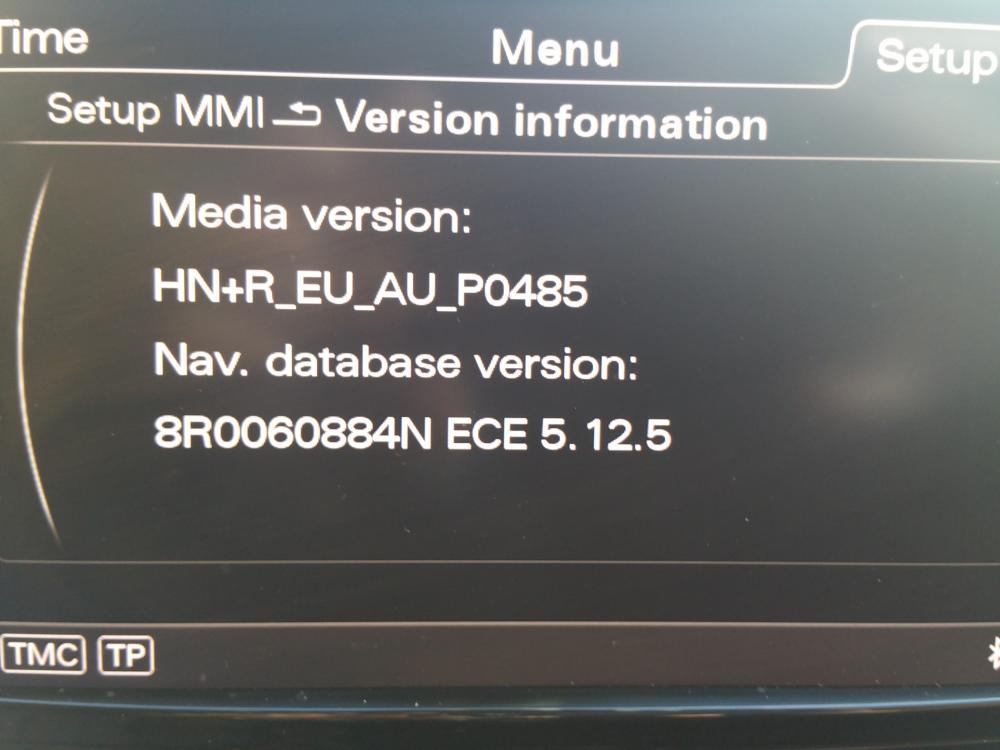
Hi, new member here. I have just bougt a 2012 A8 and I'm not sure which version MMI I have or what years sat nav maps. I attatched a screen shot. Can anyone help please? Thanks