Skip to content
View in the app

A better way to browse. Learn more.

Audi Owners Club (UK)

A full-screen app on your home screen with push notifications, badges and more.

To install this app on iOS and iPadOS
  1. Tap the Share icon in Safari
  2. Scroll the menu and tap Add to Home Screen.
  3. Tap Add in the top-right corner.
To install this app on Android
  1. Tap the 3-dot menu (⋮) in the top-right corner of the browser.
  2. Tap Add to Home screen or Install app.
  3. Confirm by tapping Install.


Jody a5

Members
  • Joined

  • Last visited

  1. Ok will have to look, should have asked that really, does this club do meets or have stands at shows?
  2. It's a 2.0 Diesel engine registered 2011.
  3. Hello steve yeah I can't wait to get it so many buttons I need to play with to work out what they all do ;) the sat nav works it just needs a up date which I guess can wait for a bit, the cars done 51000 miles is it due the cam belt around now? Jody
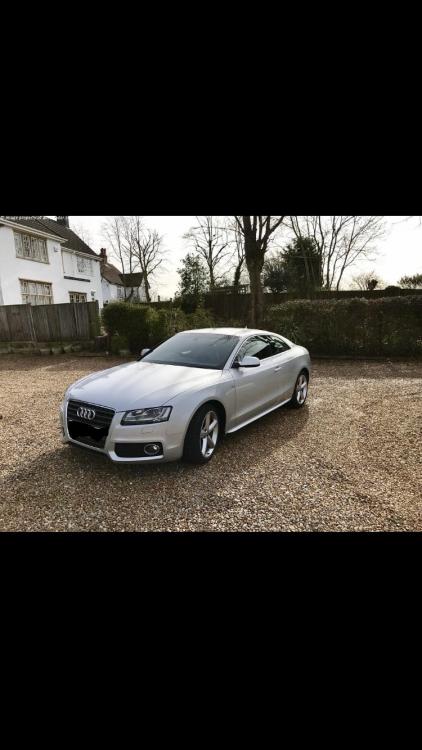
  4. Just a quick hello. I just brought an a5 yesterday and picking it up on Saturday, the current owner said that I need to buy a updated sat nav disc, and said it cost about £300, I seen some on eBay for £79 what's the catch? Any information is going to help. thank you Jody


Background Picker
Customize Layout

Account

Navigation

Search

Search

Configure browser push notifications

Chrome (Android)
  1. Tap the lock icon next to the address bar.
  2. Tap Permissions → Notifications.
  3. Adjust your preference.
Chrome (Desktop)
  1. Click the padlock icon in the address bar.
  2. Select Site settings.
  3. Find Notifications and adjust your preference.