Keithbas
Members
-
Joined
-
Last visited
-
Hi Steve, I had a conversation last year with the dealer and they told me it was down to the set up of the suspension etc., hence the “legendary road holding of the A1”. However with less than 7000 miles driven since on brand new premium Continentals I have the issue again (except this time I know the mileage driven). I have checked all the things you suggest and have submitted photos to the dealer this morning but so far no clues as to what the root cause might be. Current mileage circa 41,000 (car not here just now)
-
Thanks Trevor, I went down that road last September with a local specialist, after I had put new tyres on. However as this issue is with the rear tyres on an A1 there is no adjustment possible.
-
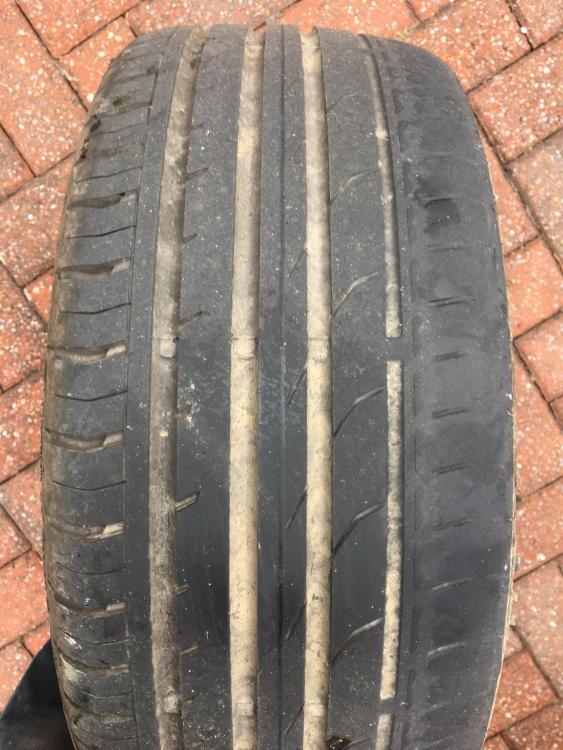
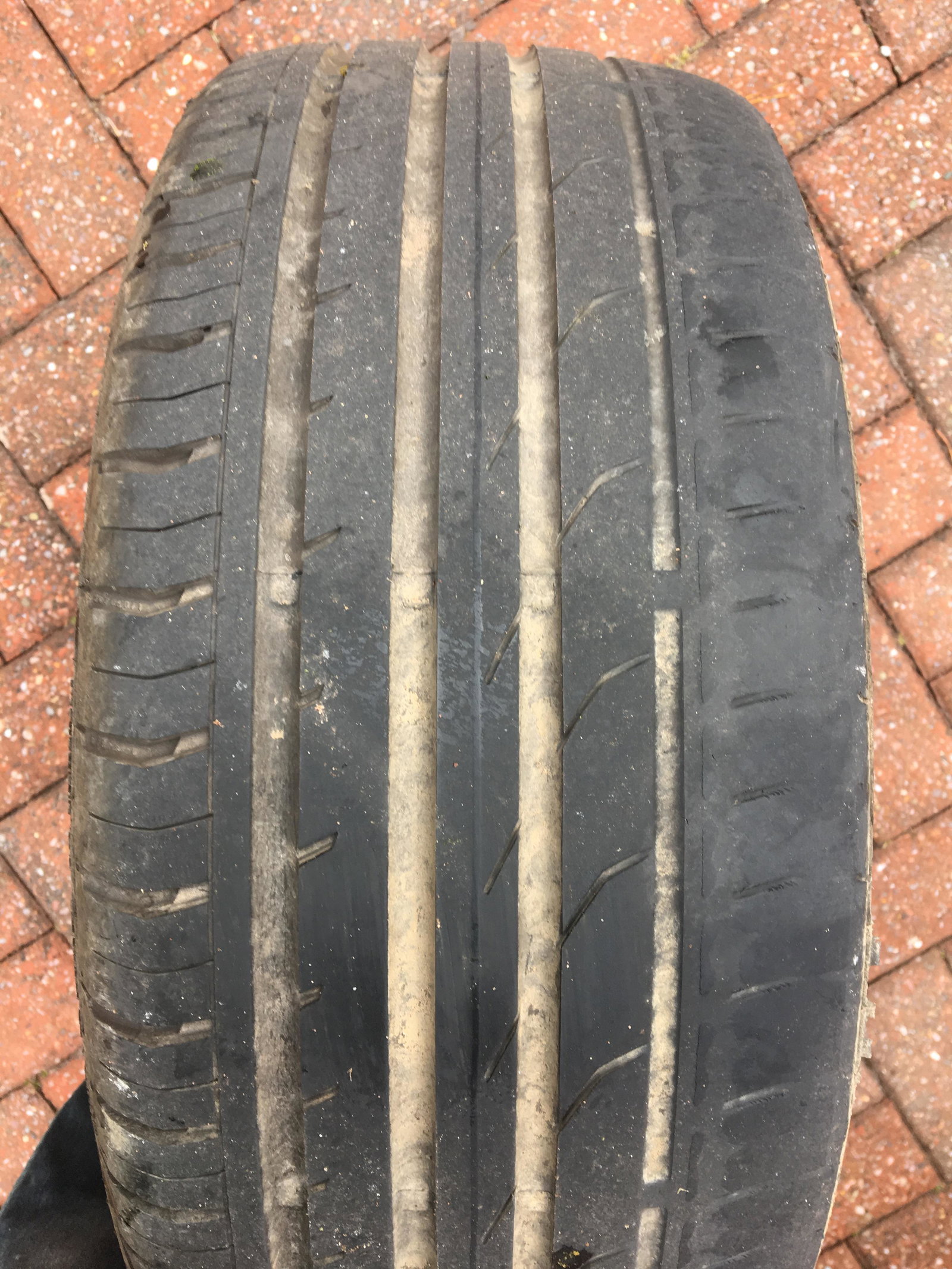
My wife’s A1 (1.6 diesel) wears the inside edge of the rear tyres really badly. In less than 7000 miles we are down to the tread bar on the inside edge (see photo). The fronts are fine. Can anybody help or advise as my local Audi dealer is just giving me BS.