Skip to content
View in the app

A better way to browse. Learn more.

Audi Owners Club (UK)

A full-screen app on your home screen with push notifications, badges and more.

To install this app on iOS and iPadOS
  1. Tap the Share icon in Safari
  2. Scroll the menu and tap Add to Home Screen.
  3. Tap Add in the top-right corner.
To install this app on Android
  1. Tap the 3-dot menu (⋮) in the top-right corner of the browser.
  2. Tap Add to Home screen or Install app.
  3. Confirm by tapping Install.


Leaderboard

Popular Content

Showing content with the highest reputation on 02/22/2023 in Posts

  1. 2 points
    Confirmed water pump, being replaced under warranty
  2. 1 point
    Hi here's the item number. Steve.
  3. Hi guys bought my first Audi at the weekend very impressed
  4. Hi Glenn i didnt remove mine myself. Its at the garage but from what i know it is very tight to remove with the engine still in the car. I think that if you remove the nuts and bolts by the rubber boot on the rack and remove the 2 rods going to the rack from either front wheel once the rack is removed from the steering column where youl need to remove the fascia panel under the steering wheel above the pedals it can be pulled out through the drivers side wheel arch. Youl have to remove the wheel arch lining. Mine is a right hand drive too. I hope it goes smoothly for you. Good luck.
  5. Big red are awesome for piston kits and exchange callipers.
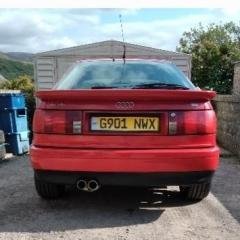
  6. At long last - my dream ride!
  7. Heres my a3 tdi S line :)


Background Picker
Customize Layout

Account

Navigation

Search

Search

Configure browser push notifications

Chrome (Android)
  1. Tap the lock icon next to the address bar.
  2. Tap Permissions → Notifications.
  3. Adjust your preference.
Chrome (Desktop)
  1. Click the padlock icon in the address bar.
  2. Select Site settings.
  3. Find Notifications and adjust your preference.