stevecol
Members
-
Joined
-
Last visited
-
Thanks Gareth. You are right, the only affected area is the seat base. I plan on hiring a rug doctor from Tesco sometime mid January and will post the results. Thank you all for your time guys. P.s. I'm guessing that there isn't any concerns with using a wet vac around the heating element in the seat?
-
thanks steve. as soon as I noticed the staining I started using a thin seat cushion just in case it was from my work clothes. It did cross my mind though that it may be something reacting to the heat. The car was fully valeted before I bought it so there is a possibility. Thanks for your thoughts steve. You have given me an avenue to explore. Much appreciated.
-
stevecol changed their profile photo
-
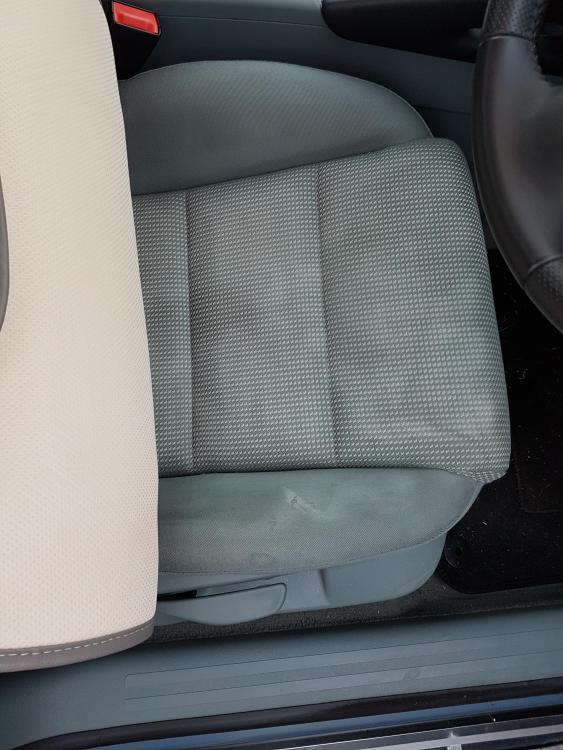
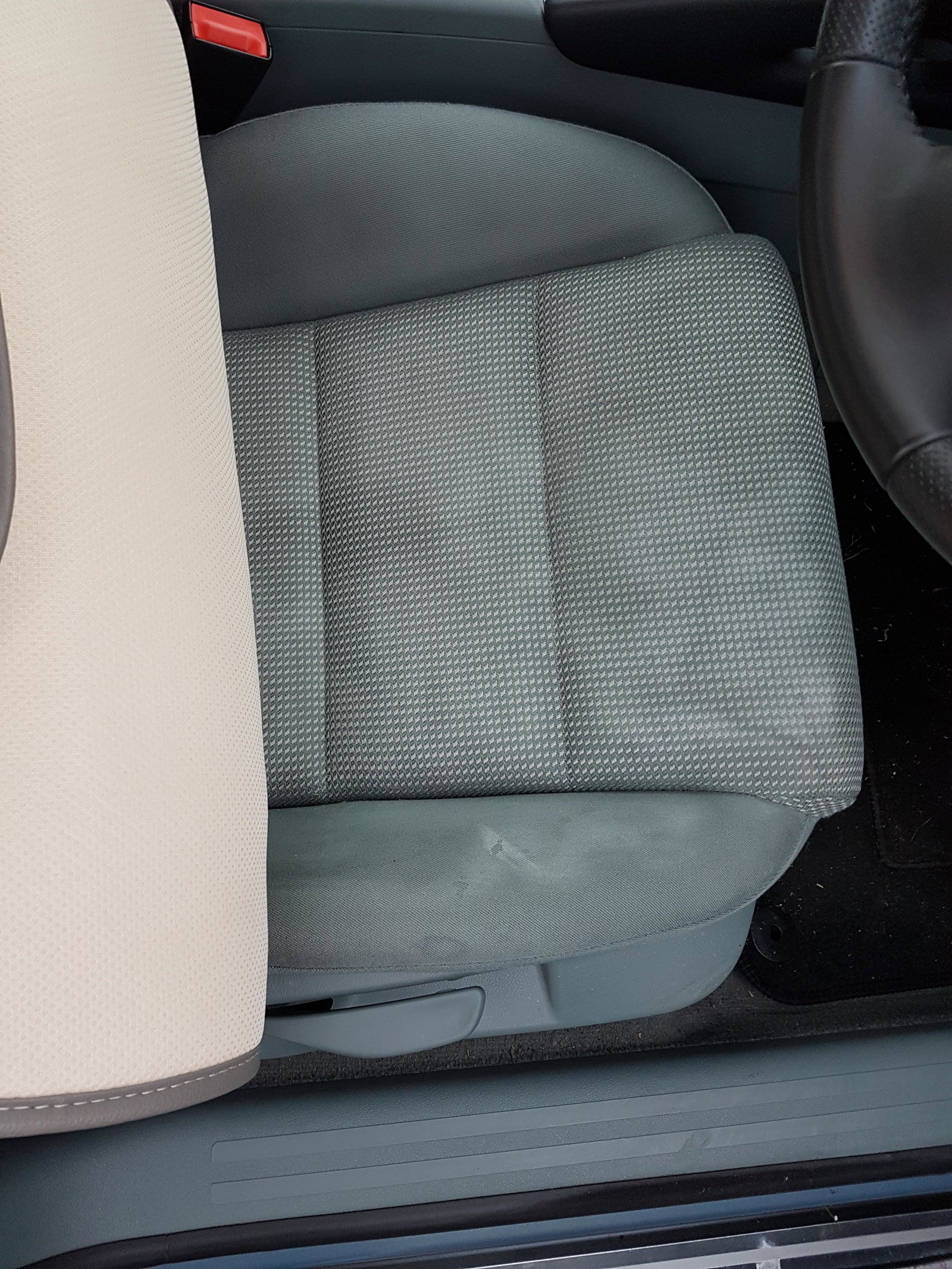
Hi Guys, I've been the owner of a fabulous A3 for 6 months now. Over the past few months I have had the heated seat constantly on. The issue I have is that the seat began getting patches or stains (photo). As you can see the stains are getting worse. Has anyone had this issue or know of a cause or remedy? You can make out the heater element so is there a problem with the heater being constantly on? Any advice would be greatly appreciated guys as this has got me stumped. Thanks