Railman0z
Members
-
Joined
-
Last visited
Everything posted by Railman0z
-
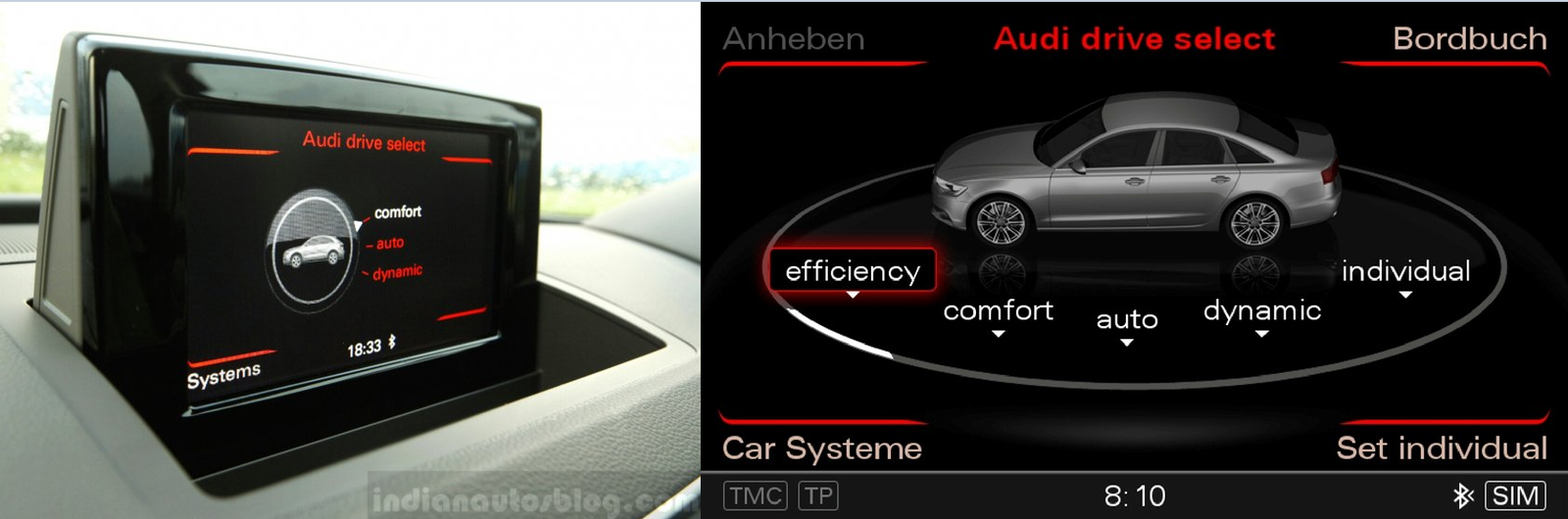
Hi, I noticed that there is 2 ways how Audi Drive select looks on a screen. What's the diffrence between them and is there an option later to change so it looks like one to to the right via Software?
-
Hi guys, This is my first topic in this community and I understand that maybe this isn't best forums to start with saying such a thing ,but I would like to start this thread with beeing sincere and saying that I'm newcomer to United Kingdom and that I'm originally from Latvia ,but still I'm Audi enthusiast and I hope for your help. :) So, the thing is that for a long time my dream was to purchase Audi A4 B5 facelift saloon model. It's quite common car in my country and there's plenty of them for sale ,so there's no problem with repairing if they break. And so now I'm planning in near future to buy this car in U.K. ,but theres things that bothers me - there's not very much exectly this model of Audi for sale here so I'm not sure if it wouldn't cost me a fortune to repair it if it breaks. Would you recommend me to buy this car for daily use in this country? Also what could be the common problems with exectly this model worth checking before buying? Sorry for bad English grammar. Hope for your help! :)