richyhu
Members
-
Joined
-
Last visited
-
That's a great spec A6 there Julian - congratulations. I'm not sure where you are in Sussex, but we have an office near the Ashdown Forest and I sometimes wish I had the night vision option driving back through the country lanes in winter!
-
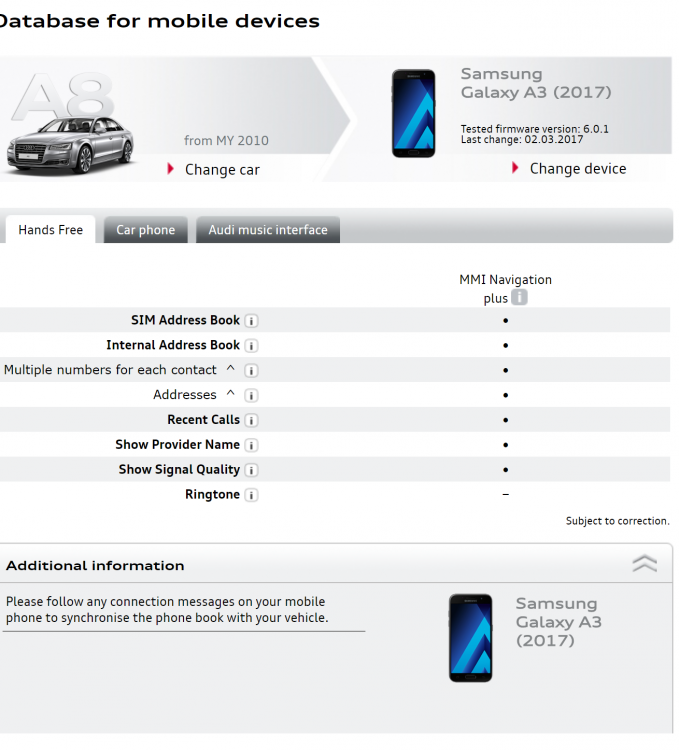
Most Samsung Galaxy's should be fine, but there is a compatibility checker here where you can check the exact version http://microsites.audi.com/ngw_assets/mobile_db/index.html?ds=json_en Example:
-
Great looking car George. I really like the 3 door A3.
-
Hi Barry, I have the 2016 A8L and I am fairly sure you don't need a specific vehicle SIM card. You should be able to use any SIM in the slot. I just bought a pay as you go data SIM card from 3 pre-loaded with 15GB of data or something and this works fine. I use that SIM only for Audi connect and then use my mobile in the phone box connected via Bluetooth for making voice calls. You can configure the in-car sim for voice as well - how have you set yours up? Have you tried something similar and just use the in car-card for data and your mobile for making calls?