Wars750
Members
-
Joined
-
Last visited
Everything posted by Wars750
-
Cheers Steve 😁👍
-
That's what I'm thinking, thought I'd be able to do it with vcds or hidden menu. Cheers for the reply 👍
-
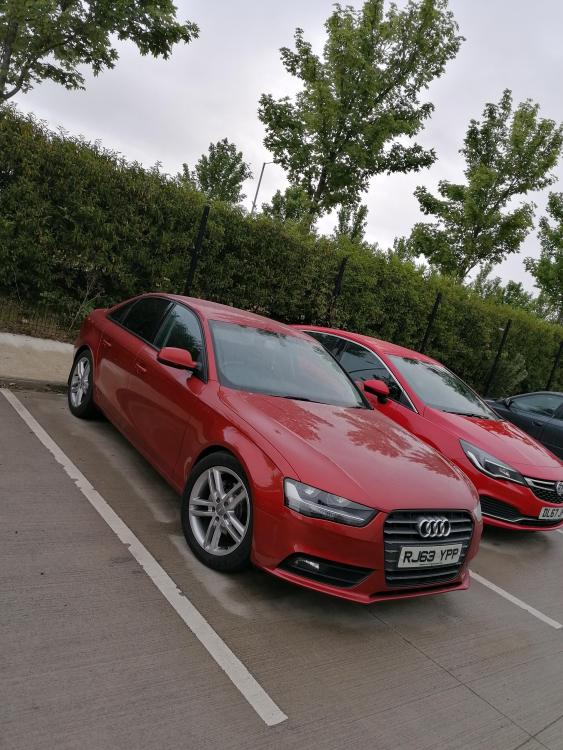
Hi Guys, here's mine, just back from getting tints and dechromed 😍
-
Hi Guys, Anyone know how to get the audi connect option?? As I've a work colleague who has a 2014 a4 and he has the audi connect option but for some reason I don't, is there a way to enable it in the hidden menu?? I've updated the mmi to the latest software as I thought this would give me it, but unfortunately it hasn't. Any help would be great. Thanks
-
Cheers Steve, dug deeper into it, it had one bulb per side and they are Psx26w not Psx13W as some retailers are sailing bulbs marked Psx26w but are actually psx13w saying there both the same.Thanks for the reply, that's the confusing bit, I watched a video on YouTube and he had 2 bulbs per side, apparently on the 2014 model only use one per side and u don't need to cut anything, but I noticed a comment that said he bought ps13w and they didn't fit.Hi Guys, new member here, just purchased An Audi A4 2014 2.0tdi, can someone clarify what bulbs fit the DRLs ?? I've seen some videos of one's have 2 bulbs for each headlight and mine has 1 bulb per side, is it a ps19w or what, looking to upgrade to Led ones, Cheers