





Skip to content
View in the app

A better way to browse. Learn more.

Audi Owners Club (UK)

A full-screen app on your home screen with push notifications, badges and more.

To install this app on iOS and iPadOS
  1. Tap the Share icon in Safari
  2. Scroll the menu and tap Add to Home Screen.
  3. Tap Add in the top-right corner.
To install this app on Android
  1. Tap the 3-dot menu (⋮) in the top-right corner of the browser.
  2. Tap Add to Home screen or Install app.
  3. Confirm by tapping Install.


AndyUk81

Members
  • Joined

  • Last visited

Everything posted by AndyUk81

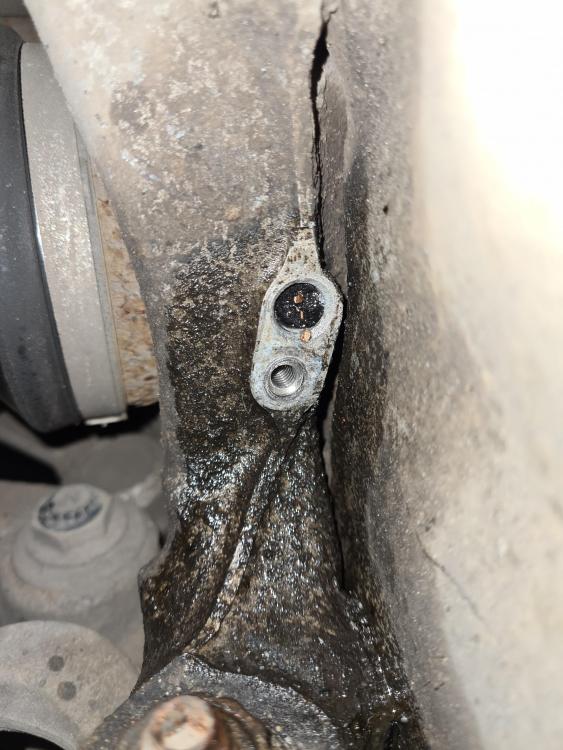
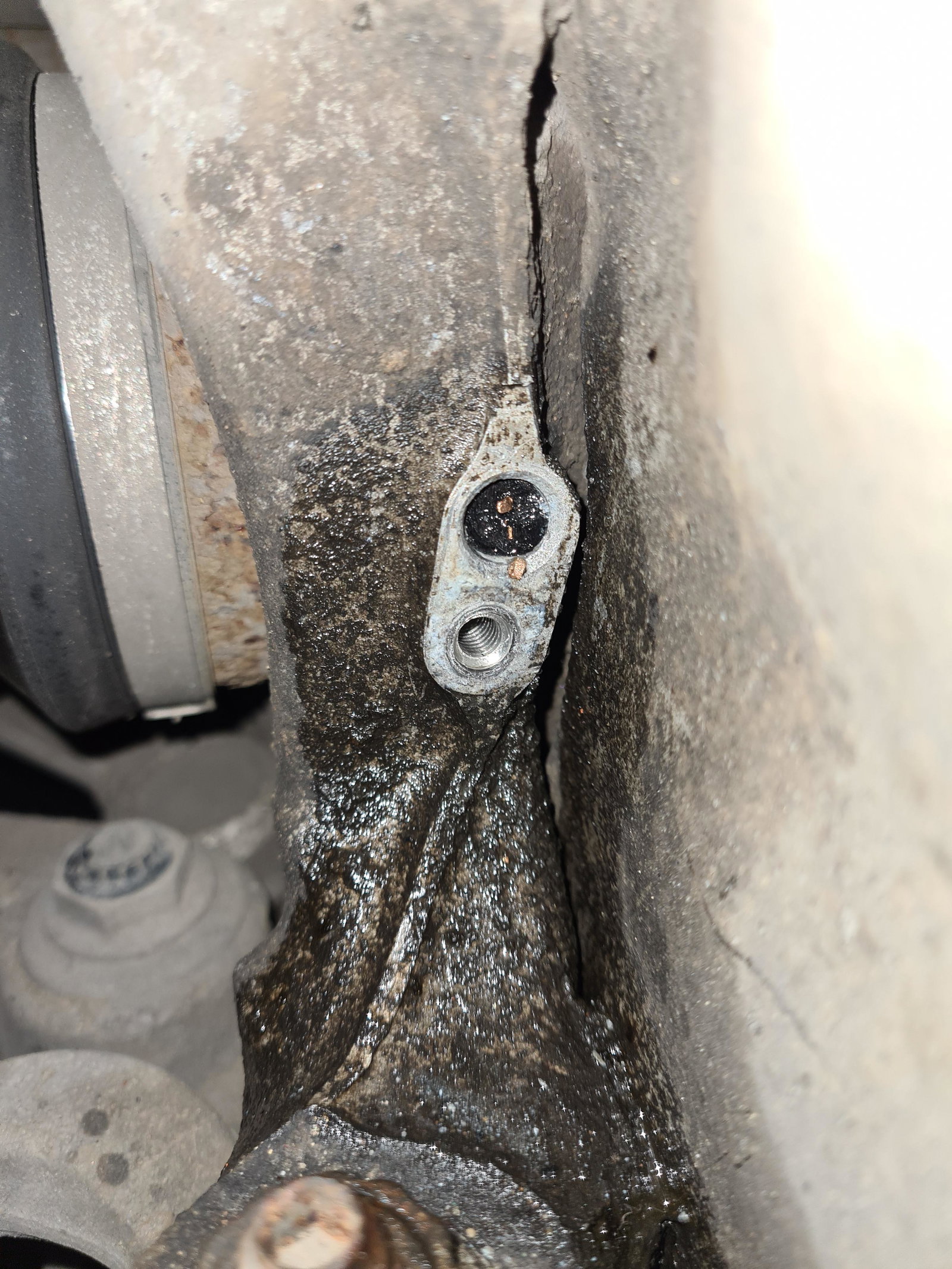
  1. Hi All, Trying to change out the front left speed sensor as it was showing no response on test (following a series of fault codes). It was difficult to remove, penetrative spray liberally added and persistently tried to budge it. Resulting in what you see in the photo added. Just as I thought it had finally got it to shift, it sheered in two and now I've got half stuck in place. Any advice out there to remove it? Proper SOS moment as the car is needed. Thanks in advance. Andy


Background Picker
Customize Layout

Account

Navigation

Search

Search

Configure browser push notifications

Chrome (Android)
  1. Tap the lock icon next to the address bar.
  2. Tap Permissions → Notifications.
  3. Adjust your preference.
Chrome (Desktop)
  1. Click the padlock icon in the address bar.
  2. Select Site settings.
  3. Find Notifications and adjust your preference.