




Skip to content
View in the app

A better way to browse. Learn more.

Audi Owners Club (UK)

A full-screen app on your home screen with push notifications, badges and more.

To install this app on iOS and iPadOS
  1. Tap the Share icon in Safari
  2. Scroll the menu and tap Add to Home Screen.
  3. Tap Add in the top-right corner.
To install this app on Android
  1. Tap the 3-dot menu (⋮) in the top-right corner of the browser.
  2. Tap Add to Home screen or Install app.
  3. Confirm by tapping Install.


ncr

Members
  • Joined

  • Last visited

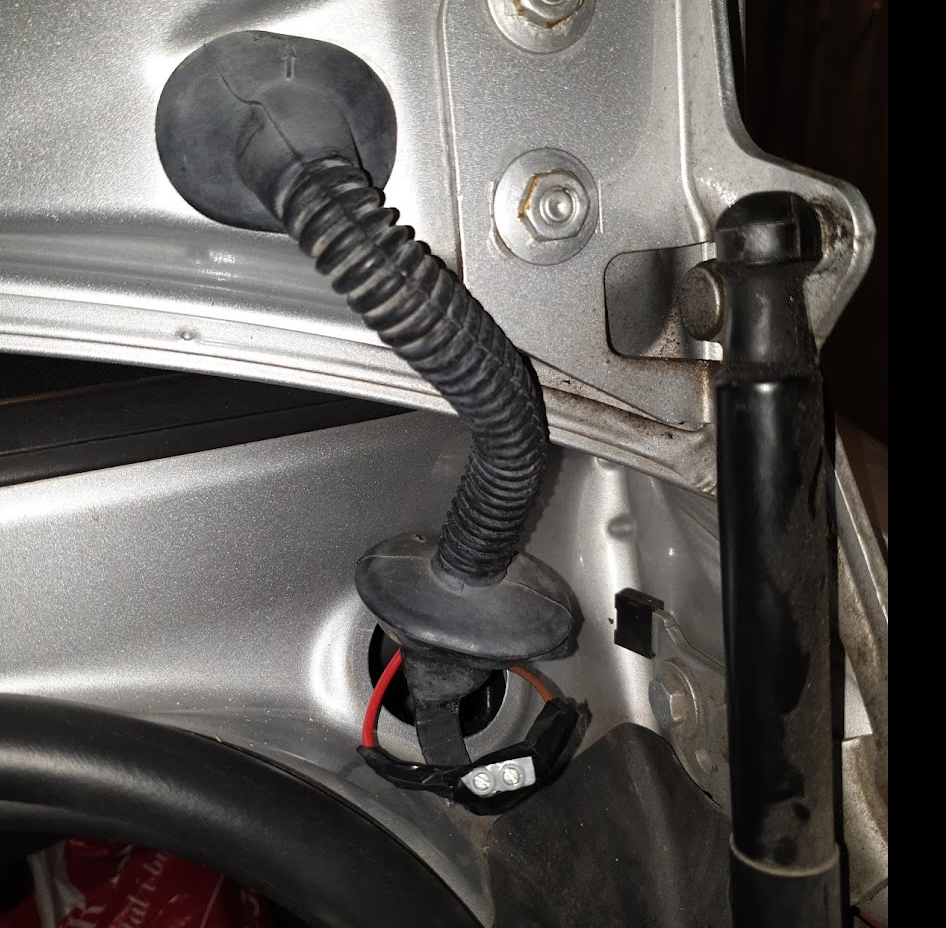
  1. Piggybacking on the already derailed thread, any thoughts on using simple terminal blocks? 😁 (Pic attached, in case that's not the correct translation.)
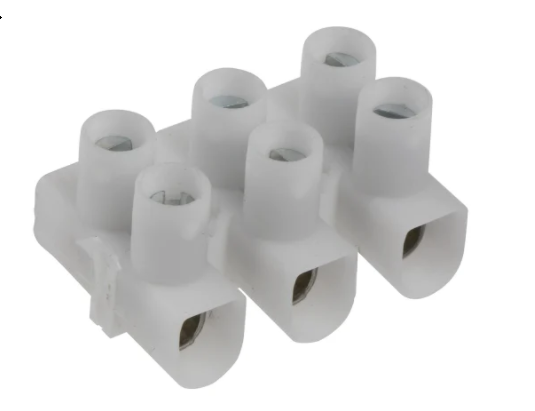
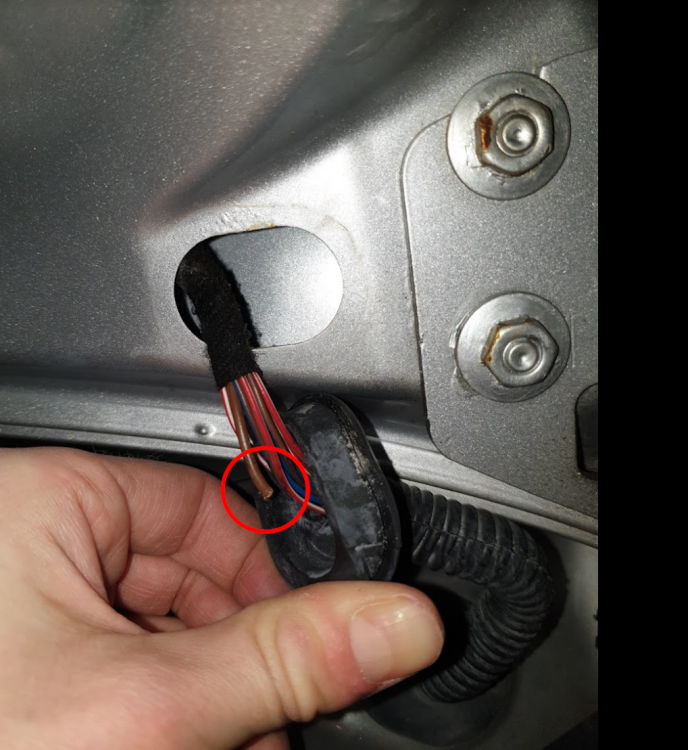
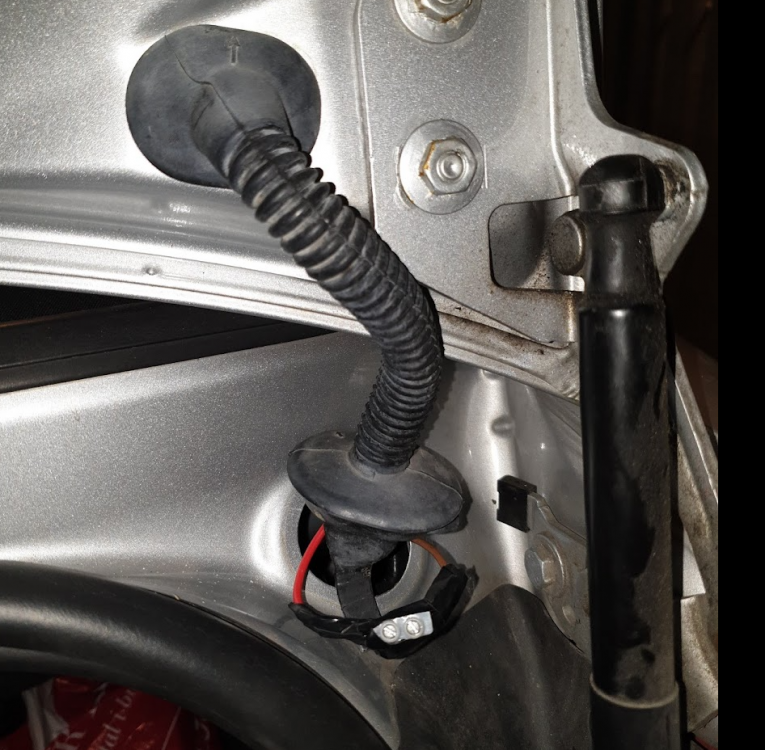
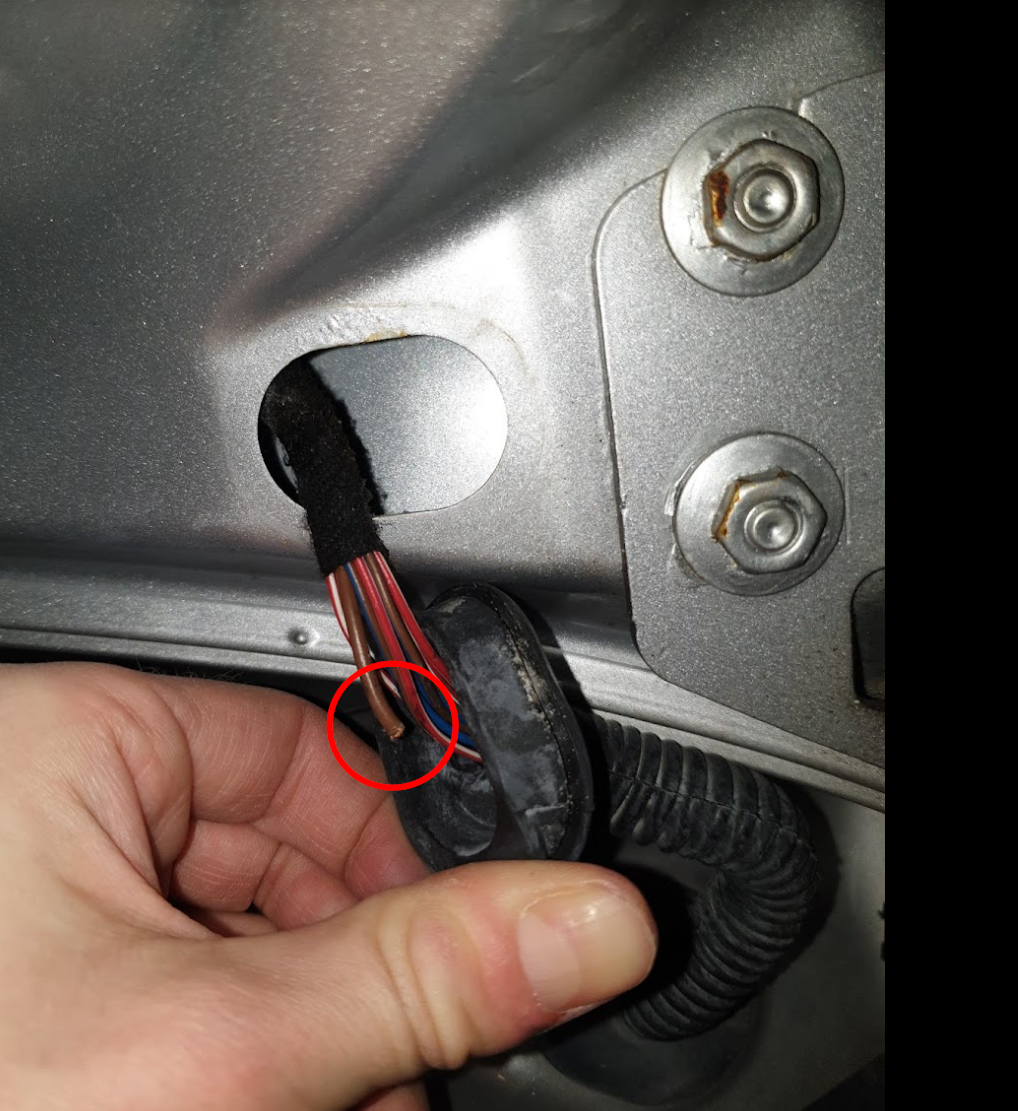
  2. Just signed up to say thank you! This thread was the solution to my problem as well 😄 Same exact car as Scotty, and the same wire broken in the same spot: I pulled it out, threaded a new one through the sleeve, reattached the ends with terminal blocks, and everything was fine. Basic stuff for anyone who ends up here in the future: - Yes, the sleeve can just be pulled out of its socket using enough force, and squeezed back in. - You can open the boot mechanically using the key. The hole is right next to the boot button. (The latter might seem obvious, but in another thread, the discussion revolved around crawling in through the back seat rests to troubleshoot.)

Background Picker
Customize Layout

Account

Navigation

Search

Search

Configure browser push notifications

Chrome (Android)
  1. Tap the lock icon next to the address bar.
  2. Tap Permissions → Notifications.
  3. Adjust your preference.
Chrome (Desktop)
  1. Click the padlock icon in the address bar.
  2. Select Site settings.
  3. Find Notifications and adjust your preference.