Colette
Members
-
Joined
-
Last visited
Everything posted by Colette
-
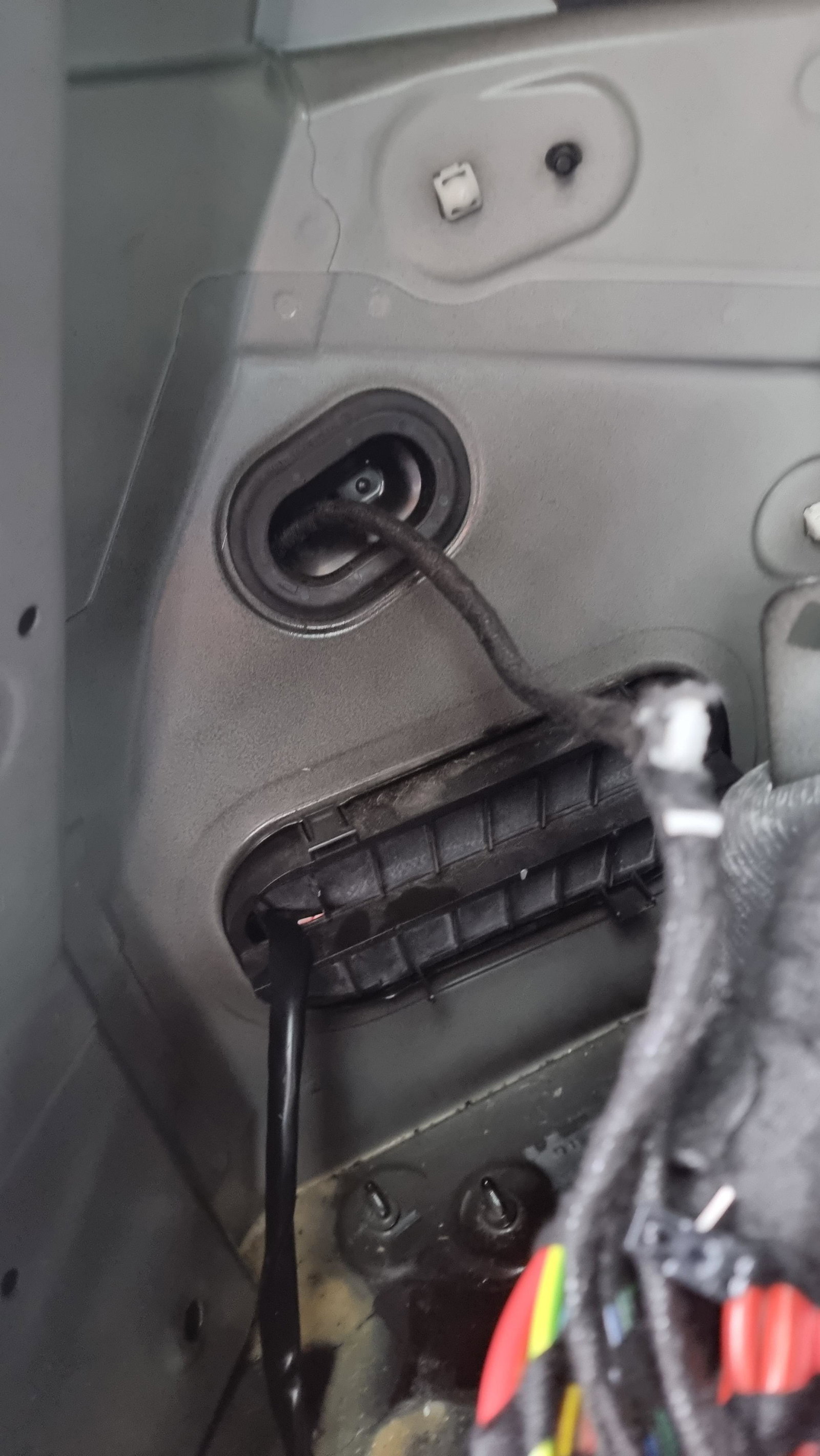
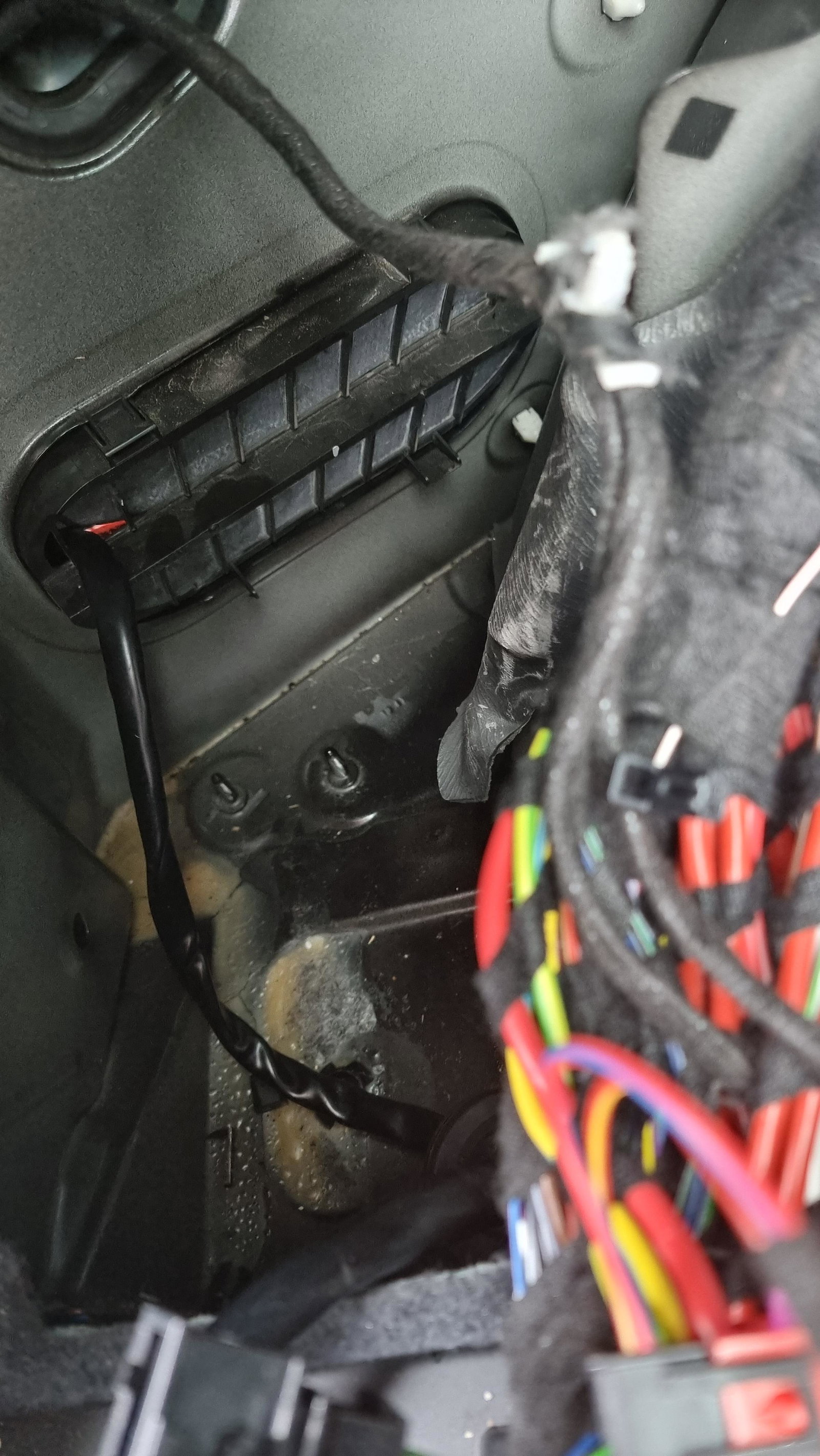
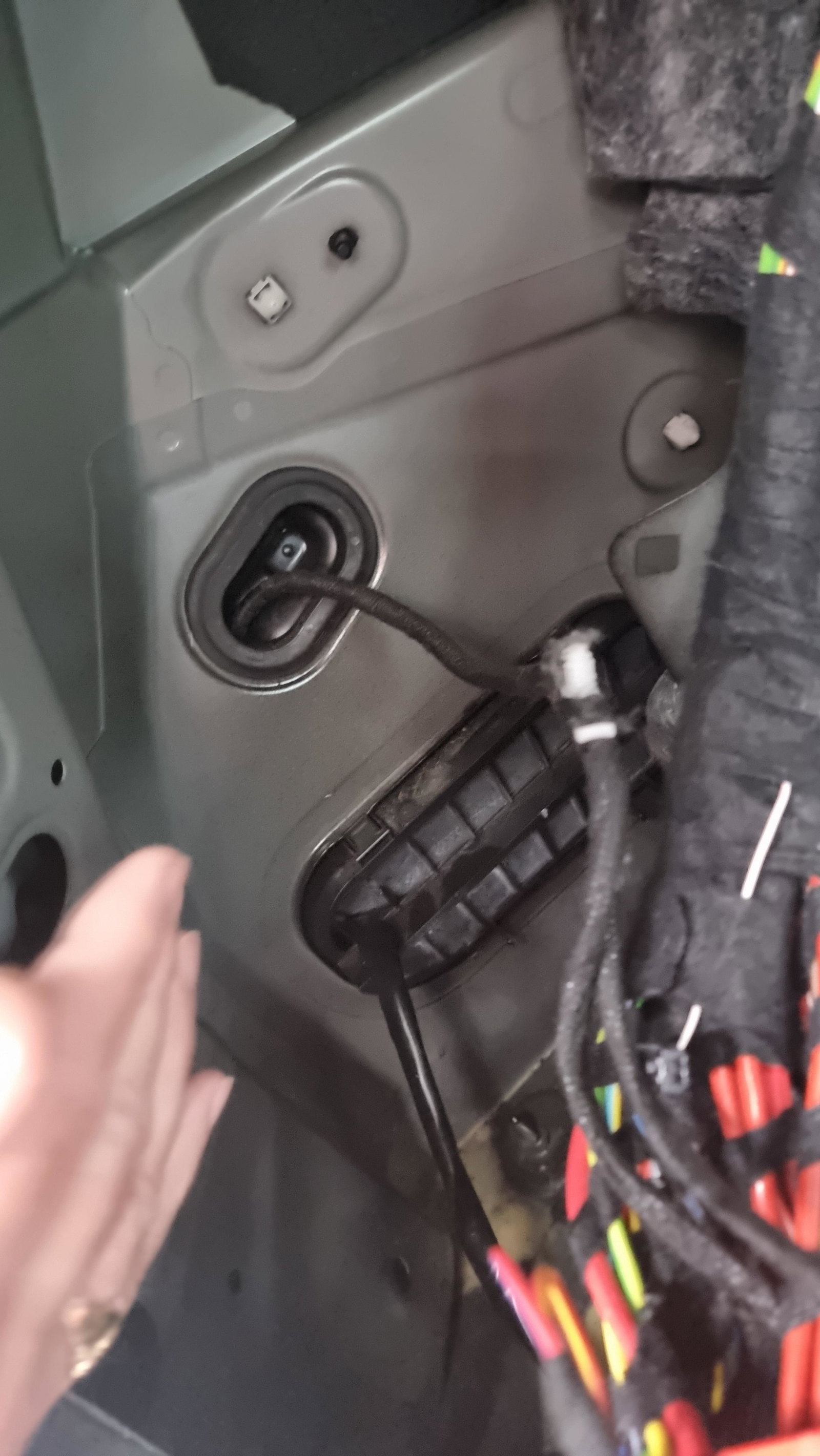
Gromit was on the left you need to remove the side of the car inside this little rubber black thing is what was missing from our car and also the back vent wad broken due to being wired poorly. Here is an image if this helps
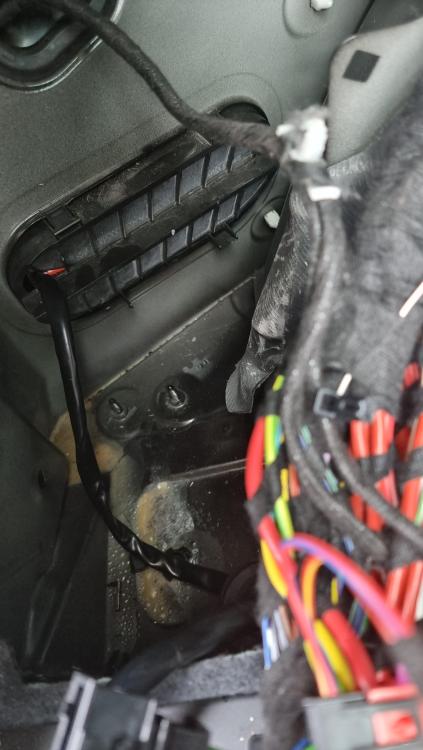
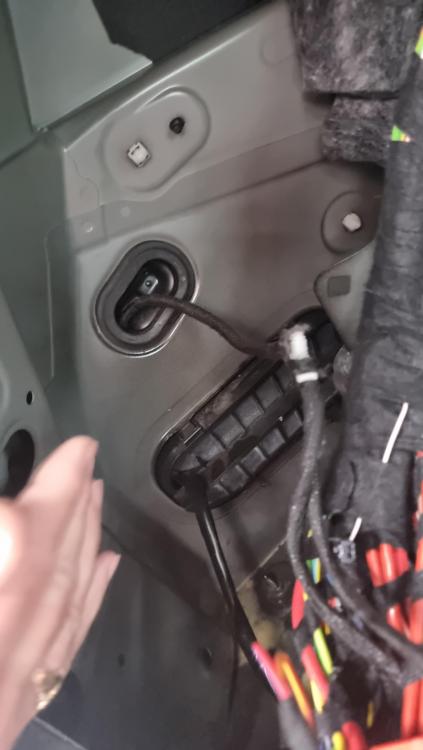
-
Hi rich. Yes and unfortunately ours was due to the poor towbar fitting it cost 2400 to fix as the water damage had caused alot of damage. It was a gromit that was missing from the towbar being fitted. Sorry to be the bearer or bad news. We had to replace the whole controls unit, car battery and alot of wiring. Tbf though Audi Liverpool were excellent.
-
Apprently in the USA there have been numerous problems with the q5 having damp issues and alot of them have been recalled due to it.
-
Fitted end of June
-
Steve I have done this he is absolutely adament it's nothing to do with his fitting and been reading that alot of q5 have been recalled in the USA? I know that's the USA but
-
Hi guys. My Audi q5 broke down on me a couple of weeks ago it's been taken to AUDI. We were towed into Audi. After alot of investigation they have told me it's due to a towbar being fitted incorrectly. It's caused damp and water to get into the call causing the car to now needing a new control unit, new wiring, new battery. Audi have quoted me 2500 to fix the problem 😭 Has anyone at all ever had any similar issues? Thanks