




Skip to content
View in the app

A better way to browse. Learn more.

Audi Owners Club (UK)

A full-screen app on your home screen with push notifications, badges and more.

To install this app on iOS and iPadOS
  1. Tap the Share icon in Safari
  2. Scroll the menu and tap Add to Home Screen.
  3. Tap Add in the top-right corner.
To install this app on Android
  1. Tap the 3-dot menu (⋮) in the top-right corner of the browser.
  2. Tap Add to Home screen or Install app.
  3. Confirm by tapping Install.


raybateman82

Members
  • Joined

  • Last visited

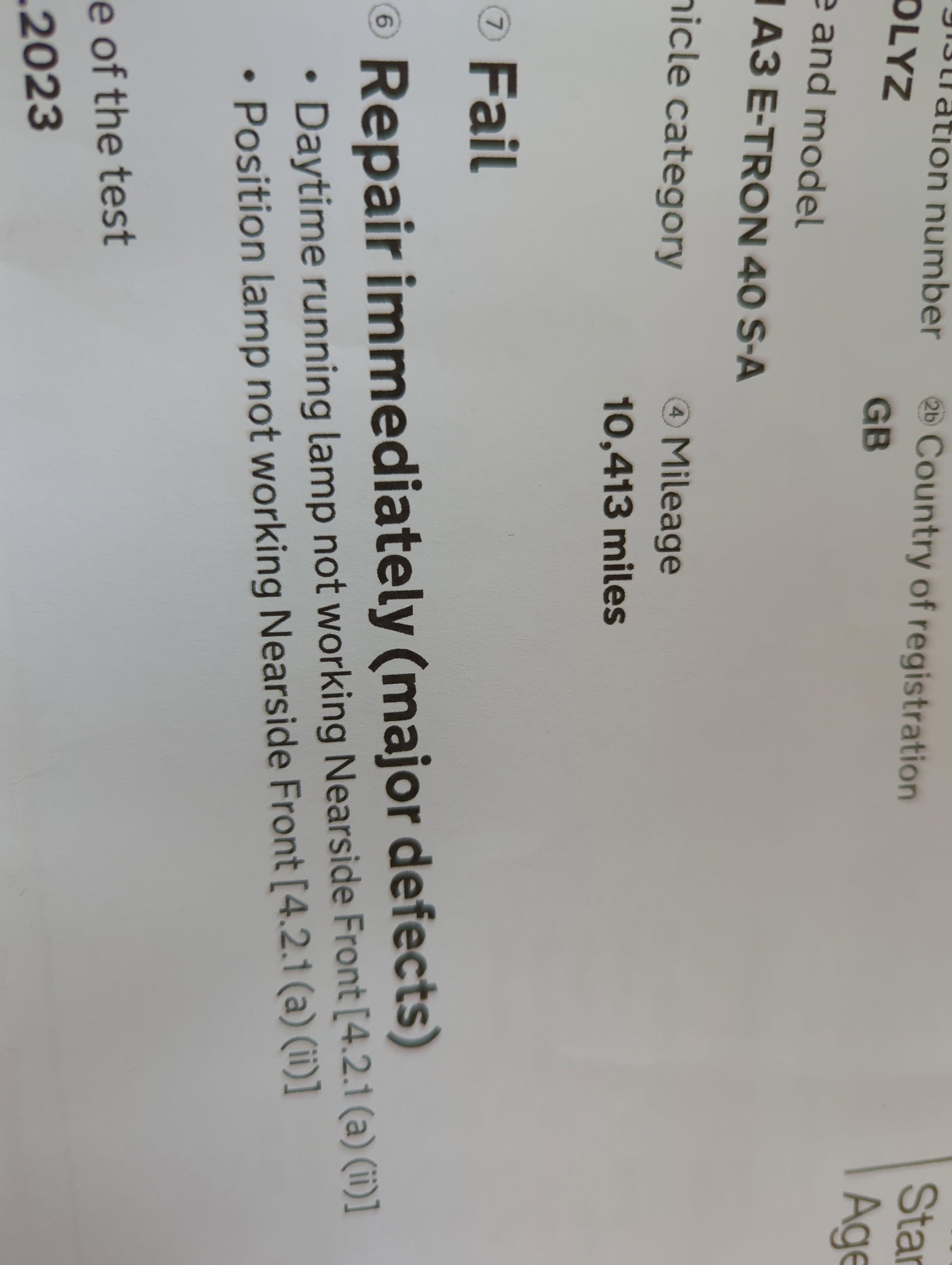
  1. Hey guys, just looking for some advice. My car is nearly 3 years old (end of this month) just took it for an MOT and it failed on: Daytime running lamp not working nearside front Position lamp not working nearside front The guy in the garage said it still should be under the 3 year warranty so best I speak to Audi dealer before doing anything else. Just wondering would that be covered for repairs or do I have to fork out for it? If so any ideas on how much something like that would cost to fix? Is it something that can be done by myself with a help of YouTube videos etc.. and getting the part myself? Any tips or information would be great. I'm worried that I won't be able to get an appointment before the last day of the warranty on the 28th 😭 My car is an Audi A3 sportback E-Tron 40 S-A


Background Picker
Customize Layout

Account

Navigation

Search

Search

Configure browser push notifications

Chrome (Android)
  1. Tap the lock icon next to the address bar.
  2. Tap Permissions → Notifications.
  3. Adjust your preference.
Chrome (Desktop)
  1. Click the padlock icon in the address bar.
  2. Select Site settings.
  3. Find Notifications and adjust your preference.