MikeB4
Members
-
Joined
-
Last visited
Everything posted by MikeB4
-
The key is that to get the cheap rate electric you have to let them decide when to charge the car i.e when overall demand is least. The bonus if that when this is outside the cheap rate period the whole house is on that rate, 6.9p/Kwh, as well. When I plug the car in it starts to charge which is recognised by Octopus when they receive a signal from the car. They then control the car to turn off the charge until their scheduled charging periods during the night. The car only has a 10 kwh usable capacity but when the system works it is more that adequate for running around locally. I have only filled up with petrol once this year.. I can always run the engine to charge the motive battery but that seems to negate the point of having a hybrid. The only settings I make via their app is the level of charge in car that I want them to achieve and the time in the morning that I want to use it. Thank you for your interest
-
The charging is supposed to be controlled by Octopus under their intelligent go tariff that gives good rate between 11.30 pm and 05.30am. I have turned off the charge timers in the car and am using the 3 pin granny charger that has no timer function. When I plug in and switch on the charger starts charging as indicated by the pulsing light on both charger and car. After a short time Octopus recognises that I want to charge, presumably a signal from the car, and they tell the car to stop the charge and send me their proposed schedule, on their app of charging through the cheap rate period. I have been doing this for the two years or so that I have owned the car. The problems started about 3 months ago after I started getting messages that the 12v battery was low. After replacing the battery, including telling the car that it had been changed, the first charge worked fine, but since then nothing but trouble. I have noticed that after a failed attempt to charge one of the car timers that I have turned off is showing that it as set up for a charge some days in the future and has mysteriously turned itself on, definitely not by me! The only settings I have made are in the Octopus app - Level of charge required and by what time
-
Is anybody having trouble charging with Octopus Go. I have been trying for 2 weeks to get my A3 to charge without success. I have at octopus's suggestion fitted a new 12v Battery (new battery was coded to the car) and that night full charge was successful. Since then small amount of charge or nothing. I have switched off the car timers as Octopus suggest to no avail. Interestingly after a failed charge one of the timers has changed to a random date in the future. Communication with the car does not seem to be a problem as Octopus are able to switch the charge off when I plug in outside the cheap rate hours (11.30.to 05.30) as normal. I have switched off any charge settings in the my audi app - again at octopus suggestion Octopus are suggesting that there may be a problem with the AUDI cloud servers. Any input welcome Thanks MikeB4
-
PC app currently at myAudi will be back soon
-
My phone app is up and running again but no sign of the return of the PC version. Just as an aside does anyone know why the odometer reading in the car should be 5 miles different to that shown in the app?
-
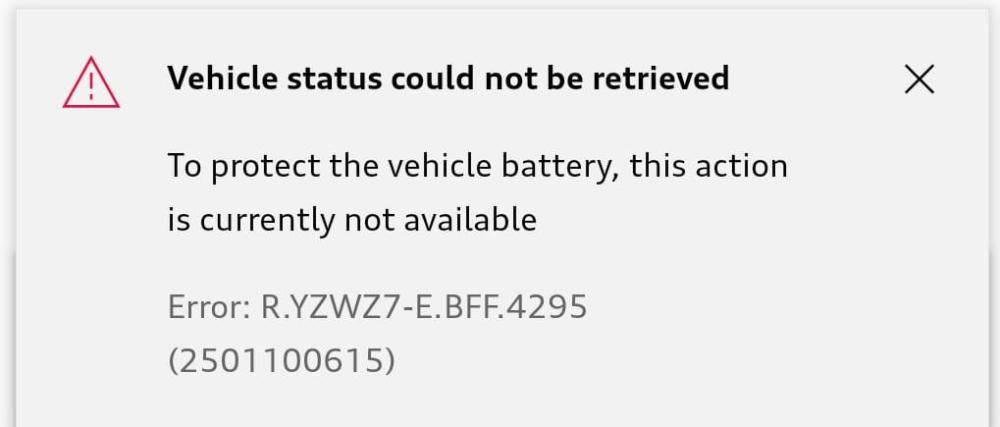
Same problem for me. A real nuisance as the main My Audi site is down as well. I am getting this rather worrying message on the phone app
-
Can anyone tell me how to delete the seemingly random charging schedules left for me by the previous owner. They seem to be stopping Octopus from charging the car during the cheap night period. If its not possible to delete schedules entirely what is the best way to set up the car for Octopus. I am only using the supplied compact charging system ie not a programmable charger. Many thanks