




Skip to content
View in the app

A better way to browse. Learn more.

Audi Owners Club (UK)

A full-screen app on your home screen with push notifications, badges and more.

To install this app on iOS and iPadOS
  1. Tap the Share icon in Safari
  2. Scroll the menu and tap Add to Home Screen.
  3. Tap Add in the top-right corner.
To install this app on Android
  1. Tap the 3-dot menu (⋮) in the top-right corner of the browser.
  2. Tap Add to Home screen or Install app.
  3. Confirm by tapping Install.

ldnQ5driver

Members
  • Joined

  • Last visited

Everything posted by ldnQ5driver

  1. Hey, I know it's a bit of a late reply, but here's some good news for everyone!! :) :) :) I found a part that fixes this problem. its very easy to change this part, it goes inside the headlight, just take the back cover off and you have access. So happy its all sorted! http://www.ebay.co.uk/itm/Audi-Q5-Xenon-LED-Headlight-DRL-Control-Ballast-Unit-8R0907472B-Repair-Fix-/121643746611? :) :) :)
  2. Thanks James, still looking into it now, I have all the fuses checked already so it may be a new headlamp which are really expensive! :(
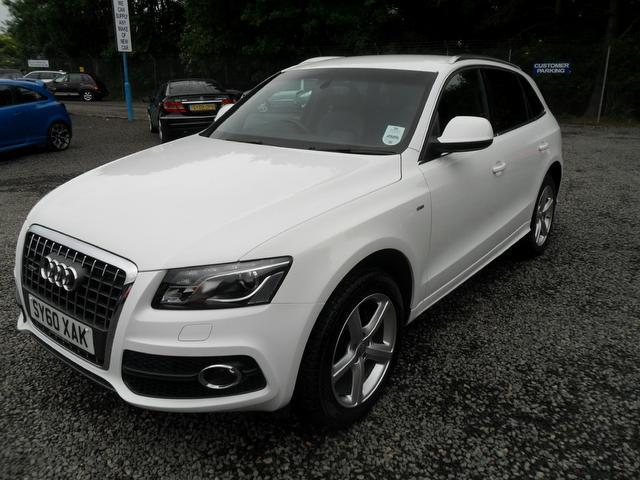
  3. Hi there, thanks in advance, so I have a 2011 Audi Q5 and the LED part of the headlamp has stopped working on one side. Does anyone here know what the problem could be? Hoping it's not an expensive fix and I can do it myself thanks!



Background Picker
Customize Layout

Account

Navigation

Search

Search

Configure browser push notifications

Chrome (Android)
  1. Tap the lock icon next to the address bar.
  2. Tap Permissions → Notifications.
  3. Adjust your preference.
Chrome (Desktop)
  1. Click the padlock icon in the address bar.
  2. Select Site settings.
  3. Find Notifications and adjust your preference.