W2FINEST
Members
-
Joined
-
Last visited
Everything posted by W2FINEST
-
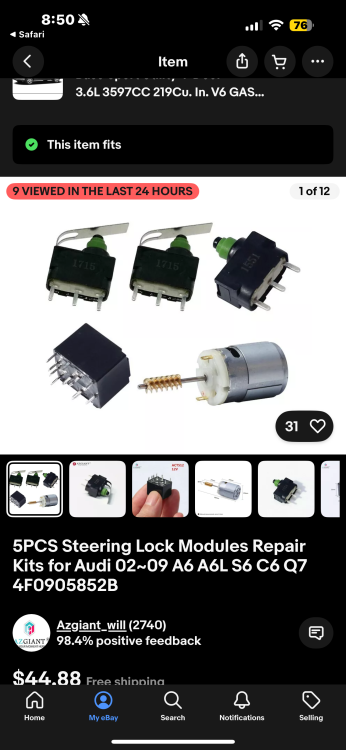
So the battery is programmed and still nothing what I think it might be is the steering wheel lock thingy so I ordered this repair kit hoping it is this if not then idk what the heck it is
-
And my car wouldn’t start or get any power even before I changed my battery
-
Could I code it myself ?
-
No I don’t have the old battery
-
No the battery wasn’t coded to the car and when I try to use an OBD Reader it won’t work because there’s no power
-
Hello there so I have an 07 Q7 V6 that won’t start. The doors unlock and lock with key the dome lights work & so do the hazards etc. when I open my door the only thing that pops up on the cluster is the miles but when I put my key in the ignition nothing my happens when usually the steering wheel will unlock and the dash will turn on but it doesn’t do anything. I just replaced the battery in both the car & key fob & still nothing. I checked all the fuses and I also replaced the relay next to the battery under the driver seat. I tried to connect an OBD reader to it to find out what is wrong but even that won’t work I have no clue what to do nor do I know what is wrong. If someone could PLEASE help me I would really appreciate it!