




Skip to content
View in the app

A better way to browse. Learn more.

Audi Owners Club (UK)

A full-screen app on your home screen with push notifications, badges and more.

To install this app on iOS and iPadOS
  1. Tap the Share icon in Safari
  2. Scroll the menu and tap Add to Home Screen.
  3. Tap Add in the top-right corner.
To install this app on Android
  1. Tap the 3-dot menu (⋮) in the top-right corner of the browser.
  2. Tap Add to Home screen or Install app.
  3. Confirm by tapping Install.


Flatspell

Members
  • Joined

  • Last visited

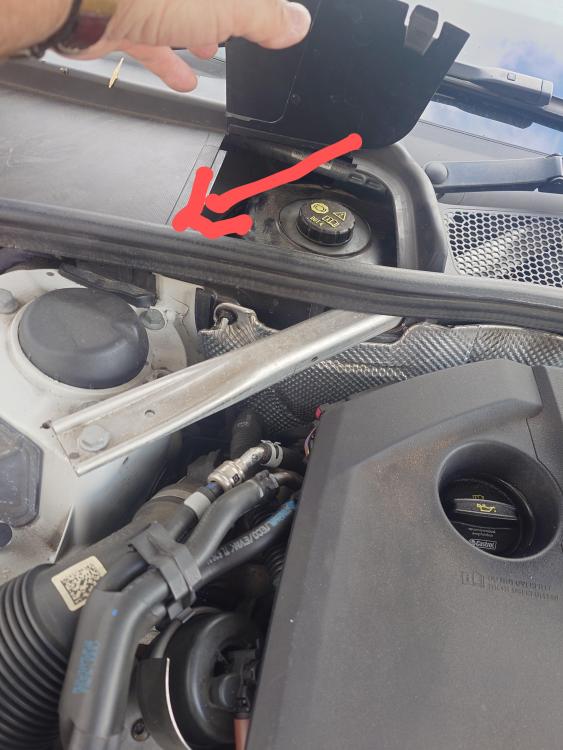
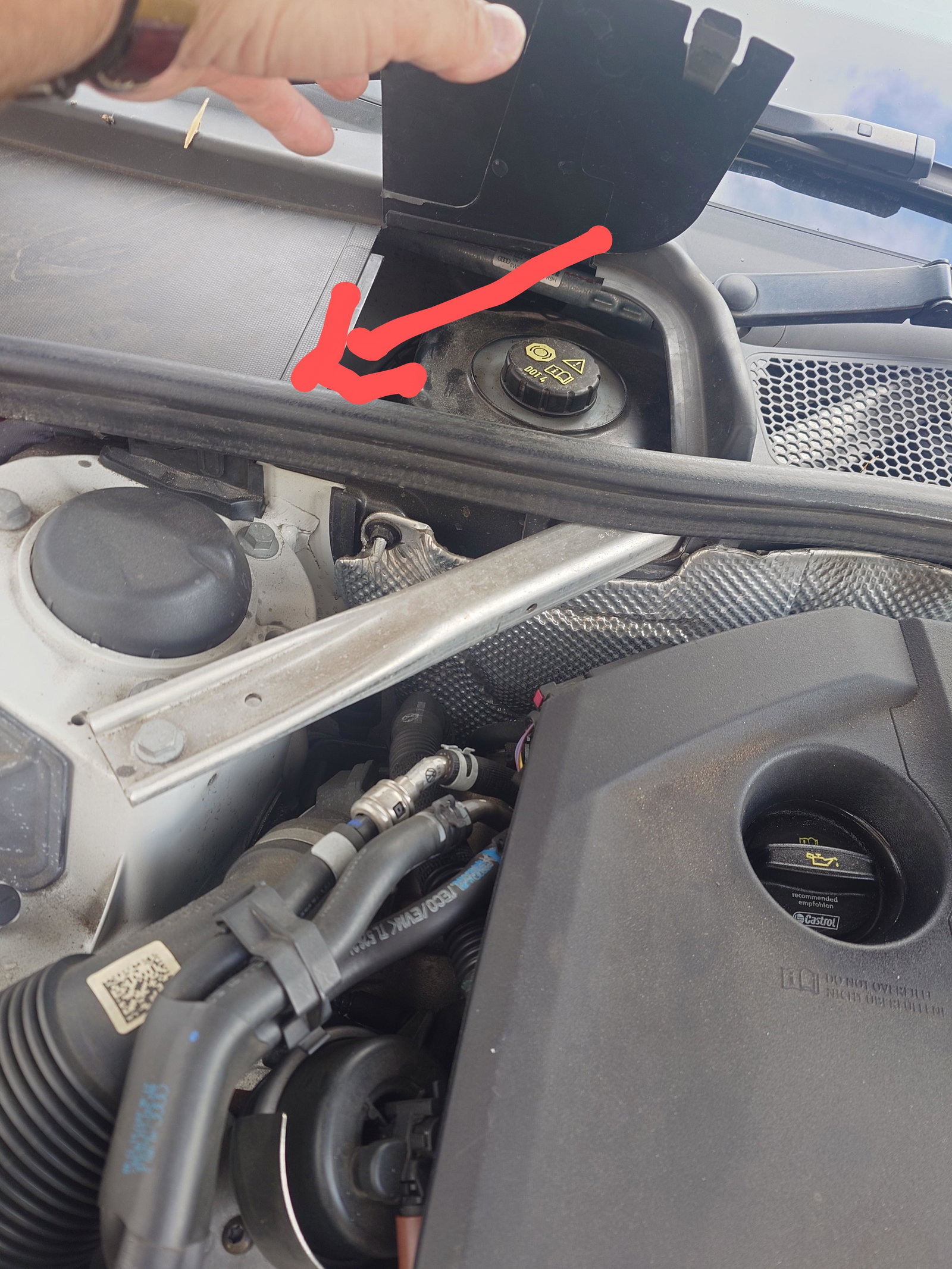
  1. On my all road the sensor is on left hand side looking from the front under the black cover next to the brake fluid reservoir --see photo
  2. Bought mine from main dealer after reading some people having issues with generic parts. Was expensive (100 plus) but worked first time. Did run vcds and erased any errors, so don't know if thats the reason it's been ok from then on.
  3. Hi, new to this forum. Would like to thank all the members as read about the lockout that occurs after about 20 times the warning appears.Replaced the sensor, cleared fault using vids and has never appeared again. 110 pound from main “stealer” ,was quoted over 3 grand by an independent , thanks to this forum saved a small fortune and all the headaches. When I mentioned the fix to the independent garage they looked at me blankly, didn’t know about it. Thanks to all.



Background Picker
Customize Layout

Account

Navigation

Search

Search

Configure browser push notifications

Chrome (Android)
  1. Tap the lock icon next to the address bar.
  2. Tap Permissions → Notifications.
  3. Adjust your preference.
Chrome (Desktop)
  1. Click the padlock icon in the address bar.
  2. Select Site settings.
  3. Find Notifications and adjust your preference.