




Skip to content
View in the app

A better way to browse. Learn more.

Audi Owners Club (UK)

A full-screen app on your home screen with push notifications, badges and more.

To install this app on iOS and iPadOS
  1. Tap the Share icon in Safari
  2. Scroll the menu and tap Add to Home Screen.
  3. Tap Add in the top-right corner.
To install this app on Android
  1. Tap the 3-dot menu (⋮) in the top-right corner of the browser.
  2. Tap Add to Home screen or Install app.
  3. Confirm by tapping Install.


daithi_a6

Members
  • Joined

  • Last visited

Everything posted by daithi_a6

  1. Does anyone know what colour code the OEM springs are for a 2014 A6 C7 S-Line Ultra Saloon? Tried LLL parts but there's so many different colour codes that it nearly impossible to find which ones are right and I'd like to get the right springs that match the spec of the car. Cheers!
  2. Nevermind, I believe I found the part with part no. 7L0965561L
  3. Hi Gareth, thanks for the welcome! I did try the LLL website but I had no luck going through all the diagrams and nothing came up for the part name when I tried searching it.
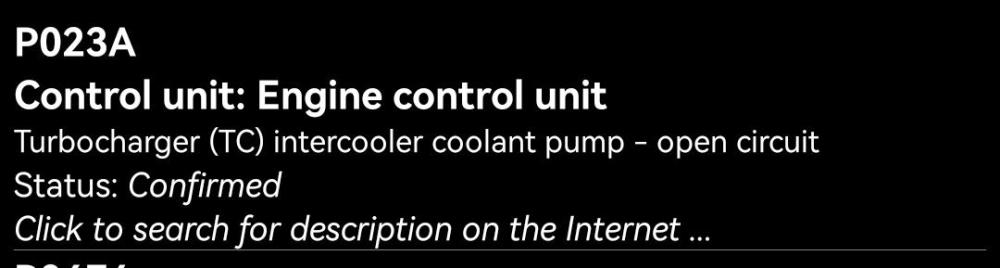
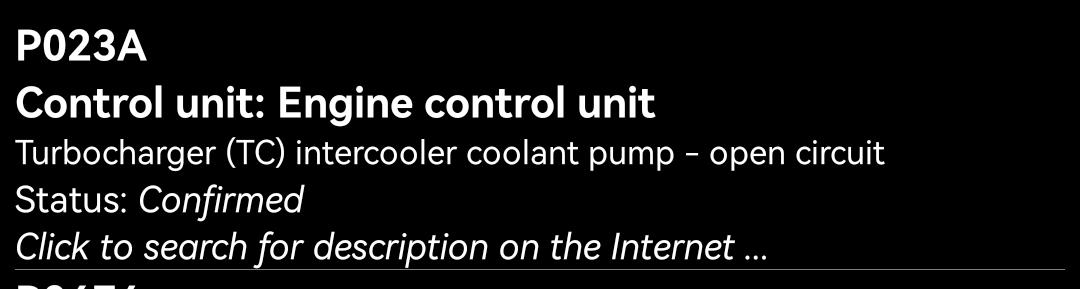
  4. Hi all, new member here,I have the p023a code showing up for Turbocharger intercool Cooler Pump,I'm struggling to find the part number for the pump online, I need it in and fixed by the 28th of this month so any help would be massively appreciated. 2014 2.0TDI Ultra, 190bhp, Stronic


Background Picker
Customize Layout

Account

Navigation

Search

Search

Configure browser push notifications

Chrome (Android)
  1. Tap the lock icon next to the address bar.
  2. Tap Permissions → Notifications.
  3. Adjust your preference.
Chrome (Desktop)
  1. Click the padlock icon in the address bar.
  2. Select Site settings.
  3. Find Notifications and adjust your preference.