




Skip to content
View in the app

A better way to browse. Learn more.

Audi Owners Club (UK)

A full-screen app on your home screen with push notifications, badges and more.

To install this app on iOS and iPadOS
  1. Tap the Share icon in Safari
  2. Scroll the menu and tap Add to Home Screen.
  3. Tap Add in the top-right corner.
To install this app on Android
  1. Tap the 3-dot menu (⋮) in the top-right corner of the browser.
  2. Tap Add to Home screen or Install app.
  3. Confirm by tapping Install.


msuth92

Established Member
  • Joined

  • Last visited

Everything posted by msuth92

  1. Hi James sorry I did reply but it didn't send only just seen thanks for the reply I've got her booked in for Thursday so I should find out more seems strange how it goes into limp mode at 70mph :/ as long as I stay below 70 I'm fine hope it's not a major issue....... could it be ???
  2. I have the same problem I've purchased myself a code reader once it's arrived I've let you know what the problem is
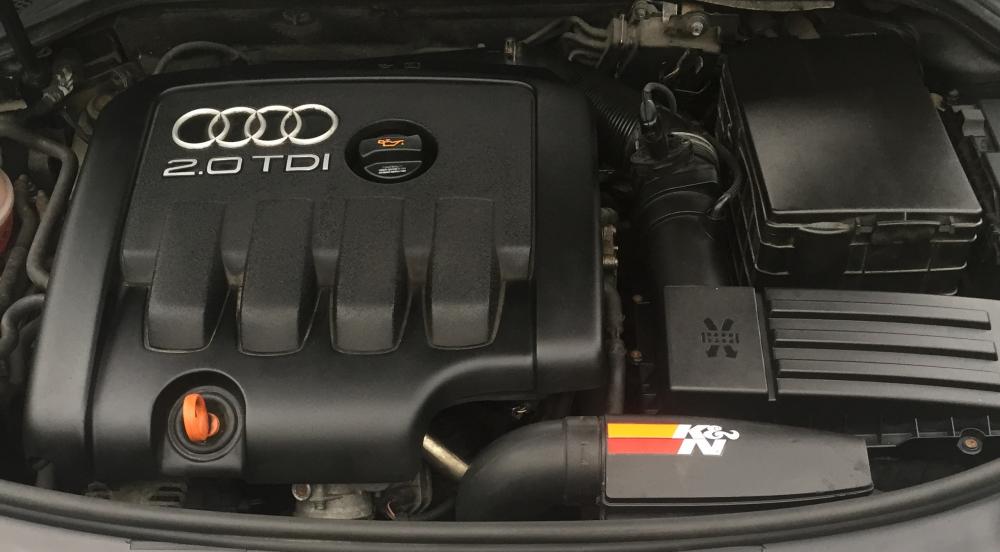
  3. Hi guys new to the forums so I'm hoping someone can point me in the right direction. I've just bought an a3 2.0 TDI 8p and as soon as I get to 70mph the car loses all power and doesn't seem to go any faster than 45-50 mph but it's fine once I turn the engine off and it's fine if I stay below 70mph any takers on what's wrong thanks guys Matt from Manchester


Background Picker
Customize Layout

Account

Navigation

Search

Search

Configure browser push notifications

Chrome (Android)
  1. Tap the lock icon next to the address bar.
  2. Tap Permissions → Notifications.
  3. Adjust your preference.
Chrome (Desktop)
  1. Click the padlock icon in the address bar.
  2. Select Site settings.
  3. Find Notifications and adjust your preference.