




Skip to content
View in the app

A better way to browse. Learn more.

Audi Owners Club (UK)

A full-screen app on your home screen with push notifications, badges and more.

To install this app on iOS and iPadOS
  1. Tap the Share icon in Safari
  2. Scroll the menu and tap Add to Home Screen.
  3. Tap Add in the top-right corner.
To install this app on Android
  1. Tap the 3-dot menu (⋮) in the top-right corner of the browser.
  2. Tap Add to Home screen or Install app.
  3. Confirm by tapping Install.


Dave00130

Members
  • Joined

  • Last visited

  1. Dave00130 changed their profile photo
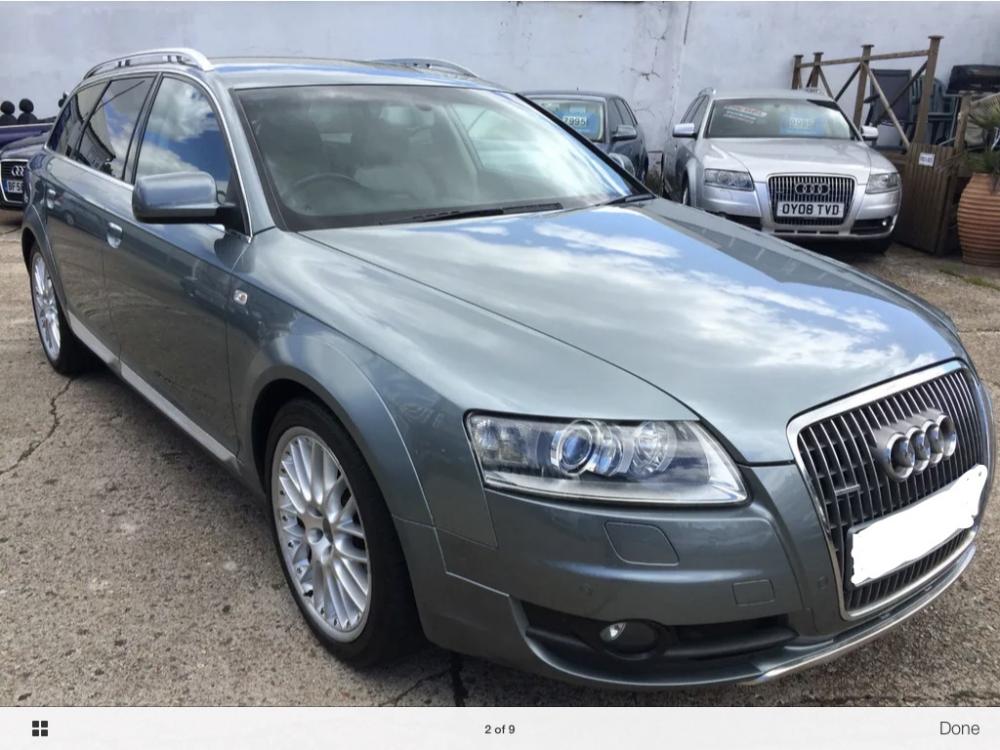
  2. Evening Gareth Thank you for the reply, you are so right! I have gone to MTec who list only two set's of brake disc's for my Audi, one 302mm and the other a vented option. I have had lengthy talks with there Tech team who have been very great, We have finally found what we believe to be the correct Disc's, but was hoping to get the original part number to confirm it.
  3. Afternoon all, can any one help please? I'm replacing the rear disc's and pads on my A6 C6 Allroad and having a few issues getting the correct disc's? I am after the Genuine Audi part number which my local dealers are refusing to give? can anyone suggest a way of obtaining it? The disc's supplied so far are to deep in the hub and are bind on the calliper housing? Many Thanks Dave


Background Picker
Customize Layout

Account

Navigation

Search

Search

Configure browser push notifications

Chrome (Android)
  1. Tap the lock icon next to the address bar.
  2. Tap Permissions → Notifications.
  3. Adjust your preference.
Chrome (Desktop)
  1. Click the padlock icon in the address bar.
  2. Select Site settings.
  3. Find Notifications and adjust your preference.