ScottyB10
Members
-
Joined
-
Last visited
-
@westwardbound Congratulations on the new car. I've used drivethedeal twice before, first time as you say dealers couldn't get anywhere near the price, 2nd time I had quit out the agreement due to ongoing delays ( not dealers fault - manufacturer kept changing the build date ). I have nothing but praise for drivethedeal. If you ever get the chance to try, I have a couple of questions about the software setup on the new 2026 model with tech pack if that's ok? When you go in to sound settings, do you still have just Treble / Bass slide bars or have Audi finally got round to providing equaliser settings that can also control the mid-range? ( i.e. sound settings will now resemble a graphic equaliser ) Not sure if anyone with the 2025 software has the same sound issues, but when I'm using DAB radio, and I'm scrolling to the next station ( using arrow keys on steering wheel ), regardless of what volume setting I'm on, the next radio station will play at that volume for a few secs, then the sound starts to fade away. A minor issue, but it's soooooo annoying. I'm pretty sure it has to be a little software bug on my MY. Do you experience the same on MY2026? Does your car default to Android Auto every time you start the car? I believe the system should default to whatever media was last used when the engine is switched off ( that's how all my other VW and Skoda cars worked and it's how Audi says it should ), but each time I get in to the car, my 2025 system defaults to Android Auto. I've used every option under the sun not to auto fire up Android Auto but to no avail. When I switch the car off, it 's on the 'Home' screen, i.e. on my car it has Google photo map + built in Spotify app displayed. When the engine is started again, that built in Spotify app starts playing, but it the Android Auto app + Android Auto spotify app, (which is different from the built in Spotify app). In other words, the car ends up playing music whilst the MMi displays different music. I keep having to hit the home button every time I drive off. You'd think 'Home' would be the default! Meanwhile,the headup display is showing the correct music from the spotify app. I'm sure they made a right mess of MY2025 software. And speaking of Android auto... If I do use Android-Auto and I switch off the engine one of three things will happen at random - there's no consistency to this... a: Nothing. I just get out the car as normal and walk away. Or... b. Android Auto will continue playing music whisper quiet thru my phone speakers. It can be many hours before I realise the app is still running. Or... c. Android Auto will continue playing music at max volume thru my phone speakers, which almost gives me a heart attack. The major software bugs on MY2025 are well documented, but there's a whole list of minor software annoyances. Just wondering if MY2026 tackles any of this? It all worked perfectly in my previous Skodas. We also have a Toyota, It all works perfectly in the Toyota.
-
My tuppence worth. Problems with the 25MY B10 are well documented and although it shouldn't happen, and in my opinion should have been addressed before the 26MY was released, to Audi's credit, they have acknowledged the software issues. It's something I would have been able to ( and still am ) reject the car. Outwith the software issues, my car came with a couple of faults - sticking brakes and an annoying rattle from door panel, both of which were rectified at dealership. That can happen to any car regardless who the manufacturer is. A smearing windscreen wiper typically means both the rubber and the glass need cleaned. First thing I've done with every VW group car I've owned is replace the wipers with Bosch aerowipers, but thus far it's never been required with this A5. (They look very similar to the Bosch ones) Software: I don't get as many system failures since the 'open/close' door solution but I'm led to believe that the software fix for MY25 is now being rolled out - EV cars this month, ICE next month. You should be notified via My Audi app when the update is available. It'll require a dealer visit. Regarding the battery. Welcome to modern cars. Our other car is a Toyota hybrid, one of the most reliable cars on sale. That too has already undergone a battery replacement due to the battery management system. The 'fix' if you can call it that, is the car now notifies me when the battery needs attention and the car has to be driven to charge the battery. Modern cars don't seem to be able to cope with sitting doing nothing for 2 weeks as they're constantly monitoring themselves. If you're knowingly going to leave the car sitting for several weeks or more then best solution would be to put it on a trickle charge. That goes for any modern car but especially for those that you're able to communicate via a mobile app. Hope that's of some use.
-
Prob need someone with a 2026 model to comment. The 2025MY software fix is due out in July. I hope Audi gives us more that a HUD oil temp readout 😄
-
Saw an OTA update take place about 4 weeks ago, and since then there have been a couple of things I've noticed that I can't recall seeing before, so an update is defo a possibility. Never seen oil displayed on my HUD tho. If it was some warning it would be stored in messages. Is the yellow warning bell displayed on the centre screen? Have you checked the oil level? ( you can do this via menu system ).
-
You're defo following the instructions from the TSB to reset the cruise software error? With the engine running, I open the drivers door, open rear passenger door, open boot, open offside rear passenger door and finally the passenger door. I then close them all again in reverse sequence. After that, cruise works again. But that doesn't work for you?
-
Yes that's right. Current is KD2. If you go to MyAudi app, select All functions, then software update ( last item on list ), it'll tell you which s/w is installed. If you have KD2 installed then the software ver. should read 03.10.00/C
-
That may be a clue. Apologies if you've mentioned this elsewhere, but what software version is your car running?
-
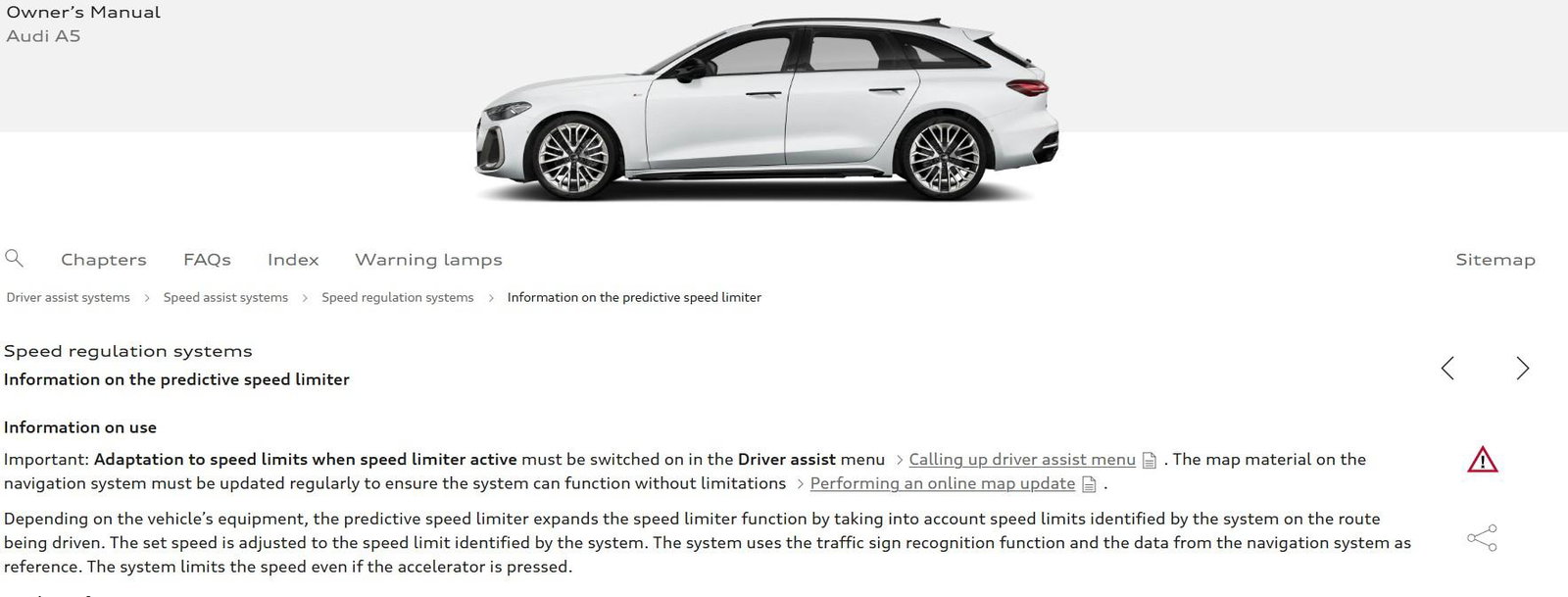
Sorry, I'm struggling to think. You obviously have adaptive cruise working. Only serious suggestion I can make would be check the driver assist menu that Envy suggests above. I think it's under the 'speed' tab ( storm Dave prevents me from going outside to check right now ) but theres a setting for cruise to follow speed signs when you press the LIM button. I have that option disabled. It's just pure guess but logic suggests if the cruise function is going to be controlled by speed sign limits, then you're not allowed to override it with your own setting? It's a bit of a long shot, but more logical than Audi's solution of opening and closing all doors to reset the adaptive cruise error. And that worked ! 😄
-
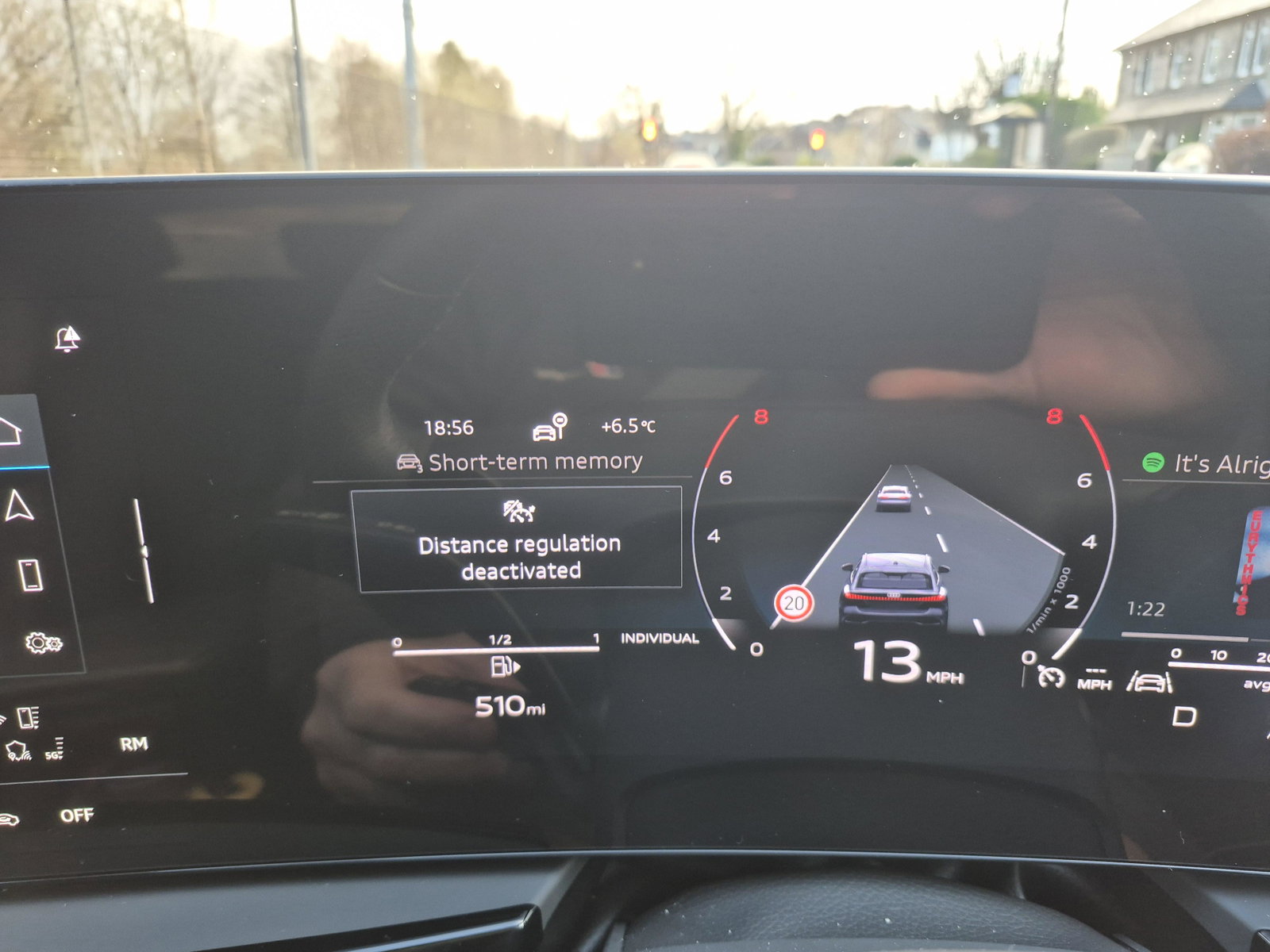
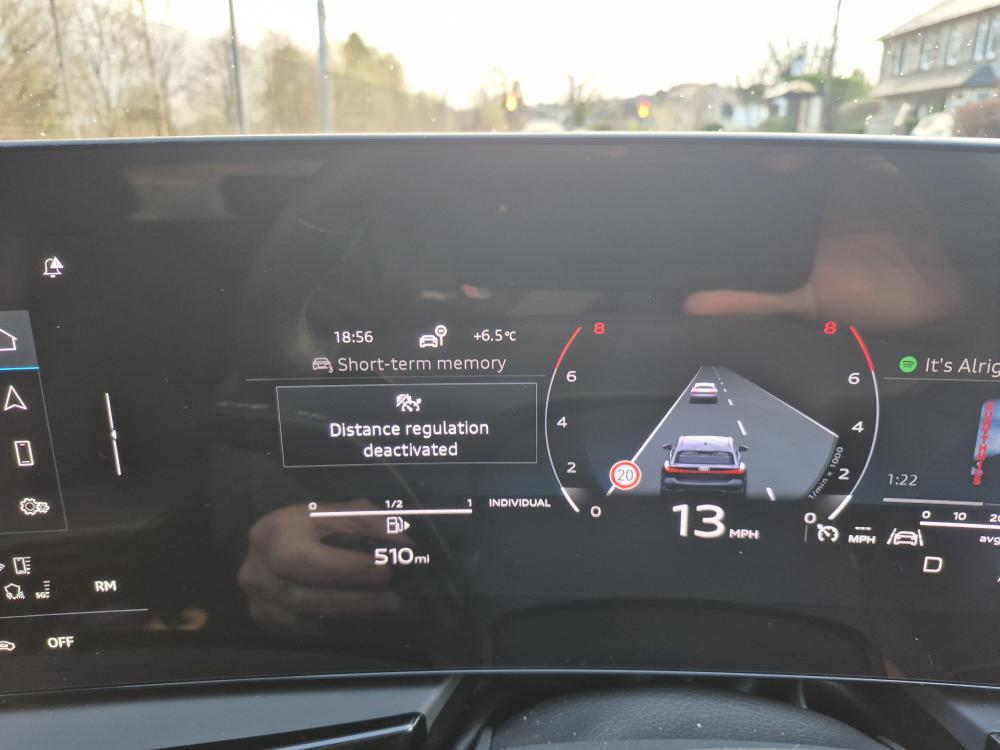
Who knows re: software error ( I'm not convinced Audi does ) but I used std cruise when adaptive cruise was unavailable due to software error, so guess it's unaffected. As per above reply, I just hold down the adaptive distance minus button for a couple of secs until the following message appears on the drivers display and that's all, cruise now works without adaptive function. Hope that helps in some way.
-
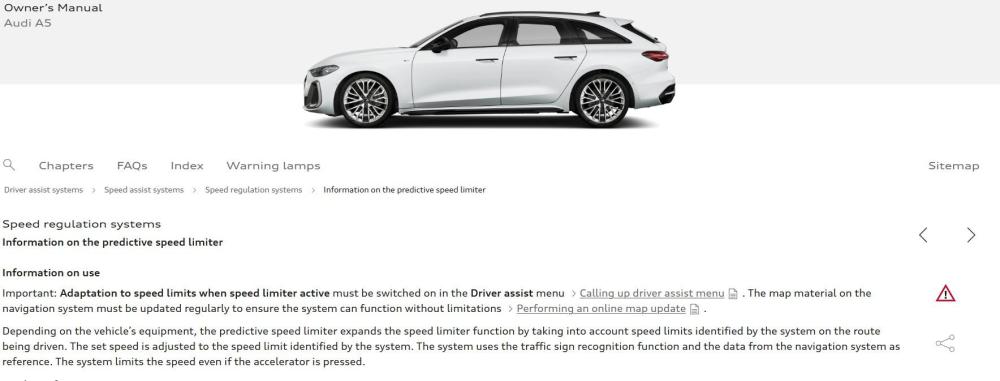
Sorry, didn't see this post sooner. I prefer the old style constant cruise to adaptive cruise, but all maufacturers seem to be installing the latter. And when I've enquired before, I'm always told you can only have a constant cruise or an adaptive cruise, never both together. So imagine my surprise when I came across exactly what dbreeze refers to in the owners manual. It's a nice bonus I did not realise at the time of buying the car. All I can say is it works for me. So wondering if you're doing it correctly? What you say is correct, hold down the distance control ( minus ) for two secs and you should see the adaptive cruise light switch off on the drivers instrument panel. Once that goes off then the next time you press the set button on the end of the stalk, the cruise maintains a constant speed rather than use radar. Only pain is, you have to go thru this procedure each time you turn on the ignition as adaptive cruise is the default option. If that's what you're already doing, then only other thing I can think of are those dreaded software issues with the B10. The only reason I studied the owners manual in detail was because my adaptive cruise wouldn't work - but Audi are aware of that issue. Hope that's of some help or at least some re-assurance that the old style cruise control works without being adaptive.
-
I'll update my issue incase anyone comes searching with similar symptoms. 1. The brakes were sticking on my car. That was resolved, but there's still a noise (see below) 2. Don't know what Audi service did, software update I think, but the ACC has worked flawlessly since it was returned. 3. A fault with the rear-cross traffic detection system was registered when they ran diagnostics. A replacement part was ordered and although I've only tried the auto park system twice since, it work 100% both times. That's two times more than it's ever done. I count that as a success. When the car releases the brake itself during the auto park manoeuvre, (it does it really slowly) the brakes still make a squeal noise albeit not nearly as bad as before. If I was a betting man, I'd guess this is more to do with the questionable quality of VW group brake pads and / or discs. Not sure if it's mentioned within the Audi community, but with Skoda, Seat and VW, a common problem is premature rear brake wear. It's put down to the car being parked up for lengths of time with the park brake on. I've been very lucky over the years but the rear brakes / discs on my last car had to be changed after only 13k miles (car failed it's MOT because of it). I swapped them out for Bosch parts rather than have OEM fitted again - never had an issue after that, the brakes were silent. The quality of OEM VW discs and pads is questionable, some people liking them to being made from cheese.
-
Having issues with ACC myself, I came across that option in the owners manual. ( I just skipped past it as it's not something I'm interested in ). The reason I don't like the idea of the car setting speed accordingy is because in the few weeks I've driven the car, one thing I notice is it often reports different speed limits to what the actual limit is. As a result, I have the * button set to kill the warning sound, but the speed sign often flashes on the HUD when in fact I'm already within the speed limit. I don't trust it 🙂 I have an Edition 1 the Sound & Vision pack so perhaps that function isn't available on all models? Sorry to be so vague, just not familiar enough with the product yet.
-
Thanks for the update. I've had similar assist systems in VW group cars and I'm familiar with how they work, when they work and probably more importantly, the reason why they don't work at times, but this Audi is doing my head in. With Active cruise, you'd have more chance winning the lottery than guess when it's going to work properly. No two journeys are alike in my car, which at least makes things interesting. It's come up with a list of failures, all which point at the camera as being the common denominator ( no ostructions on the windscreen ) but then I have other assist systems kick in for no reason such as rear traffic alert which will bring the car to an abrupt halt when it's self parking. Occasionally when it does fail to park, it'll tell me the handbrake has failed and it may be in danger of rolling away if I take my foot off the brake pedal. I'm terrified of parking on a hill now. It's also happened more than once that when after overtaking a car, when I indicate to move back to the inside lane, lane assist appears to ignore the indicator and tries keeping me in the fast lane. I thought it was only Audi drivers who ignore indicators? I'll see what the Audi service says tomorrow. The other thing that's annoying and rather embarassing, is especially when the car is self parking, the brakes give off this loud squeak as they slowly release and the car tries to move. You get people looking at you. I've seen a few videos online and those cars do exactly the same, only not as loud as mine. I've had both a SEAT and a SKODA have their brake pads replaced within the first month of ownership due to them squeeling whilst reversing, so hopefully it's just a typical poor quality batch of VW components. Speaking of which, my last car required it's rear discs replaced after just 13k miles. This was put down to the car being stationary for long periods and the parking brake being on. They recommended that on flat ground, I leave the car in the 'P' park gear and leave the electronic parking brake off. I haven't yet quite figured out how to do this on these simple button gearboxes. There seems to be a long winded way of releasing the electronic parking brake whilst parked up ( saw it in some menu ) but don't know if the gear has 'P' park functionality when the engine is off or it defaults to 'N' neutral. I think touchscreens, assistance systems and flick switch gearboxes are there just to make me feel old. 😀
-
I realise this thread is 6mths old now but... Hopefully your HUD is now sorted, but was just wondering if a software update sorted your driver assist issues? I've recently picked up an A5 and only two journeys thus far have gone error free, it's mostly down to driver assist related issues. The only other A5 I've driven, the car I test drove, also came up with a weird assist error - seatbelt must be fastened before cruise control could be activated. Just wondering if Audi still have ongoing software issues? I'm led to believe my car had the latest software downloaded prior to delivery.