




Skip to content
View in the app

A better way to browse. Learn more.

Audi Owners Club (UK)

A full-screen app on your home screen with push notifications, badges and more.

To install this app on iOS and iPadOS
  1. Tap the Share icon in Safari
  2. Scroll the menu and tap Add to Home Screen.
  3. Tap Add in the top-right corner.
To install this app on Android
  1. Tap the 3-dot menu (⋮) in the top-right corner of the browser.
  2. Tap Add to Home screen or Install app.
  3. Confirm by tapping Install.


alanro

Members
  • Joined

  • Last visited

  1. Hahaha, sorry Gareth I didnt mean I wanted it for nothing lol. Do you have a price in mind please? Cheers Alan
  2. Hi Gareth, thanks for the reply. I am trying to keep the original headset and would just like the cd player to work I guess. Therefore I would like to accept your offer of the Alpine cd changer if you think it would be compatible. How do I go about reimbursing you for postage etc? Thanks Alan
  3. alanro started following 6 CD Autochanger
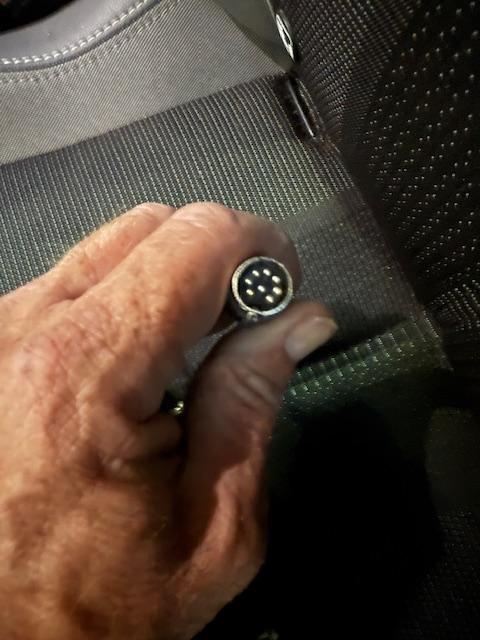
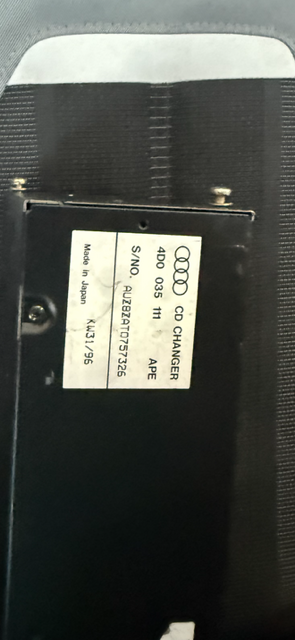
  4. Hi, I wonder if anyone can help me please. The cd autochanger in my 1999 audi cab doesn't work. The unit will allow you to load cd's but the headset does not recognise that there are any there. Does anyone know of somewhere I could either get this repaired or purchase another unit from please? Any help is much appreciated. Alan


Background Picker
Customize Layout

Account

Navigation

Search

Search

Configure browser push notifications

Chrome (Android)
  1. Tap the lock icon next to the address bar.
  2. Tap Permissions → Notifications.
  3. Adjust your preference.
Chrome (Desktop)
  1. Click the padlock icon in the address bar.
  2. Select Site settings.
  3. Find Notifications and adjust your preference.