




Skip to content
View in the app

A better way to browse. Learn more.

Audi Owners Club (UK)

A full-screen app on your home screen with push notifications, badges and more.

To install this app on iOS and iPadOS
  1. Tap the Share icon in Safari
  2. Scroll the menu and tap Add to Home Screen.
  3. Tap Add in the top-right corner.
To install this app on Android
  1. Tap the 3-dot menu (⋮) in the top-right corner of the browser.
  2. Tap Add to Home screen or Install app.
  3. Confirm by tapping Install.


Nicodim

Members
  • Joined

  • Last visited

Everything posted by Nicodim

  1. Hi James, Sorry James, you have misunderstood me: I proposed that design fix - I could not fix it myself.
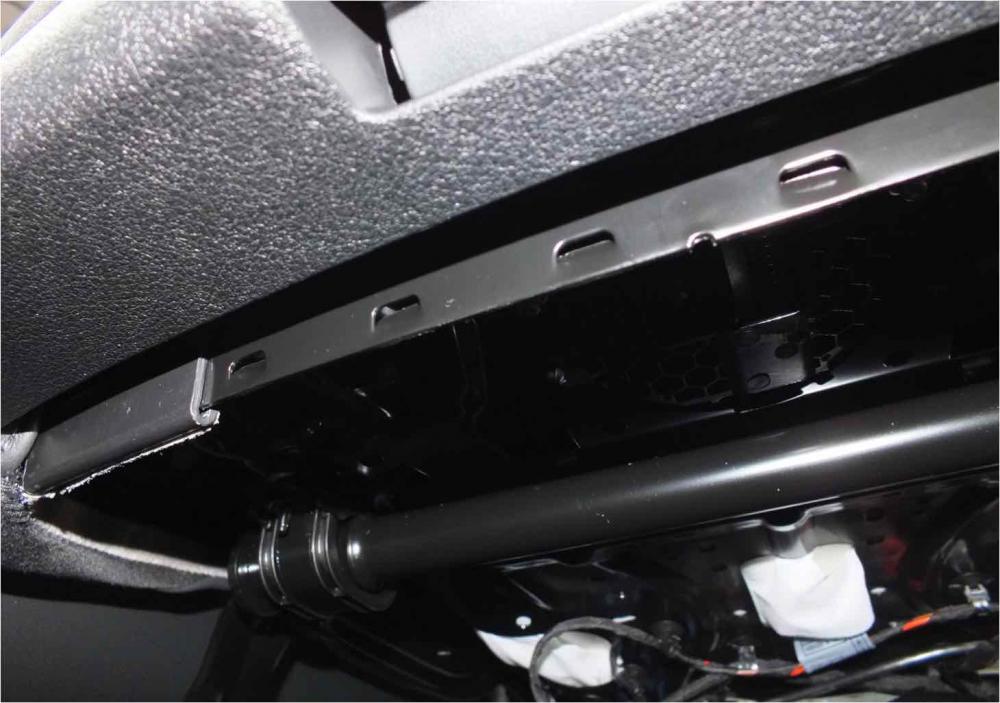
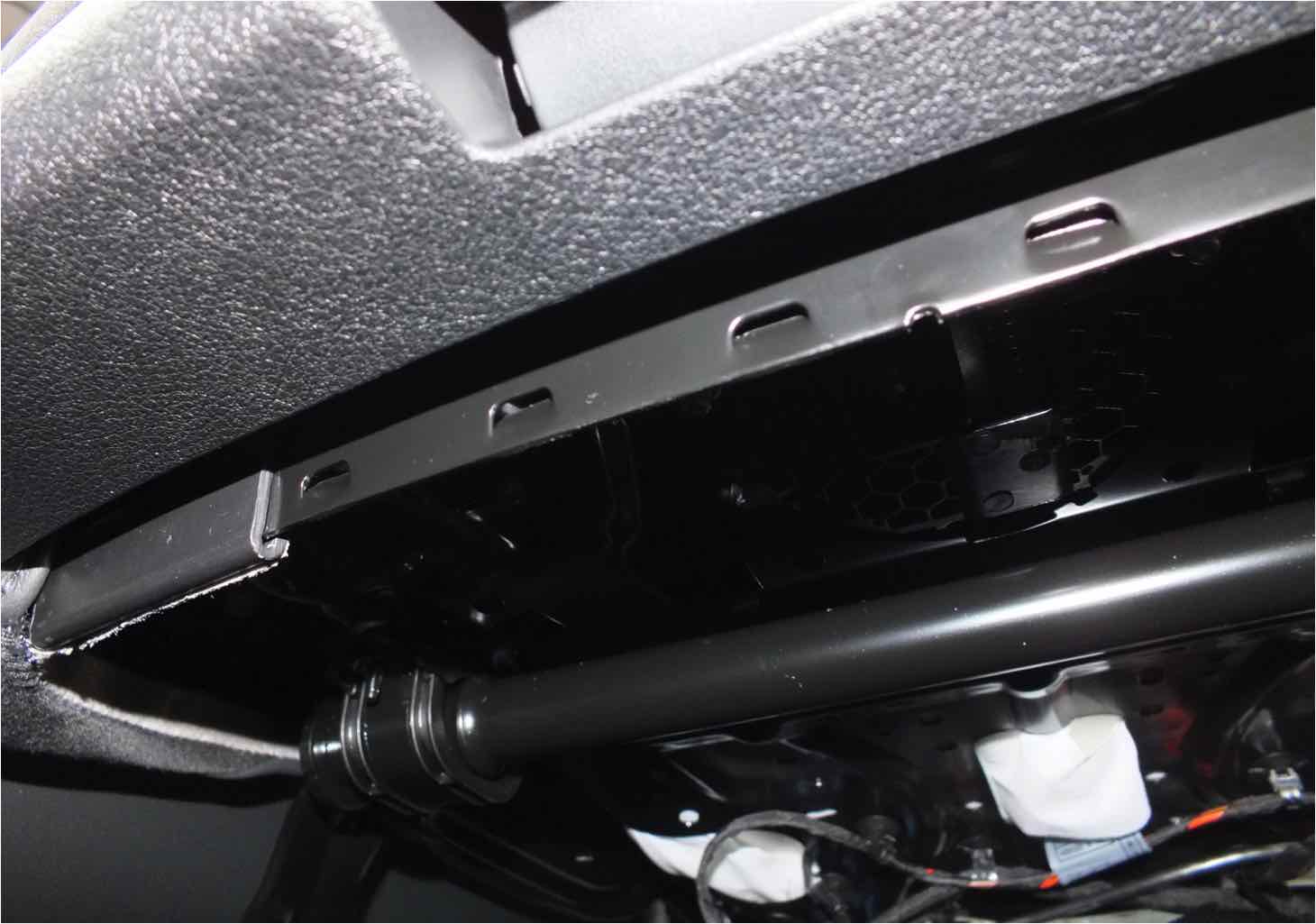
  2. Under the sport seats on my Q5, there is a sharp metal strip which is pretty bad as I have grazed my back of the hand on it. Hardly Audi quality.... Please just check carefully- if you get a cut - not my fault ( ).I have contacted Audi and they confirmed that it is a design issue but they do not plan to fix it. The fix should be pretty easy by replacing it with a ellipsoidal profile tube. Please be aware, especially if you have children as it is pretty sharp.I hope more complaints will get them to address this. I will appreciate if you spread the word.


Background Picker
Customize Layout

Account

Navigation

Search

Search

Configure browser push notifications

Chrome (Android)
  1. Tap the lock icon next to the address bar.
  2. Tap Permissions → Notifications.
  3. Adjust your preference.
Chrome (Desktop)
  1. Click the padlock icon in the address bar.
  2. Select Site settings.
  3. Find Notifications and adjust your preference.