Stavros
Members
-
Joined
-
Last visited
Everything posted by Stavros
-
Sorry that’s not working either…. Very strange. Do I try and get someone to check the computer? Or should I try and check the control units on the drivers side door??
-
Hi there. No luck I’m afraid. Just literally tried it again sat on the driveway. Ignition/engine on, all windows closed. Single click roll the driver window down. Release and then press done two clicks and hold for 10-15 seconds. Single click roll window up to top, release and pull up two clicks and hold for 15 seconds. Then nothing. One click still not working to open drivers window. One click works to close the window but not open
-
Hi there Not sure what the problem is here? I’ve just found this club forum having recently purchased my AUDI.and wanted to get some help for my Audi. I thought by helping others it will intern get people to help me. Go ahead and moderate as much as you wish. If it bothers you too much, just let me know and I can take my Goodwill elsewhere.
-
Hi there - i checked through all the pages related to A5 but didn't see anything on this topic on issues with the one-touch open/close function. I have an Audi A5 Cab B9/F5 40 TFSI S line (pre-facelift) and on the cabriolets, you have 4 switches, one for each window, plus a 5th master which does all the windows at the same time. Each switch has the one-touch operation. The rear window switches and the 5th master switch work up/down with one touch no problems. Problem I have: The front window switches, driver and passenger, are not working as expected. Both have the same problem with the one-touch function when you want to open the windows. I have to manually hold the switch until they are fully open. It seems to only be opening them where the issue is as they both close fine using one-touch. NOTE: they also open fine on one-touch from the master switch. Possible solutions I have tried: I have tried the re-programming approach to lower and hold for 10-15 seconds and then raise and hold for 10-15 seconds. But not sure if I am doing it right or if there is an authoritative source on the exact process? Maybe I need the ignition on? Maybe I need to lower first then raise, or raise first then lower? Possible solutions I am aware of: Would disconnecting and reconnecting the battery force a reset? Could I impact other items by doing this though, will this lose any other settings or config I should check first? Replacing the switches might fix it but whether or not the behaviour above points to this or is it more a re-programming issue than a hardware? Cleaning the switches might also be something to try? Removing the switches from the arm rest, giving them a magic blow/spray with electrical contact cleaner. Help I need: does anyone know the specific re-programming process I need to follow? Not sure if it's documented anywhere? if I disconnect and reconnect the battery, is there any risk to any of the other systems? Not bothered about losing radio stations, MMI settings, NAV favourites as I use Apple CarPlay. Trying to think of any other settings I might worry about if they were reset... any other options before I go down the cleaning or replacement of the switches Thank you in advance!!
-
I know it's been a while since your post but I'm new to this forum. The trick is to press the unlock button once and release and then press and hold it - it's like a double press if you like with the second press held down for the duration of the roof opening and closing. Hope that helps anyone else with this question!
-
Try this seller on eBay https://www.ebay.co.uk/sch/i.html?_ssn=audi-parts-uk&store_name=jardineaudi&_oac=1&_trksid=p4429486.m3561.l161211 "Welcome to Stratstone Audi genuine parts clearance shop we have 13 Audi Centre's" They are advertising 2017+ all weather mats with Audi logo on them - probbaly worth a shot to see whether they have anything suitable for you.
-
Quick update - I managed to find one from this store. https://onlinemotorstore.co.uk/products/24200_184889520991_25680_1ced1?variant=53252161044867 This is only for the cabriolet version and it's listed at £14.90 - I've ordered it tonight and including shipping and online order discount, I'm getting it for £14.61. Note that this is for 1x item only, not a pair. Once it's arrived and it's a match, I'll resolve this one!
-
Thanks Cliff - I can't find anything online which matches on Audi parts websites. I'll try the local dealership over the weekend and see whether they can help. I was hoping someone had been able to source something from a 3rd party. I'll keep hunting and let you know how I get on in case I manage to locate the correct part somewhere other than the dealer.
-
When I do it on mine, you get a little AUTO underneath the blue full beam light on the dash.
-
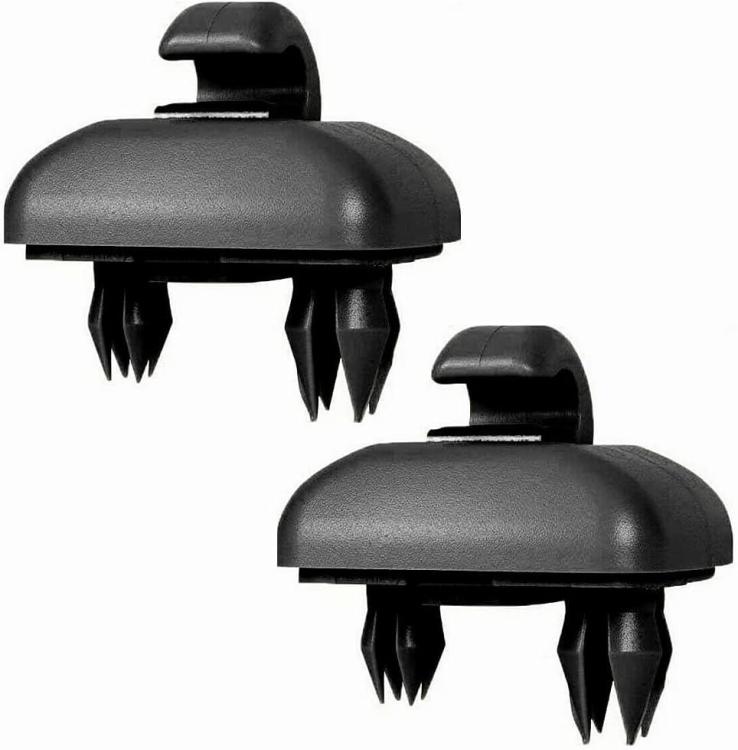
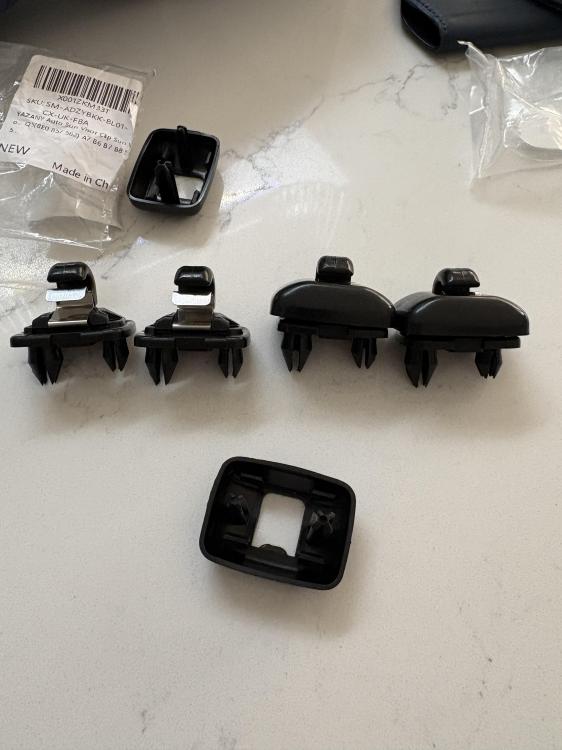
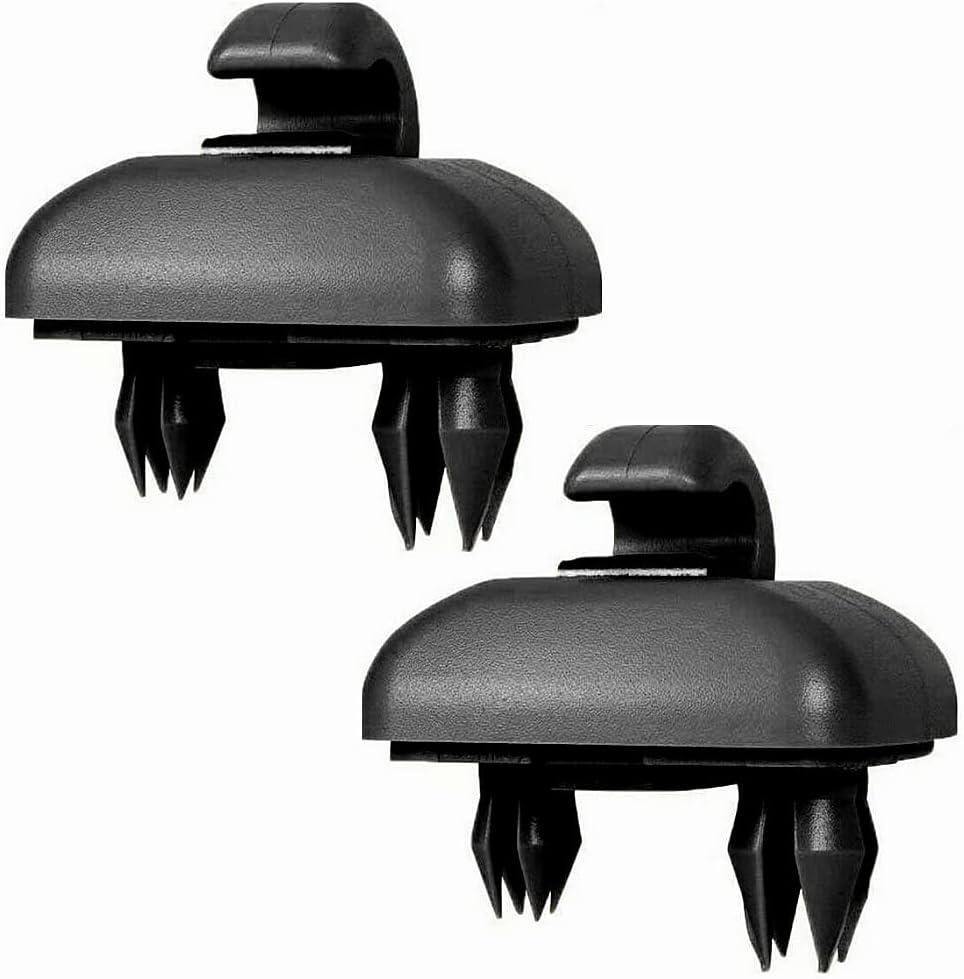
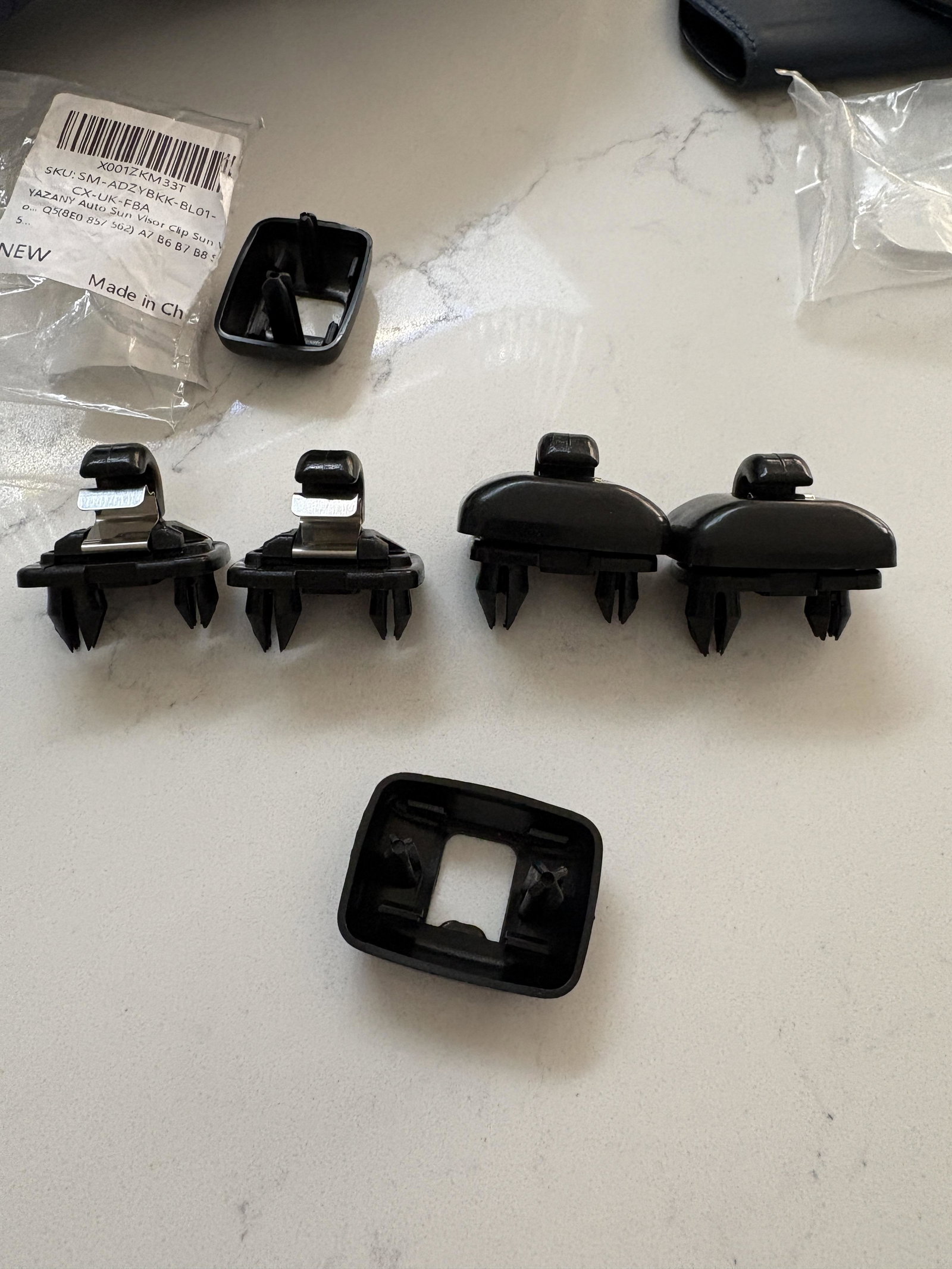
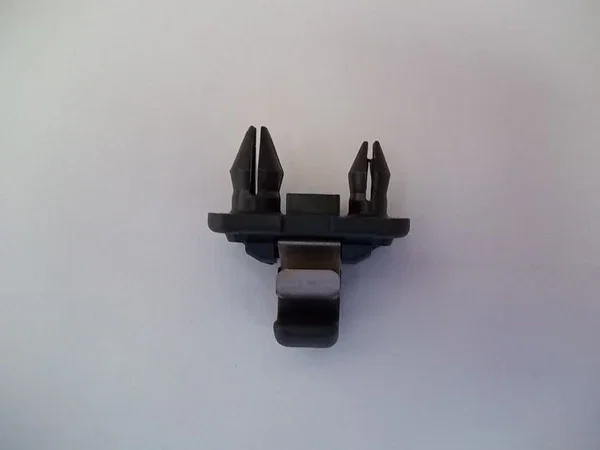
Hi there please can someone help me locate a suitable supplier for a replacement sun visor clip for my Audi A5 2019? I have a 2019 Audi A5 B9/F5 40 TFSI S line (pre-facelift) and the passenger side sun visor was yanked by an unruly child and it snapped the clip on the retainer. I've tried ordering off Amazon - first time I didn't check the product to see which way round the "legs" are (the two parts that insert into the car). I assumed they were all standard and would fit my Audi no problem. But appears that I need the legs to be the other way round. I tried again on Amazon, finding what I thought was the right part here (https://www.amazon.co.uk/dp/B0C5MGLK4D?ref_=cm_sw_r_cp_ud_dp_JBHP49B9Q3Q5487BQJME) but the ones they have sent are again the wrong way round. I've re-checked the order details and they actually have photos showing both... but unfortunately the ones they sent me were the wrong way. I've attached two photos, one is the stock photo from Amazon showing the set up I need - the other is the 2 pairs I have got from Amazon (so far!) which are all the wrong way round. I need the longer fatter leg to be on the RHS as laid out in the stock photo. Has anyone been able to source these successfully and are able to share where they got them from? Thanks!