




Skip to content
View in the app

A better way to browse. Learn more.

Audi Owners Club (UK)

A full-screen app on your home screen with push notifications, badges and more.

To install this app on iOS and iPadOS
  1. Tap the Share icon in Safari
  2. Scroll the menu and tap Add to Home Screen.
  3. Tap Add in the top-right corner.
To install this app on Android
  1. Tap the 3-dot menu (⋮) in the top-right corner of the browser.
  2. Tap Add to Home screen or Install app.
  3. Confirm by tapping Install.


Lons

Members
  • Joined

  • Last visited

Everything posted by Lons

  1. Manufacturer figures ar pie in the sky. I had a 2011 A6 saloon which returned mid to high 40s then a 2014 A4 avant quatro black ed manual which was low 40s and changed a couple of weeks ago to a 4 month old A6 avant quatro black ed S-tronic which I'm lucky to get 40 mpg out of around the doors. I'm a low mileage user so not so important but it's annoying that the stated mpg figures are completely useless. I love the car btw but was disappointed the mirrors didn't fold when locking the car. There's no fix available yet from Audi but my dealer did a manual fix for me yesterday Bob
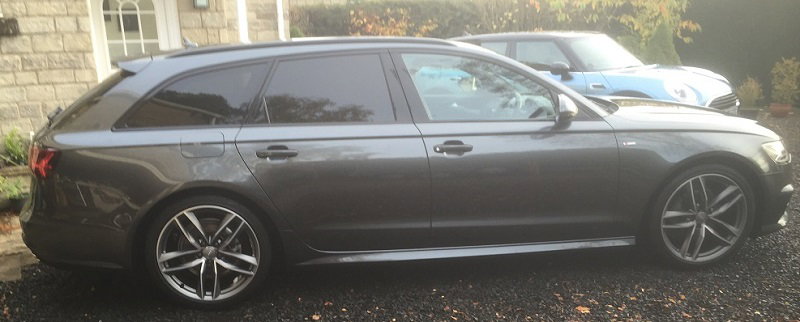
  2. Hi Just bought my 3rd Audi so about time I joined after being a long time lurker.



Background Picker
Customize Layout

Account

Navigation

Search

Search

Configure browser push notifications

Chrome (Android)
  1. Tap the lock icon next to the address bar.
  2. Tap Permissions → Notifications.
  3. Adjust your preference.
Chrome (Desktop)
  1. Click the padlock icon in the address bar.
  2. Select Site settings.
  3. Find Notifications and adjust your preference.