drewwwwwd
Members
-
Joined
-
Last visited
Everything posted by drewwwwwd
-
Cheers Cliff, do you reckon this is something my local garage could have a stab at or is something better suited for a main Audi service centre? I've never really had any problems like this on any of my cars, only more clear-cut mechanical problems. I've have had mixed results with local garages, but then the proper Audi garage will be about twice the price!
-
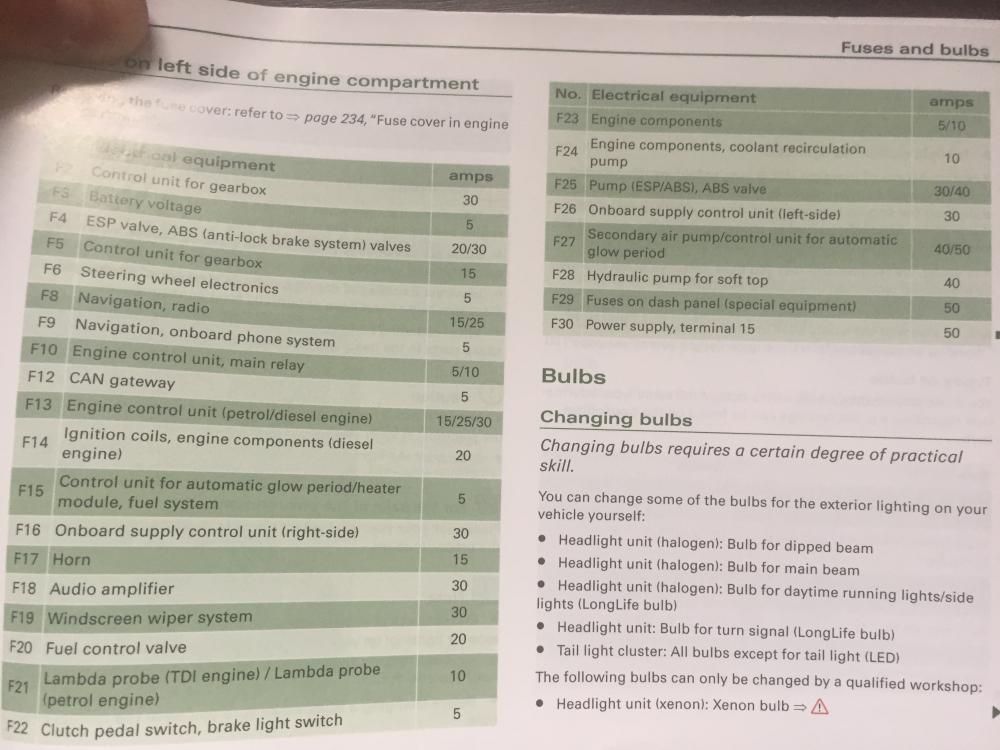
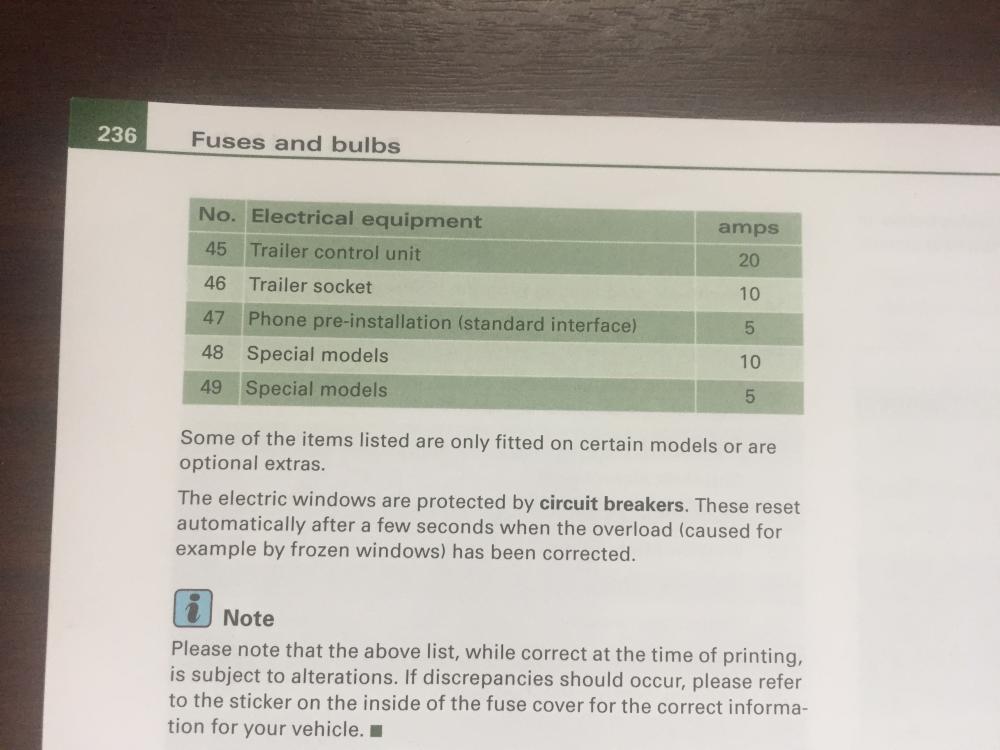
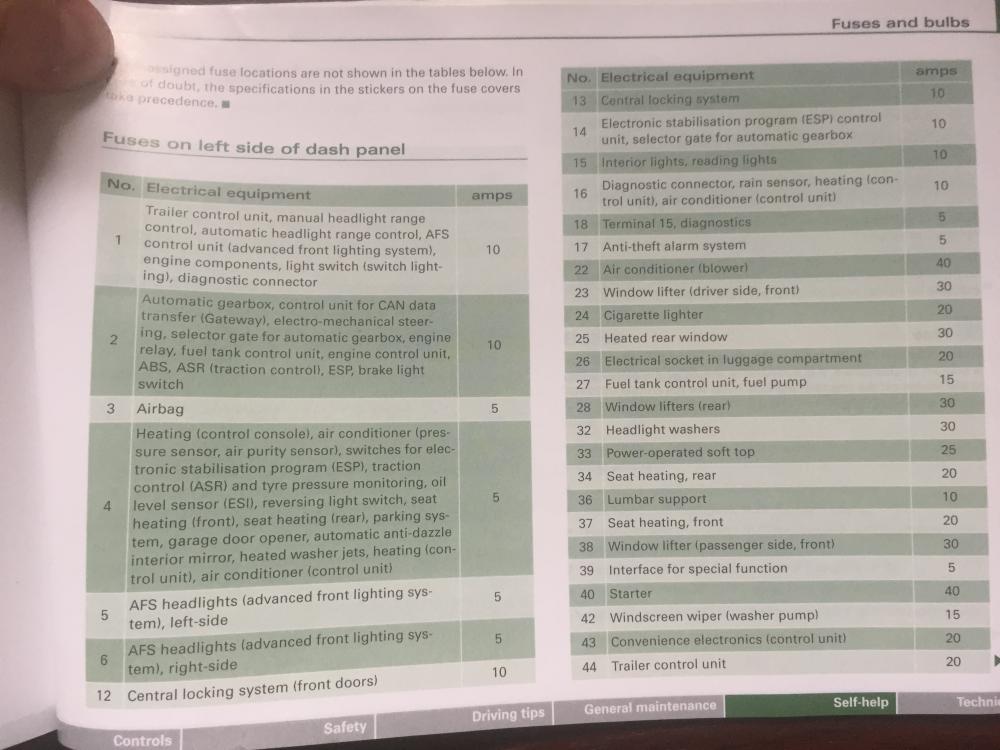
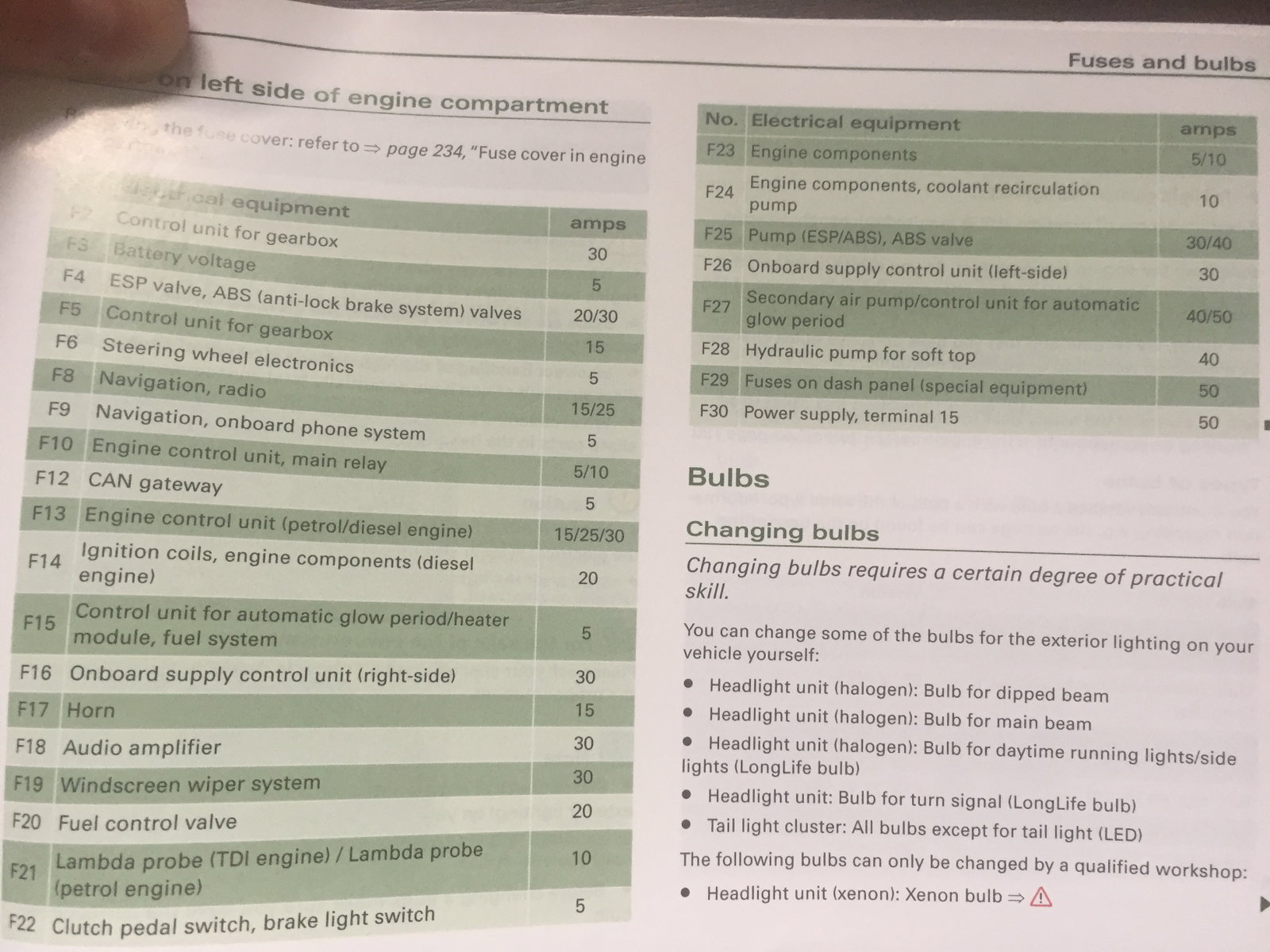
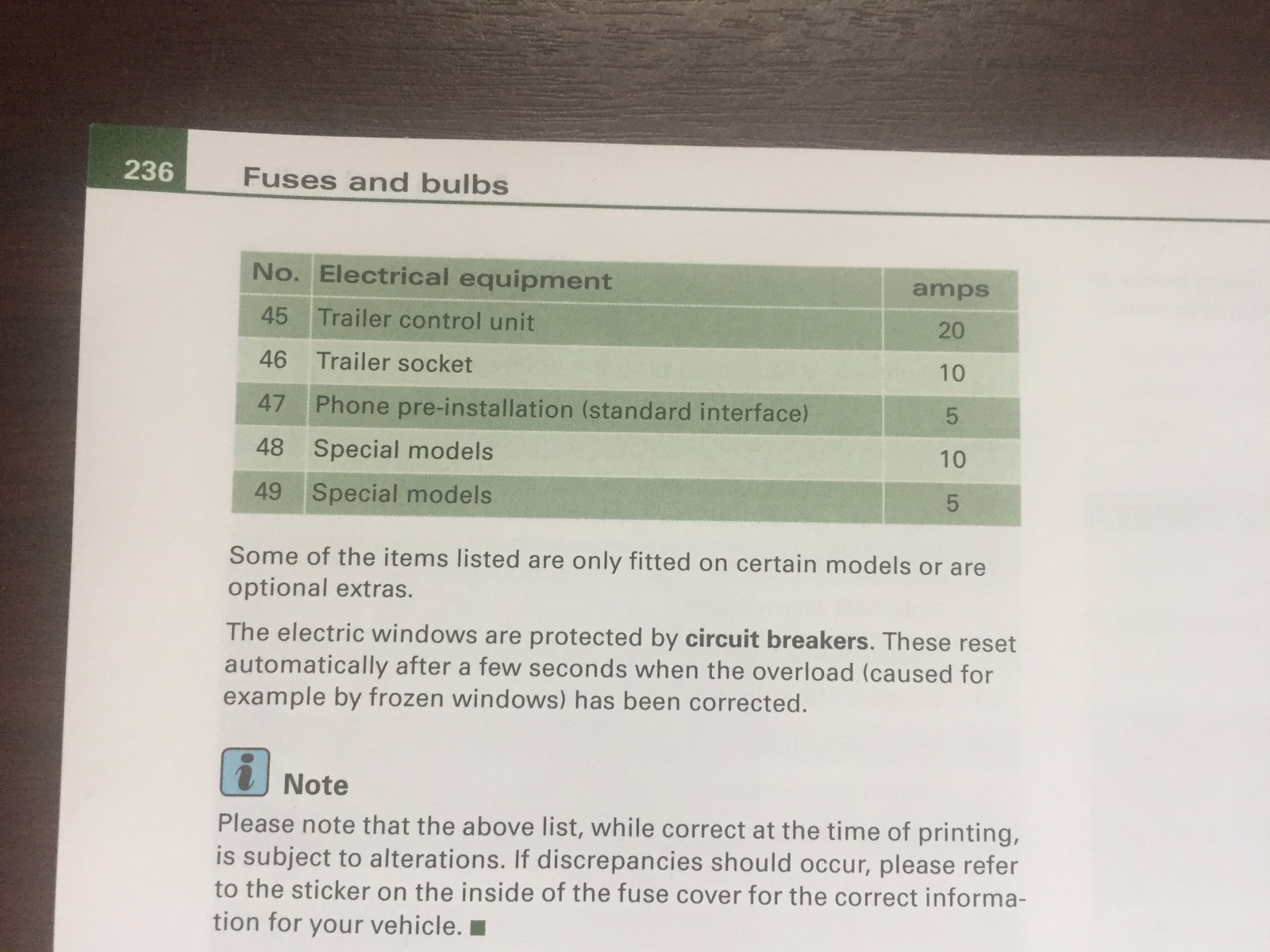
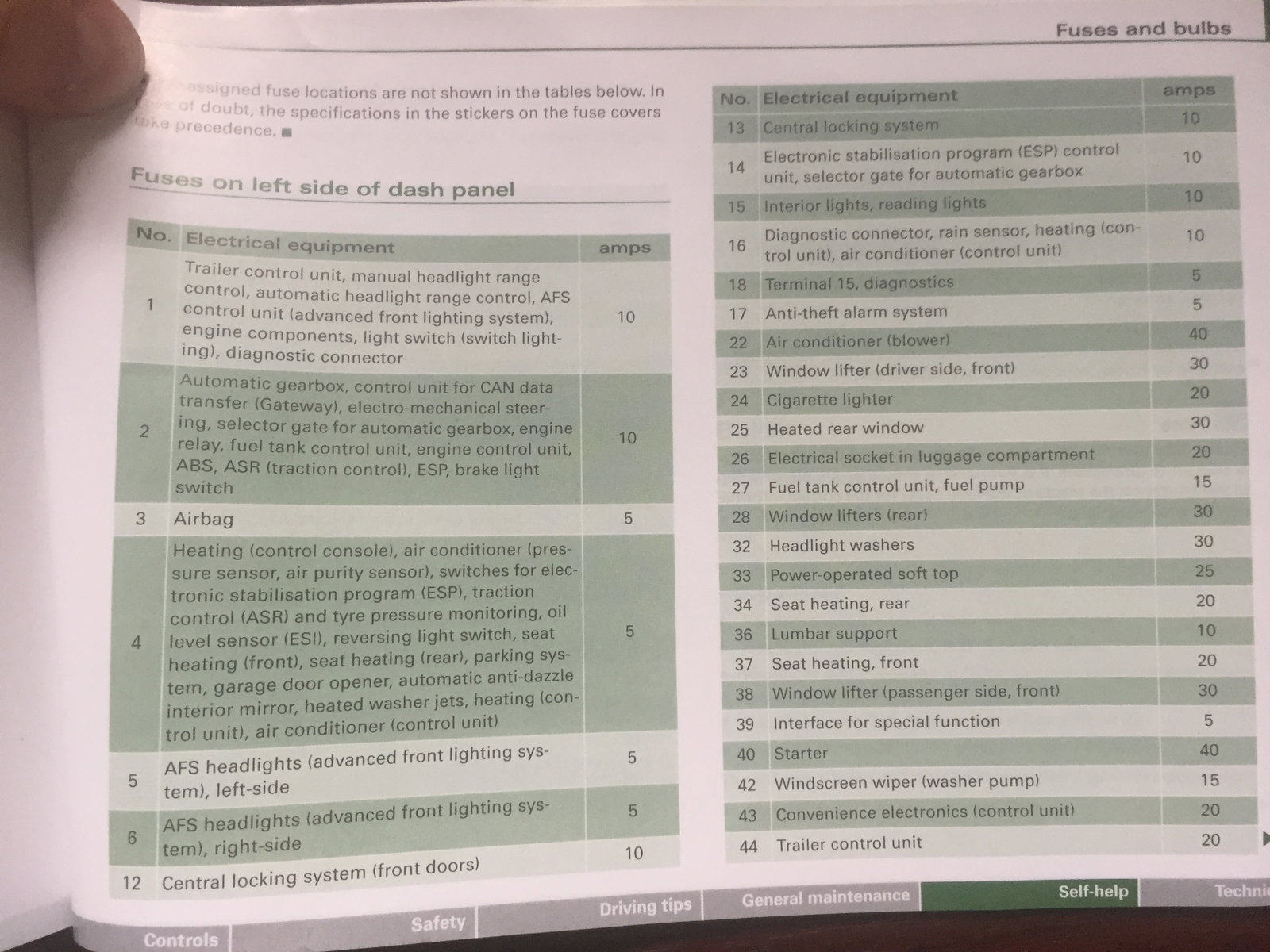
Hi Folks, As of yesterday, my 2008 A3 Cabriolet warns me that the reverse lights, rear fog lights and number plate light are out of action. Also, the key fob won't open the boot. And every time I brake, the rear parking sensor beeps - and this is while going forwards. This stinks of an electrical fault, and apart from the braking/parking sensor thing, sounds like a burnt out fuse. The only thing is that my manual doesn't seem to mention the rear lights or boot catch in the fuse table, so I've no idea which one to check. I've included photos of the relevant manual pages, in case I'm pretty going mad and failing to read properly! Anyone got any clue what I can check? Or what fuse this would be, if they all go through a common fuse? And all this only a day after I got a safety recall notice about the car! Cheers, Drew