Skip to content
View in the app

A better way to browse. Learn more.

Audi Owners Club (UK)

A full-screen app on your home screen with push notifications, badges and more.

To install this app on iOS and iPadOS
  1. Tap the Share icon in Safari
  2. Scroll the menu and tap Add to Home Screen.
  3. Tap Add in the top-right corner.
To install this app on Android
  1. Tap the 3-dot menu (⋮) in the top-right corner of the browser.
  2. Tap Add to Home screen or Install app.
  3. Confirm by tapping Install.


TWIXXN'DD

Members
  • Joined

  • Last visited

  1. TWIXXN'DD replied to Bigdave1230's topic in Audi Q7 Club
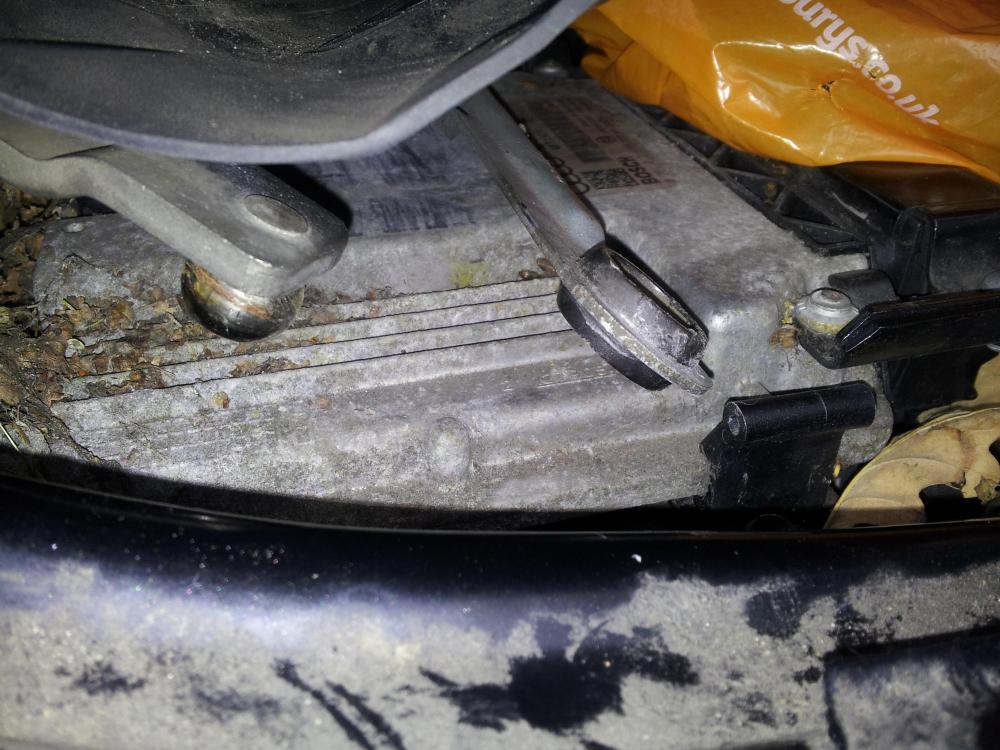
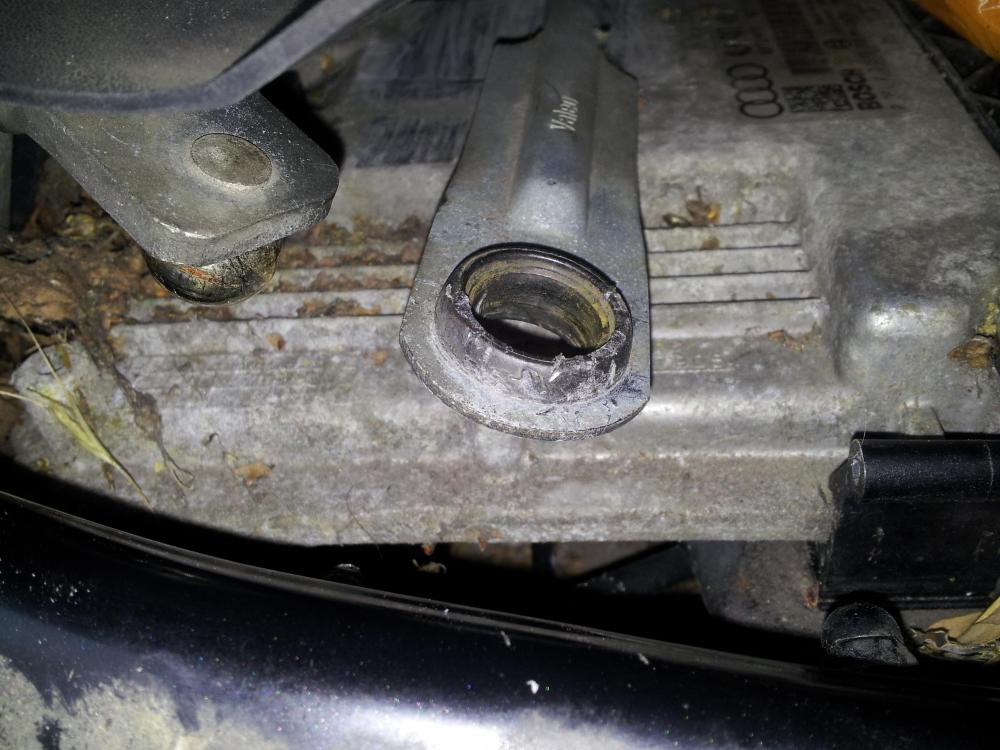
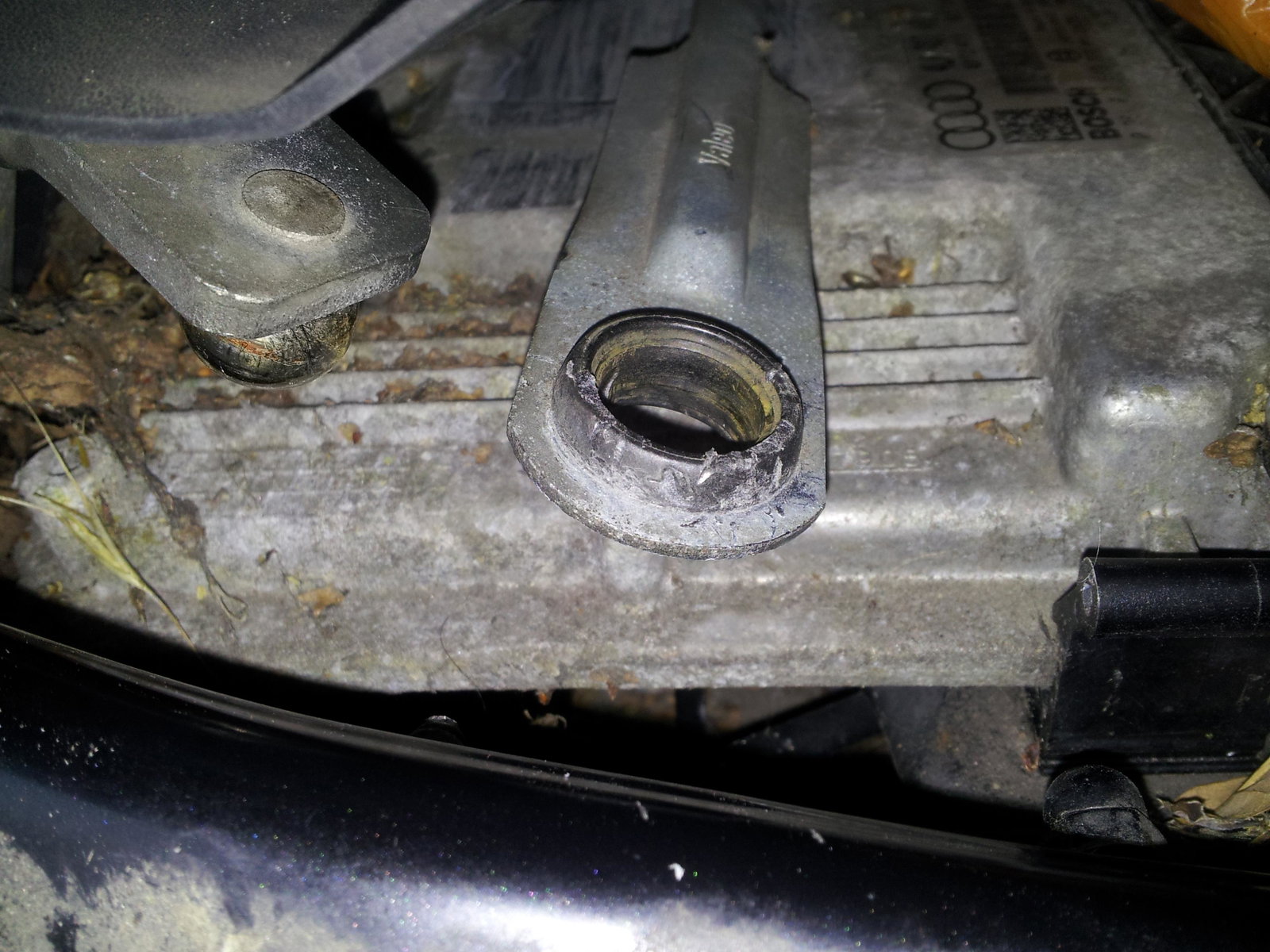
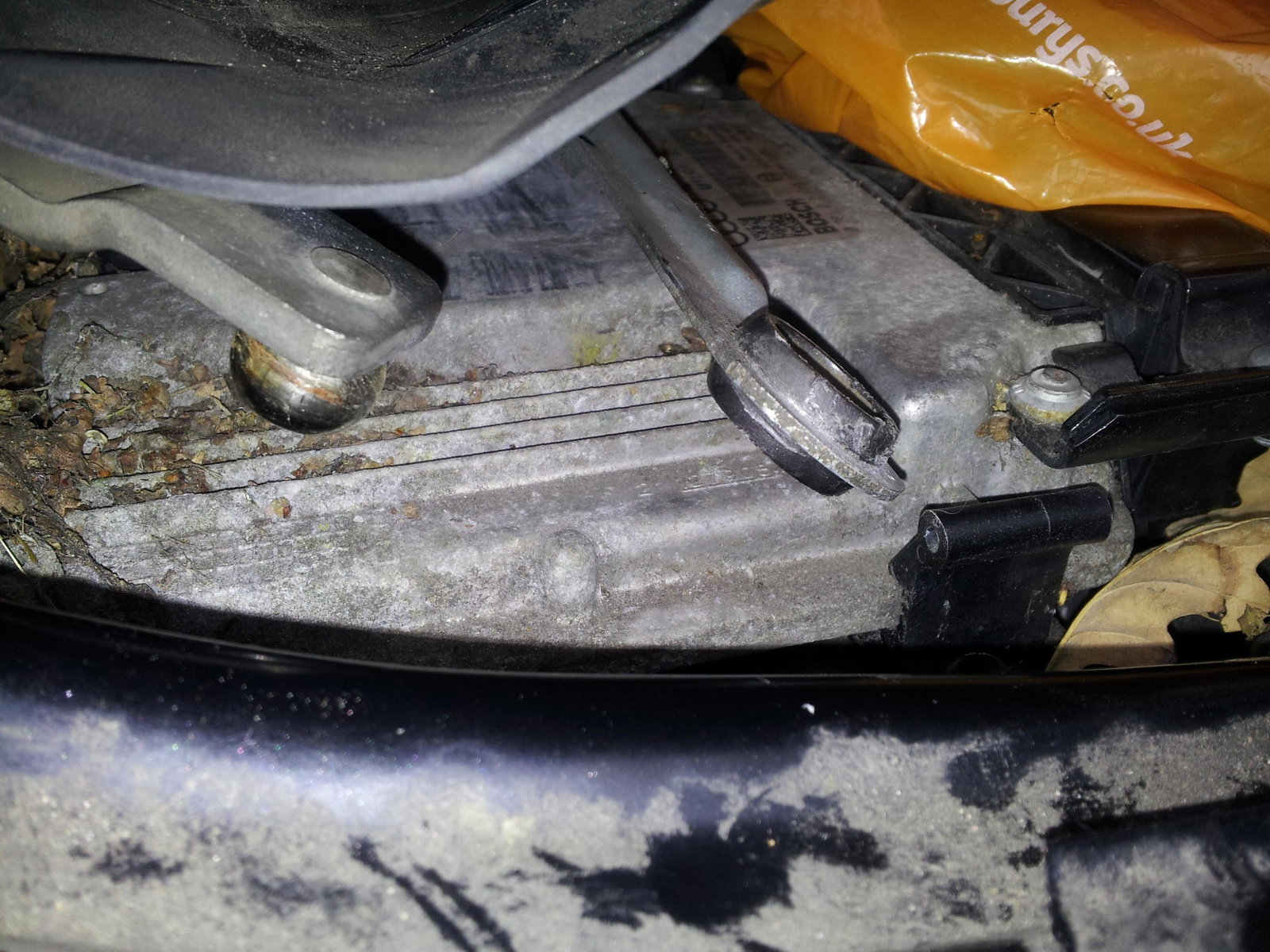
    Hi Chaps, I've recently bought some of these clips but find them very difficult to fit,do you need to remove or thin down the circular bushing(as it totals some 15 mm in thickness) I'm trying to do the job with the linkage attached to the vehicle (fitting clip on near side linkage) i've attached a couple of pics here; Your help/suggestions greatly appreciated. Thanks, Charlie.
  2. Heres a big hello from me in Flintshire. Hope to post pics of my Q7 shortly. looking forward to your experiences and tales on this forum Charlie.


Background Picker
Customize Layout

Account

Navigation

Search

Search

Configure browser push notifications

Chrome (Android)
  1. Tap the lock icon next to the address bar.
  2. Tap Permissions → Notifications.
  3. Adjust your preference.
Chrome (Desktop)
  1. Click the padlock icon in the address bar.
  2. Select Site settings.
  3. Find Notifications and adjust your preference.