




Skip to content
View in the app

A better way to browse. Learn more.

Audi Owners Club (UK)

A full-screen app on your home screen with push notifications, badges and more.

To install this app on iOS and iPadOS
  1. Tap the Share icon in Safari
  2. Scroll the menu and tap Add to Home Screen.
  3. Tap Add in the top-right corner.
To install this app on Android
  1. Tap the 3-dot menu (⋮) in the top-right corner of the browser.
  2. Tap Add to Home screen or Install app.
  3. Confirm by tapping Install.


John76sk

Members
  • Joined

  • Last visited

Everything posted by John76sk

  1. Morning pal,just had a look on your wheel size you are about to change to,but that's not good idea mate,if orig.tire size on your allroad is 255-45-19 and you'll change to 235-55-18 your speedometer will too low compare to actual speed,60mph on speedometer actual speed will be 60.4,no good for speed cameras mate,it's just opinion,and for the offset have a look here,this might help https://www.wheel-size.com/size/audi/a6/2018/#trim-20tdi-eudm-188
  2. sorry pal,no chance to have full size spare wheel😟
  3. Hi bud,it should be fine it will fit,just need to find right tire size for the odometer reading,i did downgrade the wheels on my A6 c7 quattro year 2018 from orig. 255-35-20 8.5Jx20 ET45 to 215-55-17 7.5x17 ET37 http://www.autopartuk.com/tyre-calculator/
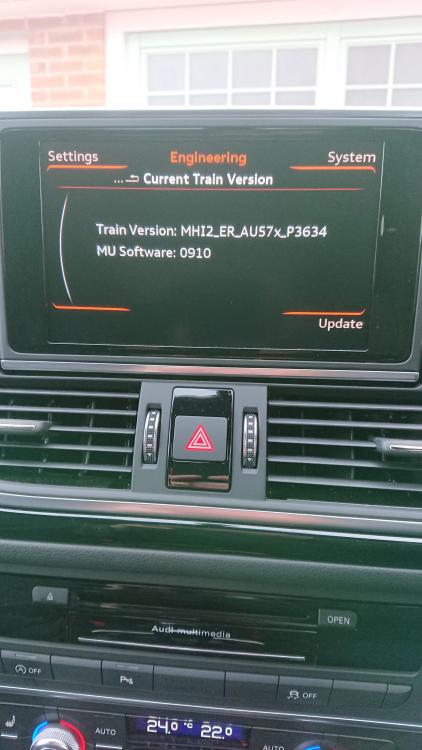
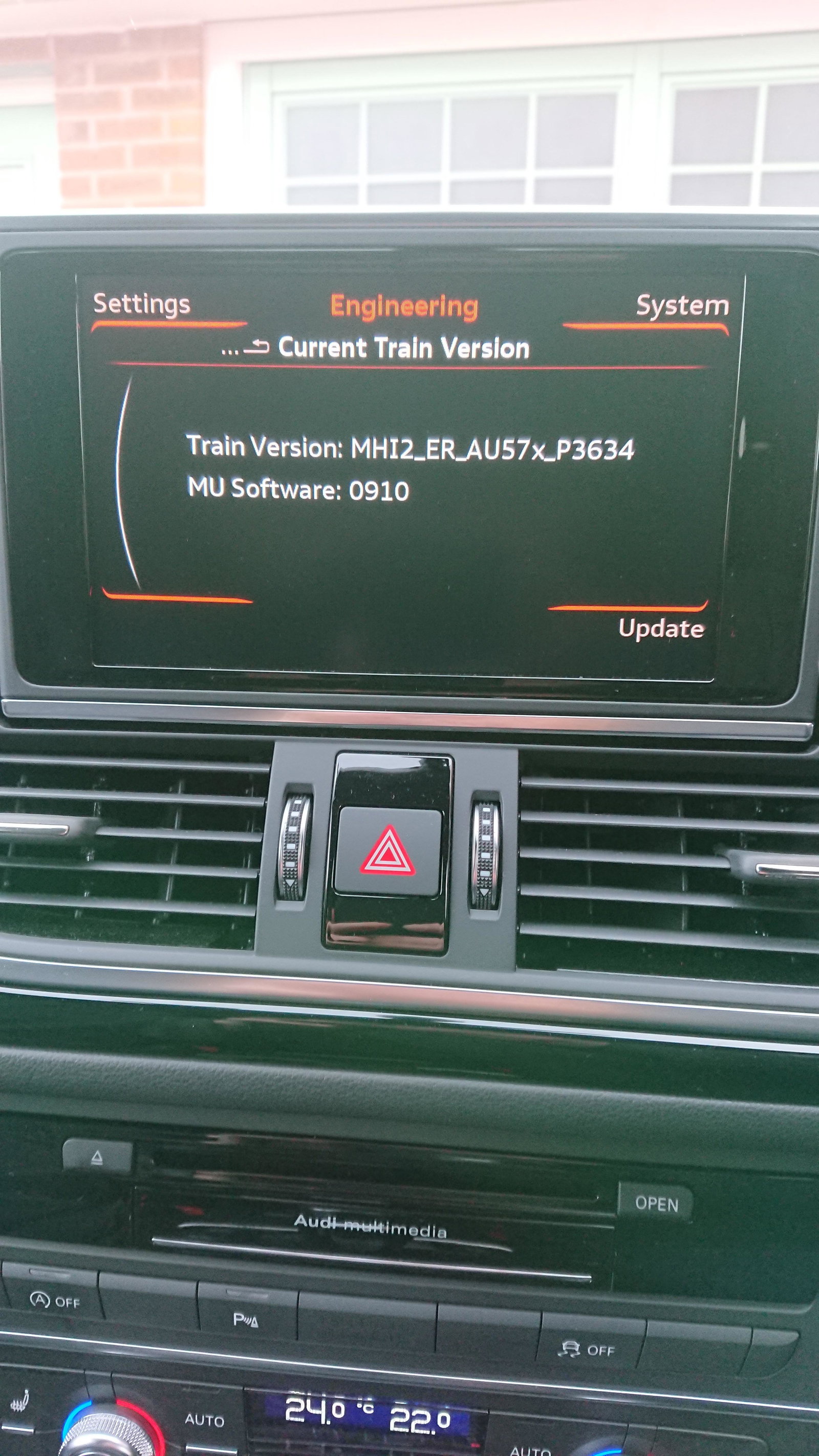
  4. Hi everyone,does anyone know how to activate proper green menu on audi a6 2018 with software version on the picture attached ,thanks


Background Picker
Customize Layout

Account

Navigation

Search

Search

Configure browser push notifications

Chrome (Android)
  1. Tap the lock icon next to the address bar.
  2. Tap Permissions → Notifications.
  3. Adjust your preference.
Chrome (Desktop)
  1. Click the padlock icon in the address bar.
  2. Select Site settings.
  3. Find Notifications and adjust your preference.