




Skip to content
View in the app

A better way to browse. Learn more.

Audi Owners Club (UK)

A full-screen app on your home screen with push notifications, badges and more.

To install this app on iOS and iPadOS
  1. Tap the Share icon in Safari
  2. Scroll the menu and tap Add to Home Screen.
  3. Tap Add in the top-right corner.
To install this app on Android
  1. Tap the 3-dot menu (⋮) in the top-right corner of the browser.
  2. Tap Add to Home screen or Install app.
  3. Confirm by tapping Install.

Ruddy2906

Members
  • Joined

  • Last visited

Everything posted by Ruddy2906

  1. Ruddy2906 replied to Dave321's topic in Audi Q3 Club
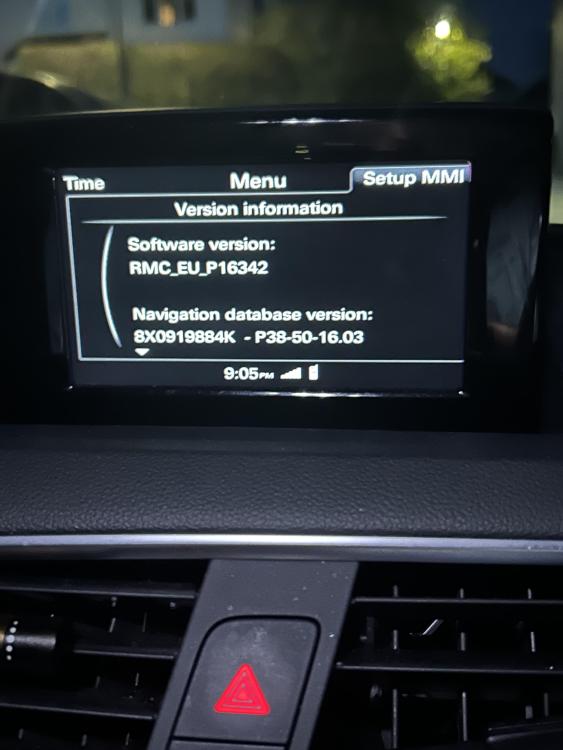
    Hi all, Really please I have found this thread, my radio has been driving me mad thinking I had done something wrong. i have a 2017 Q3 with the same issues. I was about to go to Audi but reading this, seems a waste of time. Thanks in advance to those of you who are pushing this. I’m also Newcastle area, please let me know if there is anything I can do
  2. Hello All, I have a fault with the roof on my convertible. I operate the switch, the windows come down as they should, the roof starts to open but stops as soon as it is unlatched and go no further. I can drop the roof manually, close it manually, then the next time I operate the switch the roof will fully open and close once. I’m guessing a sensor fault but which one I do not know. Is anyone able to print me in the right direction please? TIA Ruddy


Background Picker
Customize Layout

Account

Navigation

Search

Search

Configure browser push notifications

Chrome (Android)
  1. Tap the lock icon next to the address bar.
  2. Tap Permissions → Notifications.
  3. Adjust your preference.
Chrome (Desktop)
  1. Click the padlock icon in the address bar.
  2. Select Site settings.
  3. Find Notifications and adjust your preference.