Tugg
Established Member
-
Joined
-
Last visited
Everything posted by Tugg
-
Just to update this thread/post, it’s now been 10 weeks and the issue has not returned since the fix of disconnecting the cluster overnight.
-
That’s a painful bill, I fully understand why others get the AdBlue deleted out. Im hoping that Dave Adam who created this topic comes back with an update on how he got on and did he try using the AdBlue anti crystals?
-
Have been trying to figure this out myself, and the only common point on each case seems to be battery been replaced or totally drained previously. Glad it worked out for you at Zero cost 😁
-
Dave any update on how things are going with the Adblue issue, did you try the Forte Anti-crystals? I’m Interested as I’ve the same model and year and hear this is a common problem, so just trying to gleam some knowledge
-
Can you update with current issue/symptoms, and what you have tried over the last 12M as it will be easier to comment on potential fixes
-
Tensioner on the serpentine belt is standard right handed thread.
-
Mark have you resolved the issue? Can you clarify if the instrument cluster is still not lighting up at all, if so then the cause of the failure to continue to run will be no comms with the cluster, which will cause the immobiliser to cut the engine. If this is the symptoms then just unplug the cluster overnight and then just plug back in and see if that then resets things.
-
Stefan have you tried downloading the “MyAudi” app and then register your car on it (need v5 details), that way you should have visibility of all work done to it by Audi or Audi specialist garages. That’s what I found anyway when I downloaded the App 5 years ago, I could see all the previous 3 years of service history prior to me buying the car. Only issue is your reliant on the garage putting the detail into the text and it’s very much hit or miss, Glasgow Audi just inputted major service with no breakdown of what that covered, whist Inverness Audi went the extra mile and actually listed full details.
-
Stefan I replaced it on my brothers 2011 A3 2.0 TDI Quattro, but I believe it’s in the identical place on your facelift. Once you take the wheel off it’s just 5 minutes to take a few trim screws out of the liner and see the alarm module for peace of mind, before you send 15 minutes taking the whole arch liner out. He had the same issue as yourself and once I’d taken the shinny stainless cover off the siren (most time consuming part by far), i found the battery had leaked and trashed the board (common problem I’m told), so cheap scrapyard replacement and 2 years later it still chirps away when he arms the alarm. Hope this helps. Cheap replacements available on eBay as you probably know, which was going to be my solution, if i’d found the scrapyard one was also corrupted when I removed it.
-
Martyn I disconnected the battery for an hr as part of the initial repaired/fix but had no joy. However after reading your comment I thought I’d try reconnecting the Cluster which I’d removed 2 days previously ready for sending off for diagnosis/repair, as it’s only a 5 minute job to replace as you know. Anyway long story short Cluster is now back fully working and car fully operational, so well worth the 5 minutes, so cheers for taking the time to reply to my query of your post from 2 years ago Will update post again in 3-6 months and make as solution, unless I need to reply earlier should the fault return.
-
Martyn I disconnected the battery for an hr as part of the initial repaired/fix but had no joy. However after reading your comment I thought I’d try reconnecting the Cluster which I’d removed 2 days previously ready for sending off for diagnosis/repair, as it’s only a 5 minute job to replace as you know. Anyway long story short Cluster is now back fully working and car fully operational, so well worth the 5 minutes, so cheers for taking the time to reply to my query of your post from 2 years ago Will update post again in 3-6 months, or earlier if the fault returns.
-
Martyn I was thinking about scrapyard for alternative cluster, but doesn’t it then need the immobiliser coded? If it does need coding I’m not sure the cost would be that much of a saving (rather than repair) along with the obvious risk of not knowing if the scrapyard cluster works. Obviously it would need mileage altered if you wanted to go the full Monty.
-
The video is so short and localised it’s difficult to say for sure, I’d check the alternator clutch pulley as when they start to go (which is common) you see the tensioner trying to compensate just like this. That said it could be the tensioner, but you’ll know when you take the tensioner off, if it still has good spring tension it’s going to be the clutch pulley (£30 ish). Loads of videos online showing how to change if you’re up for it.
-
It is normally found in OSF wheel arch behind the liner at the 10 o’clock position, it’s within a stainless shield that is held to the chassis with a torq sheer screw that you’ll have to grind/cut off.
-
Good to have suggestions coming in and validating my efforts/thinking so far. The Battery is a AGM096 and a like for like replacement, tested at 12.67v before trying the battery disconnect/reset yesterday, after drawing a blank with loose wiring/fuses. Think I’ll have to try running diagnostic on the cluster next, will keep this post updated on my progress and hopefully eventual solution.
-
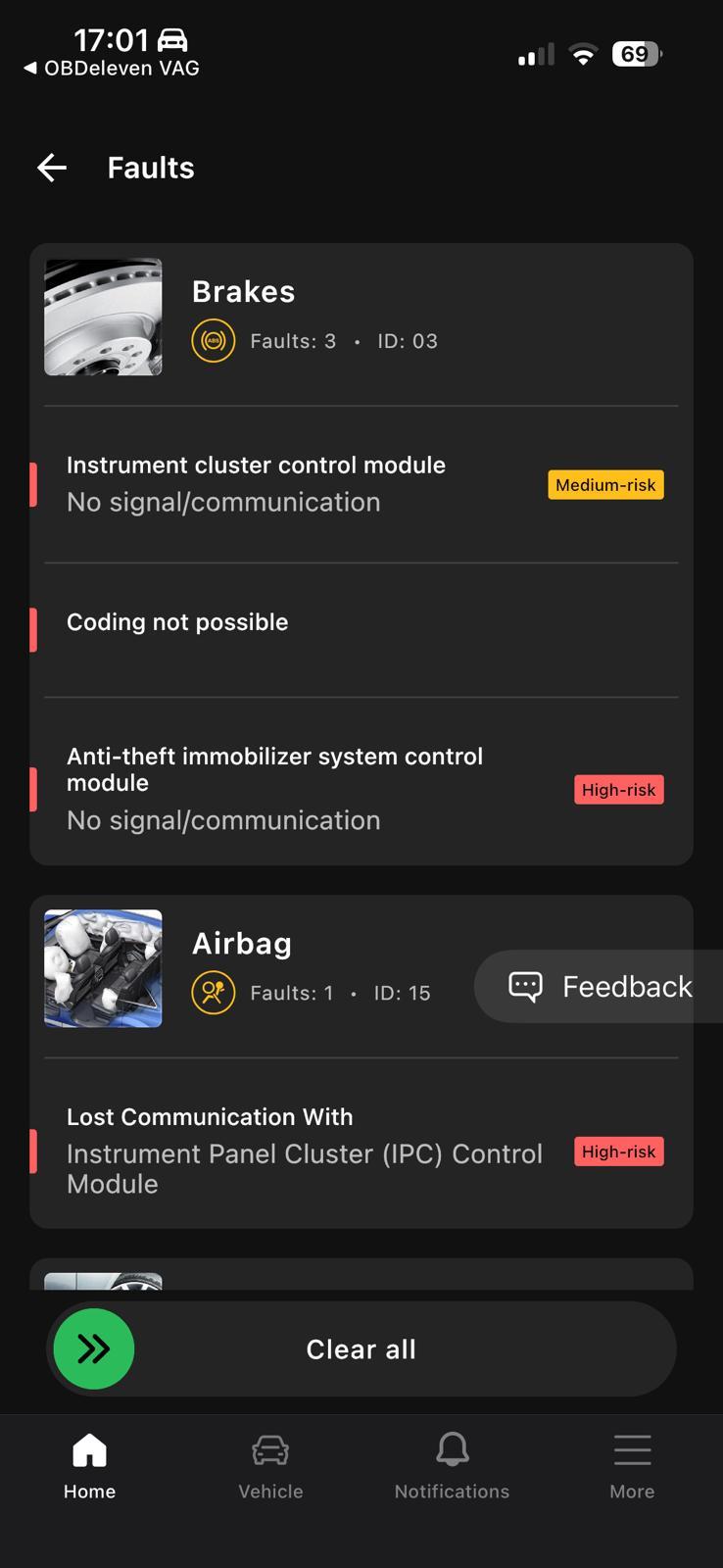
Appreciate your reply Stevey, I should have mentioned that I scanned it with my OBD11 and there were loads of codes (Anti theft, doors, brakes and airbag to name but a few) which pretty much all related to not being able to communicate with instrument cluster. This obviously points towards cluster, but just wanted to hear from anyone experiencing same issue as I’ve been led down rabbit holes before following codes!
-
Have the exact same issue, and its great there is updates in this post, it’s just a pity not all posters don’t come back with the solution once found (if any found) rather than leaving us hanging. Appreciate the info there is in this post, and I will ensure I give a full account of any solution (hopefully) in the separate post I have created.
-
Having an issue and hoping someone could provide some wisdom, have tried a search of the forum and whilst I found an identical issue on the forum from 2019, unfortunately the poster doesn’t say if they found the solution/problem. My issue is the son’s car (A3 8P 2.0 TDI) was working perfectly when parked up the previous night, came out to start the next morning and all normal until turning ignition on, instrument cluster failed to light up (radio/CD illuminates though). Crank car and starts immediately however cuts out after 2 seconds (guessing not getting immobiliser input), further checks show electric windows also not working but everything else (lights etc working). New battery fitted 2 months earlier and all fuses seem to check out okay. Any advise greatly received or knowledge of a good mobile auto electrician who covers Fife (Scotland) would be appreciated
-
For info Magnet I had my battery checked and all good, so looking down other rabbit holes
-
Cheers for the update Steve, will check out YouTube. Let’s hope this then resolves the issue, as always identifying the issue is the hard part. Hopefully this thread can be closed soonish with a solution and not left open like so many others.
-
You are not alone, I’ve the same issue. Will update if I make any progress, hopefully between us we can identify/resolve the issue
-
Yes Steve, as I say in original post the solution was replacing the ABS sensor.
-
Yes Steve Q, I saw this when I was trawling through previous forum posts for solutions, and this was the first thing I changed based on the loss of stop/start and multiple lights. But the new Halfords AGM 019 battery (92AH) made no difference at all.
-
Unless your good at doing your own maintenance, the cost of garages these days means running a 10 year plus car is prohibitive and just more cost effective to go for a newer car on monthly repayment. Car choice is massive and needs to be based on what your looking to be using it for.
-
Just wanted to post my issue and more importantly the solution. Started car to commute to work only to find the dash was lit up like a Christmas tree! Drove to work fine, despite the warning lights (none were dangerous), but noted front and rear parking sensor, cruise control, stop/start no longer worked. On finishing work started car to find all warnings had cleared and so drove home perplexed but relieved that car was fully functional again, however on arrival (30 mins) I decided to stop and then try restarting which resulted in all the warnings returning 🤦🏻♂️ and remained present for weeks. The codes were; Engine fuel limitation U111300, Steering assistance U111300, Parking brake U111300, Electronic parking brake J540 (00473), Brake control module 01316, Right Rear ABS sensor 00287. However nothing regards parking sensors or Stop/start. Tried a few things over the following weeks however finally discovered all caused by the defective right rear ABS sensor, which had imploded in the hub due to corrosion in the ABS pocket, resulting in having to drill the old sensor out! For info Audi sensor £150 but went for a £10 part from Spares Hut, obviously OEM is best but some times I draw the line at these crazy inflated prices.