





bendella
Members
-
Joined
-
Last visited
Everything posted by bendella
-
My rear level sensor rod snapped off, no codes, just that the headlights were very low. I just replaced the rod, have just posted about this if it helps
-
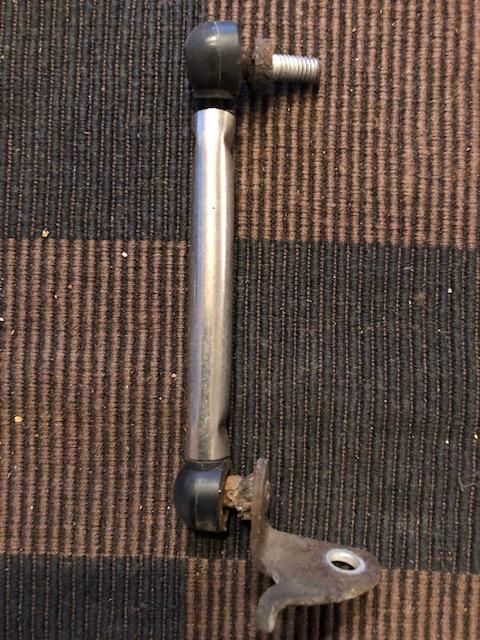
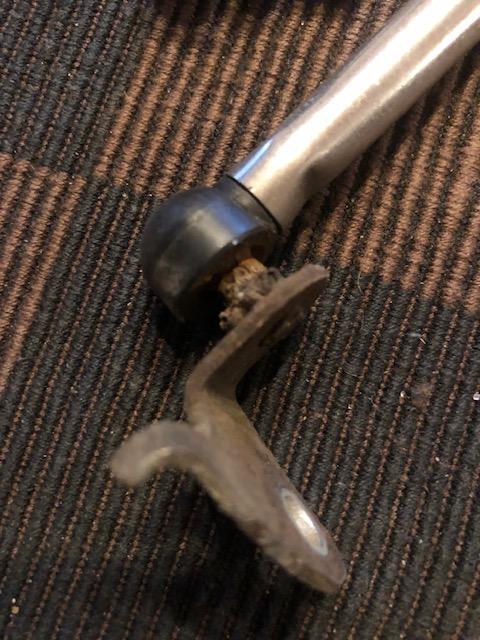
Just a post that could possibly help someone out. Probably has been posted but this is my recent experience with the main dealer Car failed MOT with what I expected headlights too low, rear level sensor, said they will check if the part is available and then quoted me £320 to fit. Seen that I had a 10 day retest I declined and purchase the part for £30, the bit that snapped was the rubber close to the ball connecting rod. I figured instead of unplugging and possibly having to 'recalibrate, I just removed the broken rod with just the new bit. Surprised as it came out easily. Job done and took me all 1\2hr as I didn't want to break anything Total cost £30, Audi £320, absolute rip off as you would think they could just resolve the issue as I've done Lights back to normal instead of a few feet in front (dangerous) Here is pics of what was replaced instead of the entire unit Hopefully this could help someone out
-
New to this forum but been an enthusiast for many years 🤘
