TreborGSA
Members
-
Joined
-
Last visited
-
I know how you feel Martin. In the first few weeks I had my Q3 it seemed I was emailing Audi nearly everyday with another new MMI software issue, all minor stuff, but annoying at the time. It took the enjoyment out of owning a new car. However, over the last few weeks things seem to have settled down and I now rarely get any issues, just occasionally the radio may not come on, or the drivers display will revert back to the rev counter from my chosen screen. As a result, I am starting to really enjoy the car and look forward to driving it (but maybe not as much as riding my motorbike 😉) It was mentioned on another forum that perhaps too much is happening in the software at initial start up resulting in some functions failing. Recently, I've taken to pushing the start button to bring the MMI on whilst I fasten my seat belt, then start the car, whether this is the reason I'm having less issues, or perhaps there has been an 'Over The Air' update to fix some minor issues, I don't know. Regarding Francis' issues regarding various warnings flashing up momentarily on the MMI about system failures - I've had this happen 2 or 3 times, again, I've put it down to the software being slow to boot up, with certain systems showing as failing, then correcting when it fully boots. You get something similar if you manually reboot the MMI, various features show as failed, such as the Navigation system, but they all come back as the system completes it's reboot.
-
-
Have you just tried resetting the MMI? It is much quicker than a factory reset. Just hold down the rotary knob on the central console until the MMI reboots (you need to hold it down for about 15 to 20 seconds, the first message you'll get is about turning off the screen, carry on holding it down beyond this). This has generally fixed any issues I've had and not had to do it for a few weeks now,
-
Fair enough, I did say I may have misunderstood what you were saying, especially as the vehicle location on the App looks the same as mine (though different street, obviously 😂). As you have a separate fob for the tracker then it is similar to what I had on my motorcycle. Now I've zoomed in on the location map I can see that blue dot does represent the keys as they are away from the Q3 logo. I have read the manual cover to cover and I don't remember seeing any mention of this (though it did make for heavy reading so I could've missed it. I probably will get a message if the car is taken without the keys, but I won't know unless someone nicks It! 🤣 On my previous car, a Volvo, the car App had a similar vehicle locator, but if the car was moving it stopped tracking. If the Q3 carries on giving the car location when it's moving, then this pretty much makes it a fully functional tracker, all it needs is that human touch where someone contacts you if your car is disturbed and the keys are not nearby. As the tech is already there, I'm surprised Audi don't incorporate it in to the Connected Audi Services and charge accordingly. I've learnt a lot from this chat, thanks.
-
Ah! The screen shot helps. Yes, I do have a blue dot which shows the whereabouts of the car, it is currently in my garage. I wasn't aware that the App would send a notification if it moved whilst the keys were stationary (or not with the car). Unless I misunderstand what your saying, it's not what insurance companies would call a tracker. My last motorcycle had a tracker, it was an independent unit hidden on the bike which came with a fob that you attached to your keys. If the bike was disturbed or moved without the fob being in the vicinity it alerted the tracking company to advise possible theft, they would then contact the registered keeper to ask if the bike was safe. If they couldn't make contact they alerted the Police. It sounds like the tracker built into the AudiApp relies on the owner seeing the notification before any action is taken. As I say, I may have misunderstood what you have described (i.e. no human intervention to make sure the owner is aware or the Police notified) and it may work totally different.
-
I don't understand the "Blue dot for keys" what does it do/info provide it provides?
-
-
Is it a tracker, or is it the feature in the Audi App that shows the position of your vehicle?
-
Thanks, I'll check it out. Bob
-
If you don't mind, could you tell us who did you get your "Smart Insurance, wheels, tyres, scratches, and alloys." with? Cheers Bob
-
And South of the wall too!
-
I have a 2026 Audi Q3 Edition 1 204 PS, in Sage Green, with Sound and Vision Pack Pro, Spare Wheel, Trailer Hitch, and front and rear dash cams. I ordered it on 13/11/2025, the build started 17/12/2026, completed 23/01/2026, and collected 18/03/2026. I have had a few software issues over the first couple of weeks, nothing too serious, just annoying, but these seem to have settled down now. I'm wondering if they've been carrying out over the air updates? During the first couple of weeks I was missing my Volvo XC40, especially with the 'minor' software issues occurring every couple of days or so, but I'm now starting to 'gel' with the car, but the wife hasn't, she doesn't like all the tech!
-
Don't they already have a Factory Fitted Immobiliser? 🤔
-
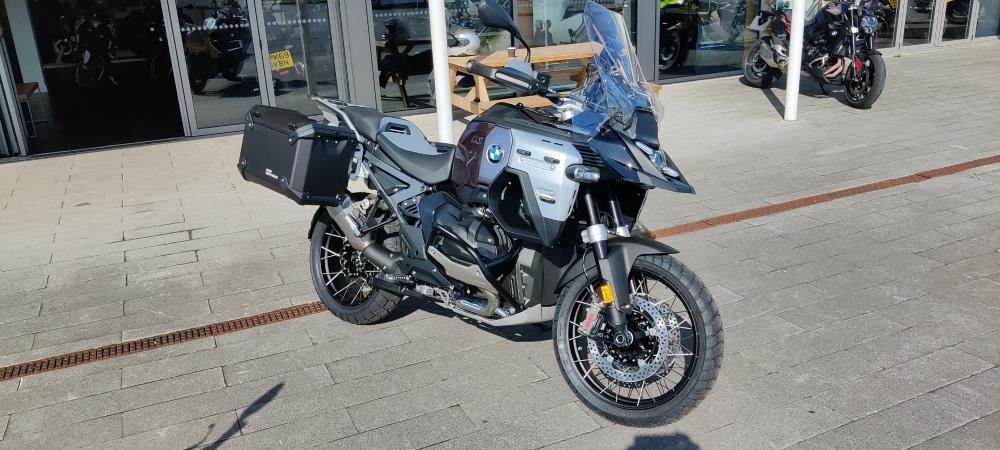
Hi everybody, just joined this group having just ordered the new Q3 SUV Edition 1 TFSI quattro 204 PS S tronic in Sage Green, with delivery due in March 2026. I've had a Q3 before, 2014 to 2018, and really liked it, but moved to Volvo when they launched the XC40 in 2018. I bought a T5 First Edition Model. I've now had the XC40 7 years and have really enjoyed it, I did consider getting another, but I wanted AWD and you can currently only get this with the electric XC40 and, at this time, I don't want an EV. I test drove the Q3 after a recent launch evening at my local dealer. I found the gear change being on the RHS of the steering column a bit odd, with the wiper control on the left with the indicators, but I soon got used to it and enjoyed the drive. The one I took out was a 1.5 S-Line petrol, so I'm expecting the one I ordered to be very impressive when it arrives! I also have a motorcycle, a BMW R1300GS Adventure which I bought earlier this year as a 70th birthday present to myself. This is my real toy and I tend to do double the miles on a motorcycle than I do in the car! Especially as I train other motorcyclists to be Advanced Riders for the IAM and, until recently, for RoSPA. As part of this, I also assist Lancashire Police carry out rider assessments for their BikeSafe Courses. In addition to this, I ride for my local Blood Bike group, North West Blood Bikes Lancs and Lakes, and I also carry out rider assessments for them. Cheers Bob
-
Thanks Garath. True, but I have my Motorbike for that.