


Leaderboard


Popular Content
Showing content with the highest reputation on 06/19/2020 in all areas
-
Hi Gareth, Thanks for this. This is a very helpful update. I think, after further thought, that I'm going to stay away from this particular model and wait for something a bit better. Good point on the timing belt, in the past I've had the seller do this work pre-sale and ended up regretting doing so after the fact on one occasion. Once CV19 dies down, I'll start to look for UK models as there tends to be much more choice there than in Ireland. Have a good weekend.1 point
-
Well sorted it. In case it helps anyone in the future... I was a bit worried by the mention in Haynes of driving the pump to bleed with VCDS... and of various places online mentioning the car refusing to start after a filter change and possible pump damage if full of air. My car handbook said to leave the ign on for at least 30sec if you'd run out of fuel and refilled so I decided it was good enough to pre-fill the filter cannister after replacing the element so that as you pushed the top on a little fuel was displaced to be caught by an old cloth driving out 99.9% of the air. Then I did the 30 sec ign on a couple of times and it started immediately after that.
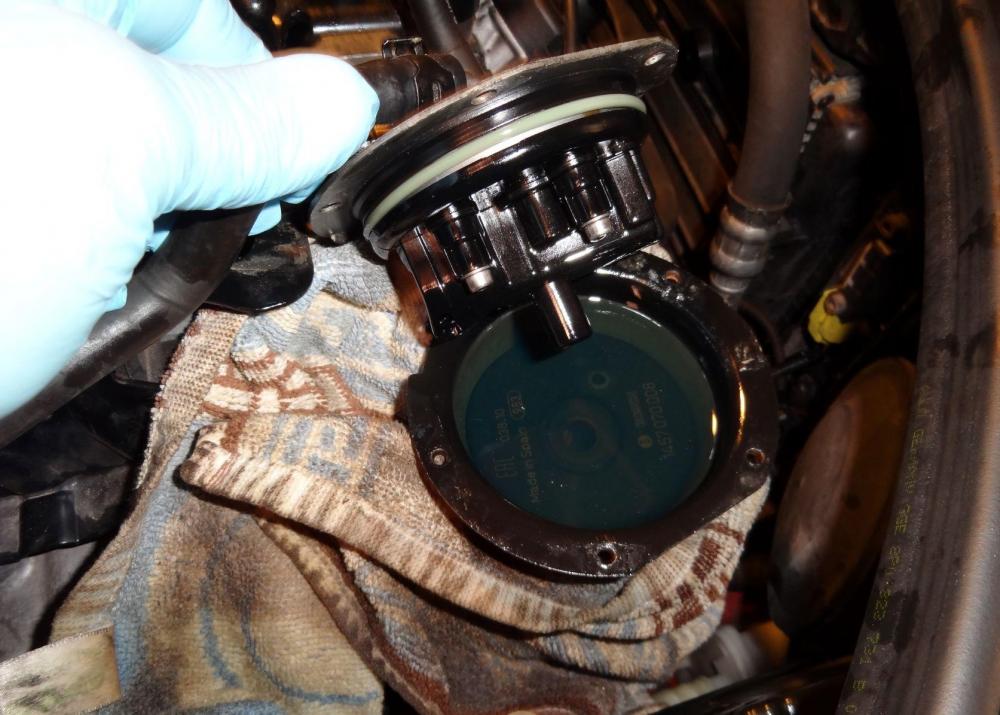 1 point
