Skip to content
View in the app

A better way to browse. Learn more.

Audi Owners Club (UK)

A full-screen app on your home screen with push notifications, badges and more.

To install this app on iOS and iPadOS
  1. Tap the Share icon in Safari
  2. Scroll the menu and tap Add to Home Screen.
  3. Tap Add in the top-right corner.
To install this app on Android
  1. Tap the 3-dot menu (⋮) in the top-right corner of the browser.
  2. Tap Add to Home screen or Install app.
  3. Confirm by tapping Install.

W12DMK

Members
  • Joined

  • Last visited

Everything posted by W12DMK

  1. Hi Gareth, Totally appreciate what your saying. This is currently up for auction tomorrow and have limited knowledge of the car. I've been searching the Internet to get as much info. I've come across the guy who did diagnostics on the car 2 years ago. This would be the 4th car in the household and I'm looking to get it to sit with my Audi W12. Alternatively I'm looking at the Q7 V12. Again, thanks for your input.
  2. Stunning car! If I had the money I'd be snapping it up. 👌
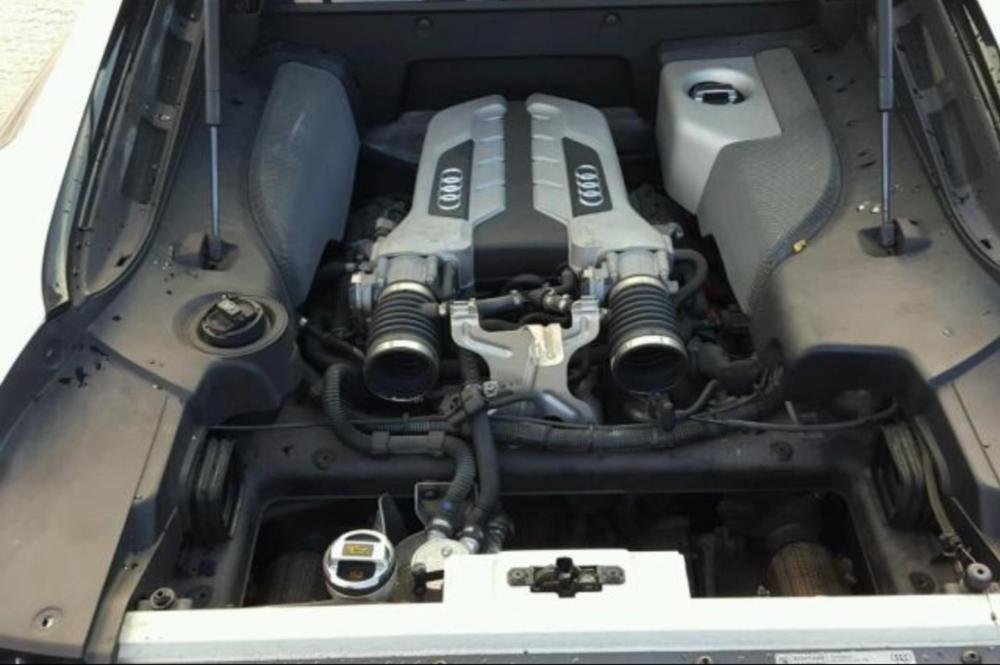
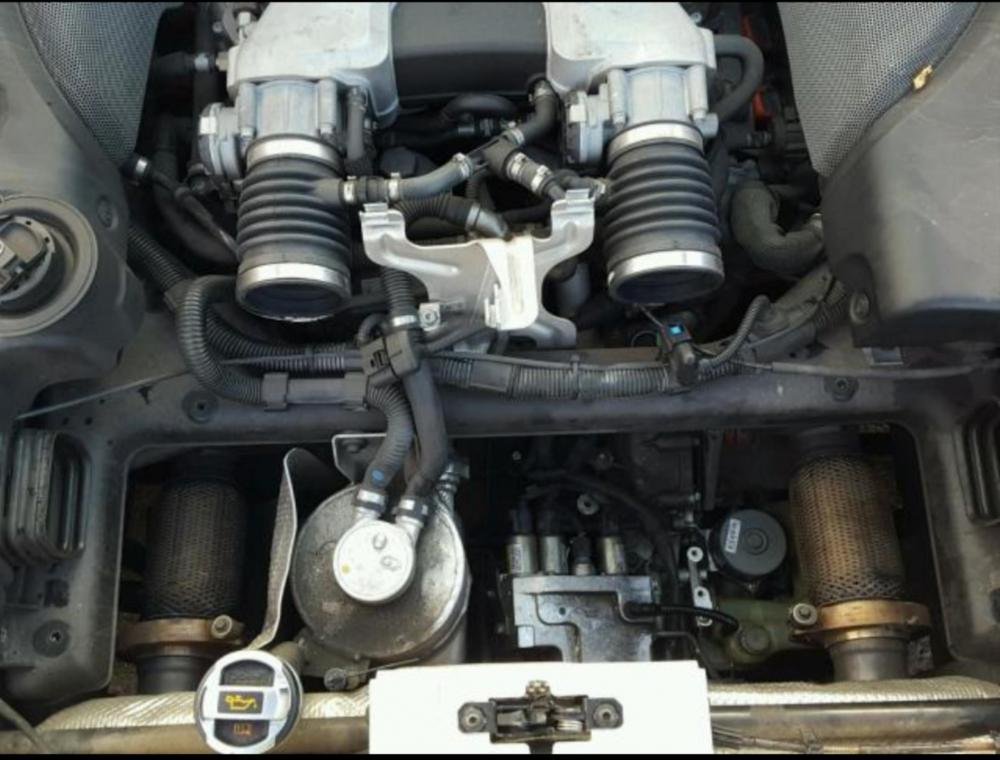
  3. I'm looking to buy my dream car! I have very little knowledge of engines, but really need some advice on what parts are needed for this R8. Is it worth buying if I can get it cheap? Helpful / constructive advice is much appreciated.


Background Picker
Customize Layout

Account

Navigation

Search

Search

Configure browser push notifications

Chrome (Android)
  1. Tap the lock icon next to the address bar.
  2. Tap Permissions → Notifications.
  3. Adjust your preference.
Chrome (Desktop)
  1. Click the padlock icon in the address bar.
  2. Select Site settings.
  3. Find Notifications and adjust your preference.