jammy
Established Member
-
Joined
-
Last visited
Everything posted by jammy
-
Well after 20 years of VAG cars I’m saying bye bye and getting an a new E Class Merc next week. I’ve loved my A6, had it 4 years and 37k from new. No real issues except the odd niggle (creaky dashboard, I’m looking at you🤭). I seriously thought about keeping it longer, but 4 years is the longest I’ve ever had a car and I got an itch to get something newer. Hopefully I won’t regret it. Thanks for all the help here, and I may well be back in the future 😊👍👍
-
I’d be very surprised if the above problem is also the same given the ‘general’ error message displayed. This appears to be a common problem and a many reported users have found that if you hold the SOS Call button until it calls and then terminate the call, it can clear the error. I would certainly try that before booking in for a costly diagnostic.
-
It’s a very well known issue. Just Google dash rattle A6 C8. I get it intermittently, certain temperatures / road surfaces tend to trigger it more. Currently it’s gone again.
-
I think the problem trying to find them as second hand is that very few buyers of a standard A6 will upgrade to 21” wheels. Most will go with the ‘pack’ such as the S-Line or Black Edition which are 19” / 20” as standard. Buyers looking for something better are usually already looking at S6 / RS6.
-
Are they UK spec for the A6? Can’t remember seeing these as standard.
-
Have you another iPhone in the family? Would be worth trying to set up from another device.
-
Phone apps folder is normal. Obviously it should open the car play when you access it. The question I asked earlier was whether your account was correct in your settings on your iPhone? settings —> General —> CarPlay. You could try deleting / resetting it from there.
-
Might be different problem then, but worth a go as it fixes the glitches Ive had. Does your car show in the CarPlay app in your phone settings?
-
Do a hard reset. Hold the round on / off dial for 15-30 seconds (until it restarts). CarPlay often does this - black screen / nothing showing.
-
-
The service may well have been within or near its normal schedule parameters. Difficult to tell without more information. I had a VW Passat Alltrack on lease and did 21k over 23 months without servicing on a long life schedule. It was sent back still not requiring a service. How long between the services?
-
-
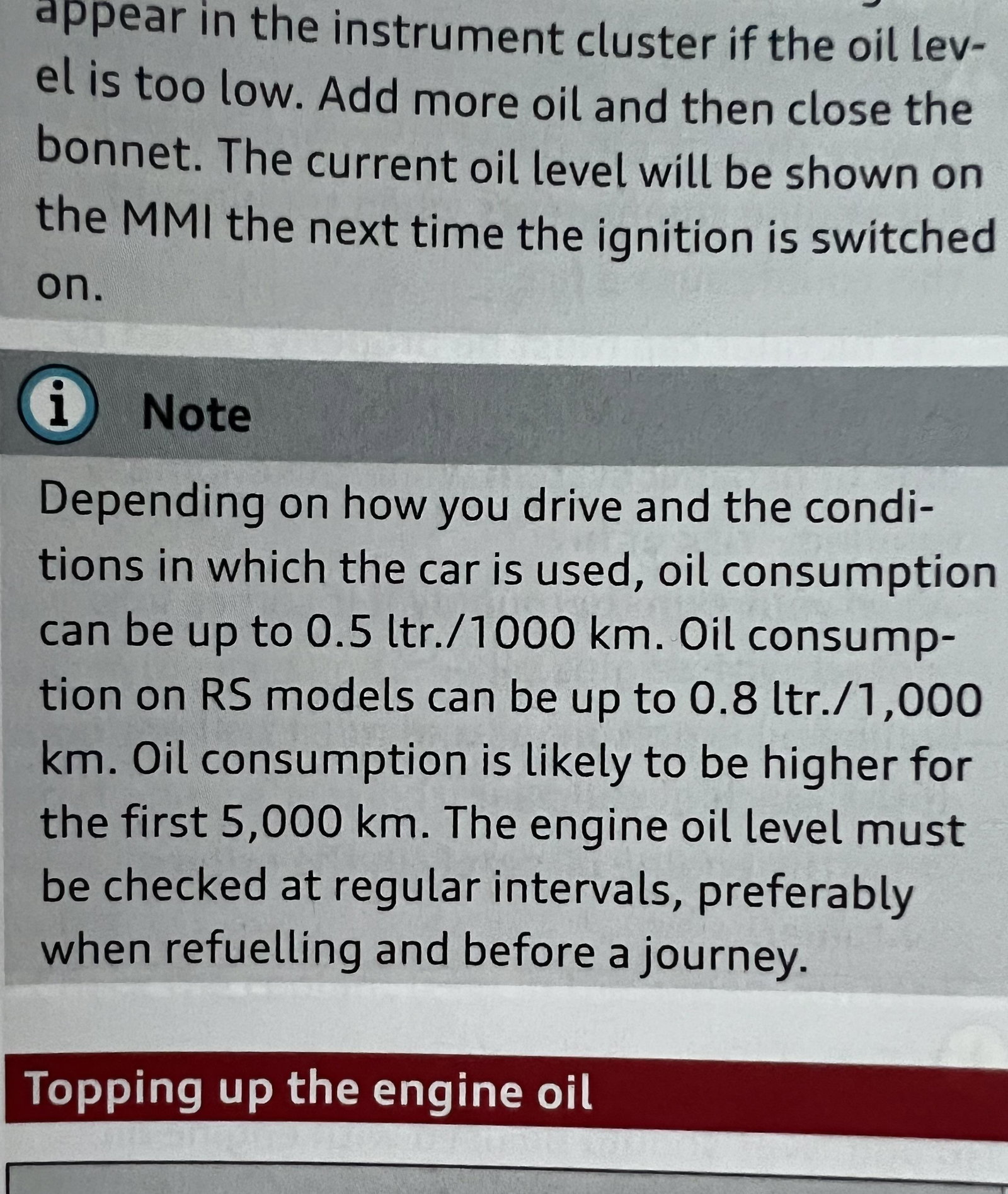
Page 315 of the manual 😊
-
For comparison, I have a 2021 2.0 40tsi petrol. Currently on a smidge over 30k miles. Besides one oil change at 20k I’ve never had to top up and it doesnt use oil according to the electonic oil level check.
-
I’m exactly the same, everything run through CarPlay, and only Google Maps and Waze. The Audi nav is a bit crap. I got the tech pack mainly for the larger central screen, especially as it would be running the navigation. Doesn’t bother me its not on the dashboard. I have that set up displaying the radio / tunes im playing.
-
I have 2021 Black Edition with Tech Pack. This will give you a larger main (Top) screen for viewing Sat Nav, AA, CarPlay etc. it fills the display rather than a smaller screen sat inside. Virtual Cockpit, will also display sat nav, menus etc Wireless charging box in centre arm rest. I have an iPhone so assume same for AA. This is displayed in the main screen only, so wont show Google maps or Waze in the VC. if the car does have the Tech Pack it will show standard sat nav in the VC. The Tech Pack was changed after 2021 to be standard fit but the inclusive options were changed from what was pre 2021.
-
Fingers crossed for you mate
-
Sounds like a faulty camera or calibration issue.
-
-
Nope. Just outside 😊
-
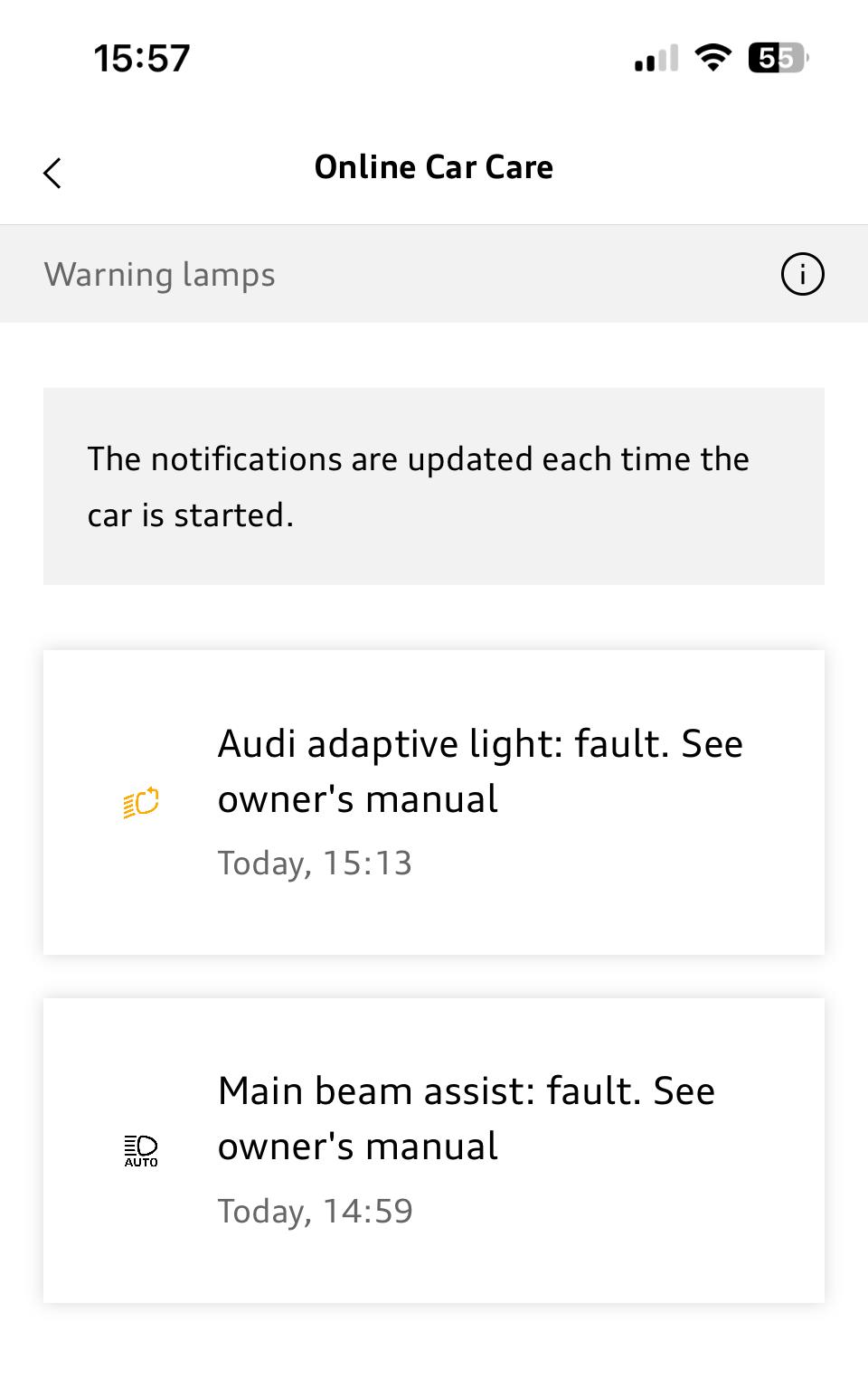
Well how about that for a coincidence. The faults just popped up on mine today!!
-
Concentrate on the area behind the rear view mirror. Fingers crossed it’ll sort it. Let us know how you get on. 😊
-
Normally goes when car is turned off / re-started. If it’s staying on then it’s more likely an issue with the camera, thats why all the messages are faults with a system linked to it. Have you looked if there is anything obstructing the camera? Give the windscreen a good wipe in front of the camera.
-
Not me, unless my fat fingers have pressed something. Not sure I even know how to do that.
-
I probably get these once every couple of months, and have done for last 3 years since the car was new. You always get all four warning messages. I think it can be when the camera gets obstructed / confused / shadows / bored. Anyway it always clears on start up, never had a hardware fail because of it. If you search on here, and other Audi forums you’ll find it’s a very common and usually benign problem. OP, is your message staying on? If so it would probably be a camera failure / alignment / calibration issue.