




Skip to content
View in the app

A better way to browse. Learn more.

Audi Owners Club (UK)

A full-screen app on your home screen with push notifications, badges and more.

To install this app on iOS and iPadOS
  1. Tap the Share icon in Safari
  2. Scroll the menu and tap Add to Home Screen.
  3. Tap Add in the top-right corner.
To install this app on Android
  1. Tap the 3-dot menu (⋮) in the top-right corner of the browser.
  2. Tap Add to Home screen or Install app.
  3. Confirm by tapping Install.

Welcome to the Audi Owners' Club - An Independent community!

Membership is completely free, and our community is built by enthusiasts, for enthusiasts. We’re a proudly independentnon-official club, so all the help and opinions you’ll find here come directly from members with real experience of Audi ownership.

Join the club now!
 

Is expansion tank suppose to be cold when car is warmed up

Featured Replies

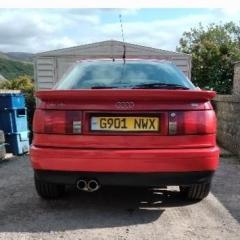
Hi i was just wondering if anybody knows if the water in the expansion tank of my Audi coupe B3 is suppose to be cold when the engine is at the operating temp? The water is flowing through the system fine and warm everywhere else in the system. Everything works as it should but the expansion tank is always cold. There is plenty of pressure. My gut feeling is it should be warm and i think it always has been on other cars ive owned. Could anyone please help? Thanks Ian!!!

  • 2 months later...

Hi, some cooling system designs have a single outlet from the expansion tank and on these the tank takes a while to get warm because there isn't any flow of warm coolant through it.   Other designs have more than one pipe connected to the tank.  For example some have a small pipe from near the top of the radiator that connects to the expansion tank so that any air in the radiator will bleed out automatically.  So just check how many pipes are connected to the tank - if there's only one connection the tank will tend to stay cool, although it will get warm eventually due to conduction.     Regards Clive

Create an account or sign in to comment


Background Picker
Customize Layout

Account

Navigation

Search

Search

Configure browser push notifications

Chrome (Android)
  1. Tap the lock icon next to the address bar.
  2. Tap Permissions → Notifications.
  3. Adjust your preference.
Chrome (Desktop)
  1. Click the padlock icon in the address bar.
  2. Select Site settings.
  3. Find Notifications and adjust your preference.