




Skip to content
View in the app

A better way to browse. Learn more.

Audi Owners Club (UK)

A full-screen app on your home screen with push notifications, badges and more.

To install this app on iOS and iPadOS
  1. Tap the Share icon in Safari
  2. Scroll the menu and tap Add to Home Screen.
  3. Tap Add in the top-right corner.
To install this app on Android
  1. Tap the 3-dot menu (⋮) in the top-right corner of the browser.
  2. Tap Add to Home screen or Install app.
  3. Confirm by tapping Install.

Welcome to the Audi Owners' Club - An Independent community!

Membership is completely free, and our community is built by enthusiasts, for enthusiasts. We’re a proudly independentnon-official club, so all the help and opinions you’ll find here come directly from members with real experience of Audi ownership.

Join the club now!
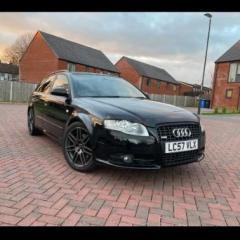
 

Car key resync issue

Featured Replies

I bought a replacement case for my car key and mid way through changing the case someone came to my door, after finishing putting my key back together, it won't unlock my car. The light flashes but won't unlock. I've tried all the YouTube videos I can find but no luck. Also there's an alarm that keeps going off and when trying to start the car it tries to start then cuts off. I assume it has an immobiliser and I still can't get the key to resync. Are there any other methods I've not tried? Please help.

07 car, so you got the same key as me.


Make 100% sure the batterys in correctly. The LED will still flash even if battery is not installed correctly, start there, i had this after i lost keys and had to have new keys made, they refused to open the car, then one day i stuck new batterys in desperation and they worked a charm after they, they shouldnt need re-syncing.

You can see if they need re-sync by starting the car, it will say SAFE in the clock if the key is not presenting valid data to the barrel

  • Author

It does say safe on the clock, I'm following the videos precisely but no use. 

20240229_124251.jpg

  • 5 months later...

press and hold lock button on key, put in car and ONLY turn to egnition for 5 sec then remove. prblem should be fixed. i had to do it a few months ago and it worked fine;)

Create an account or sign in to comment


Background Picker
Customize Layout

Account

Navigation

Search

Search

Configure browser push notifications

Chrome (Android)
  1. Tap the lock icon next to the address bar.
  2. Tap Permissions → Notifications.
  3. Adjust your preference.
Chrome (Desktop)
  1. Click the padlock icon in the address bar.
  2. Select Site settings.
  3. Find Notifications and adjust your preference.