




Skip to content
View in the app

A better way to browse. Learn more.

Audi Owners Club (UK)

A full-screen app on your home screen with push notifications, badges and more.

To install this app on iOS and iPadOS
  1. Tap the Share icon in Safari
  2. Scroll the menu and tap Add to Home Screen.
  3. Tap Add in the top-right corner.
To install this app on Android
  1. Tap the 3-dot menu (⋮) in the top-right corner of the browser.
  2. Tap Add to Home screen or Install app.
  3. Confirm by tapping Install.

Welcome to the Audi Owners' Club - An Independent community!

Membership is completely free, and our community is built by enthusiasts, for enthusiasts. We’re a proudly independentnon-official club, so all the help and opinions you’ll find here come directly from members with real experience of Audi ownership.

Join the club now!
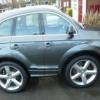
 

Crap in the snow

Featured Replies

Drove the Q7 in the snow yesterday, it's crap compared to my Nissan Navara.

I think the tyre choice on the 21" rims is the main problem.

The brakes lock up so easily the pedal is like a hair trigger.

Might put the standard 20" wheels back on to see what they are like.

I would guess tyres is your issue. To all intents the Q7 should be pretty good.

Glen.

My TT was ok. But that could be

because I'm Batman!

  • 6 months later...

Bit late posting this but try Winter tyres.. they are amazing compared to regular ones.. living in the Lakes I bought them for my X5 and it was transformed so using them on the Q7 now

  • 2 weeks later...

Glen & Steve have hit the nail on the head. It's the tyres.


When I bought my A3 it had 3 Evergreen EU72 and a Kenda Kaiser.  All were class C for wet grip.  In the wet it understeered as if on slicks.  


I changed them all for Goodyear Asymmetric 2 (Class A) and now it corners it's like it's on rails, wet or dry.


Winter tyres are best for snow & ice, because the rubber stays soft enough to grip at low temperatures as well as the chunkier tread pattern designed to improve grip.

Create an account or sign in to comment


Background Picker
Customize Layout

Account

Navigation

Search

Search

Configure browser push notifications

Chrome (Android)
  1. Tap the lock icon next to the address bar.
  2. Tap Permissions → Notifications.
  3. Adjust your preference.
Chrome (Desktop)
  1. Click the padlock icon in the address bar.
  2. Select Site settings.
  3. Find Notifications and adjust your preference.