




Skip to content
View in the app

A better way to browse. Learn more.

Audi Owners Club (UK)

A full-screen app on your home screen with push notifications, badges and more.

To install this app on iOS and iPadOS
  1. Tap the Share icon in Safari
  2. Scroll the menu and tap Add to Home Screen.
  3. Tap Add in the top-right corner.
To install this app on Android
  1. Tap the 3-dot menu (⋮) in the top-right corner of the browser.
  2. Tap Add to Home screen or Install app.
  3. Confirm by tapping Install.

Welcome to the Audi Owners' Club - An Independent community!

Membership is completely free, and our community is built by enthusiasts, for enthusiasts. We’re a proudly independentnon-official club, so all the help and opinions you’ll find here come directly from members with real experience of Audi ownership.

Join the club now!
 

Apple carplay won't connect sometimes. (Wired connection)

Featured Replies

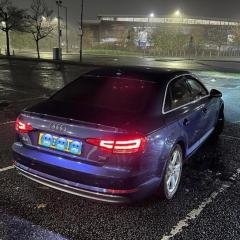
Hi, in my Audi A4 2015 the apple carplay feature is rather inconsistent and sometimes it won't work at all. I have two ports for the apple carplay and both of them seem to be the same. It works most of the time but if it's not worked for the initial start up of the car it won't work until the next time it's started again. The phone always gets a connection as I can see it being on charge, however the apple carplay won't be working. I have tried using different cables or phones and that does not change anything. I am unaware if this could be an MMI software issue where I have to update the version of it.

Anyone seen this issue before?

Thank you in advance.

Solved by LG99

  • 3 weeks later...
  • Solution

Hi Todel, 

I have the 65 plate A4 with wired car play and also had this issue since I bought it in 2022. I haven’t found an exact fix but I managed to improve it, occasionally it won’t work but id say it connects 95% of the time now. 
 

1. When you get into the car the first thing you should do is plug in your phone before starting the car or ignition. Wait 5-10 seconds and you should see the Apple car play screen light up on your phone, go ahead and turn on the car and it should be sound. The longer you leave it to plug in your phone after getting in or evening just opening the doors the less chance of it connecting first time, that’s what I found anyway. 

let’s say I need maps and it won’t connect and don’t have time to mess around, I go into my settings, delete my car as connection in car play and replug in again and it connects first time. 

2. try clearing out your charger port on your phone, honestly I had so much dust and crap in there that although the phone would charge it was messing with the Apple car play as it had too much wiggle and wouldn’t connect properly. 
 

this seems to work for me, hopefully this helps.

  • Author

Thank you for that I will test it all out. Since I have posted the question it has not worked for me like 2 times and I drive it daily so it's not as bad.

I am unsure about how to "delete my car as connection in car play". Is that in the car settings or the phone and where do I find it exacly?

Thank you in advance.

Create an account or sign in to comment


Background Picker
Customize Layout

Account

Navigation

Search

Search

Configure browser push notifications

Chrome (Android)
  1. Tap the lock icon next to the address bar.
  2. Tap Permissions → Notifications.
  3. Adjust your preference.
Chrome (Desktop)
  1. Click the padlock icon in the address bar.
  2. Select Site settings.
  3. Find Notifications and adjust your preference.