




Skip to content
View in the app

A better way to browse. Learn more.

Audi Owners Club (UK)

A full-screen app on your home screen with push notifications, badges and more.

To install this app on iOS and iPadOS
  1. Tap the Share icon in Safari
  2. Scroll the menu and tap Add to Home Screen.
  3. Tap Add in the top-right corner.
To install this app on Android
  1. Tap the 3-dot menu (⋮) in the top-right corner of the browser.
  2. Tap Add to Home screen or Install app.
  3. Confirm by tapping Install.


Welcome to the Audi Owners' Club - An Independent community!

Membership is completely free, and our community is built by enthusiasts, for enthusiasts. We’re a proudly independentnon-official club, so all the help and opinions you’ll find here come directly from members with real experience of Audi ownership.

Join the club now!
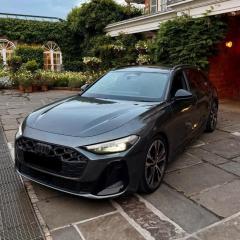
 

FOR SALE: S5 2025+ B10 (8B3) Interior Silver Chrome

Featured Replies

FOR SALE

200GBP

Audi S5 2025+ B10 (chassis code 8B3) Interior Silver Chrome Trim


4 x parts removed from my 2025 Audi S5.

Genuine Audi OEM parts. Very good condition. Sold as is. (see the photos).


3 pieces are intact with all the clips and pins. One piece was removed with too much force affecting 3 clips  (see photos for more detail). This won’t impact fitment and installation, there is enough clips and pins left to attach it securely.

  • Direct replacement — no modifications required
  • High-quality OEM chrome finish


Pick up in Honor Oak Park. Cash only.


Part Numbers:

  • Part Number: 8B3 867 410 / 8B3867410 (Right)
  • Part Number: 8B3 867 409 / 8B3867409 (Left)
  • Part Number: 8B3 864 148 B 7JW / 8B3864148B7JW (Right)
  • Part Number: 8B3 864 147 B 7JW / 8B3864148B7JW (Left)


Included in This Set

  • 1× Original chrome trim for center console (left)
  • 1× Original chrome trim for center console (right)
  • 1× Original chrome trim for left front door
  • 1× Original chrome trim for right front door


Screenshot2026-01-20at09_55_51.thumb.jpg.a5531d07a5aa6078ed7b988a244f73f2.jpgScreenshot2026-01-20at09_56_17.thumb.jpg.3672a7e3b2e8a012964bd2766413e771.jpgIMG_8116.thumb.jpeg.a950b800ff84b771919e620eb5d662d8.jpegIMG_8115.thumb.jpeg.fdc7db87448b207e10cb35e66cec44d5.jpegIMG_8114.thumb.jpeg.5d6cf653bd5ca3dc523063674c3fac83.jpegIMG_8122.thumb.jpeg.4d88a9b07196384161a4b034bb8a9ad7.jpegIMG_8123.thumb.jpeg.279416914e0642331847b61e2d4a33b7.jpegIMG_8124.thumb.jpeg.badded79ab10a432ae92cbbf061d61e0.jpegIMG_8125.thumb.jpeg.a88bccda6898218d969e161d5954a738.jpegIMG_8126.thumb.jpeg.c2143daf045f38adefec57f36d10a121.jpegIMG_8128.thumb.jpeg.d943950132aabfbb073dba114130a1f3.jpeg

IMG_8127.jpeg

Edited by mjLondonSE
title price update

Create an account or sign in to comment


Background Picker
Customize Layout

Account

Navigation

Search

Search

Configure browser push notifications

Chrome (Android)
  1. Tap the lock icon next to the address bar.
  2. Tap Permissions → Notifications.
  3. Adjust your preference.
Chrome (Desktop)
  1. Click the padlock icon in the address bar.
  2. Select Site settings.
  3. Find Notifications and adjust your preference.