


Leaderboard
-

Steve Q
Moderators2Points15,243Posts -
cliffcoggin
Moderators1Points4,641Posts -
Southampton Graham
Established Member1Points160Posts -
Andy Orchard
Members1Points6Posts




Popular Content
Showing content with the highest reputation on 01/26/2018 in Posts
-
1 point
-
1 point
-
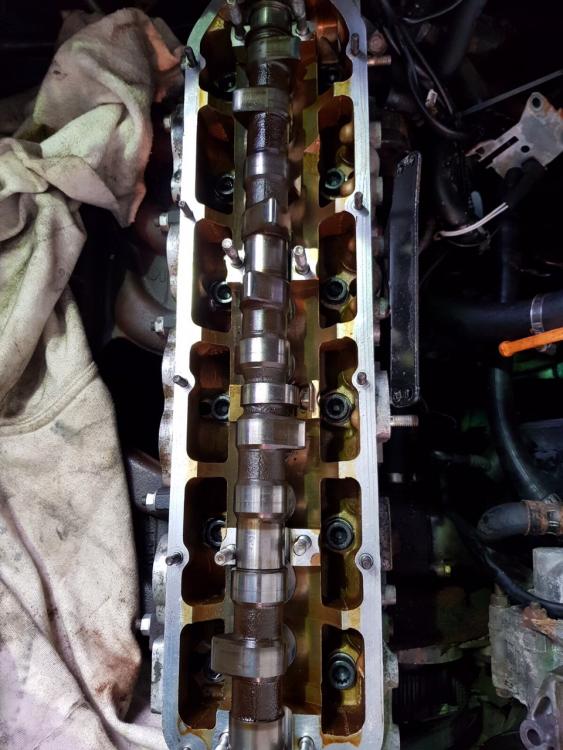
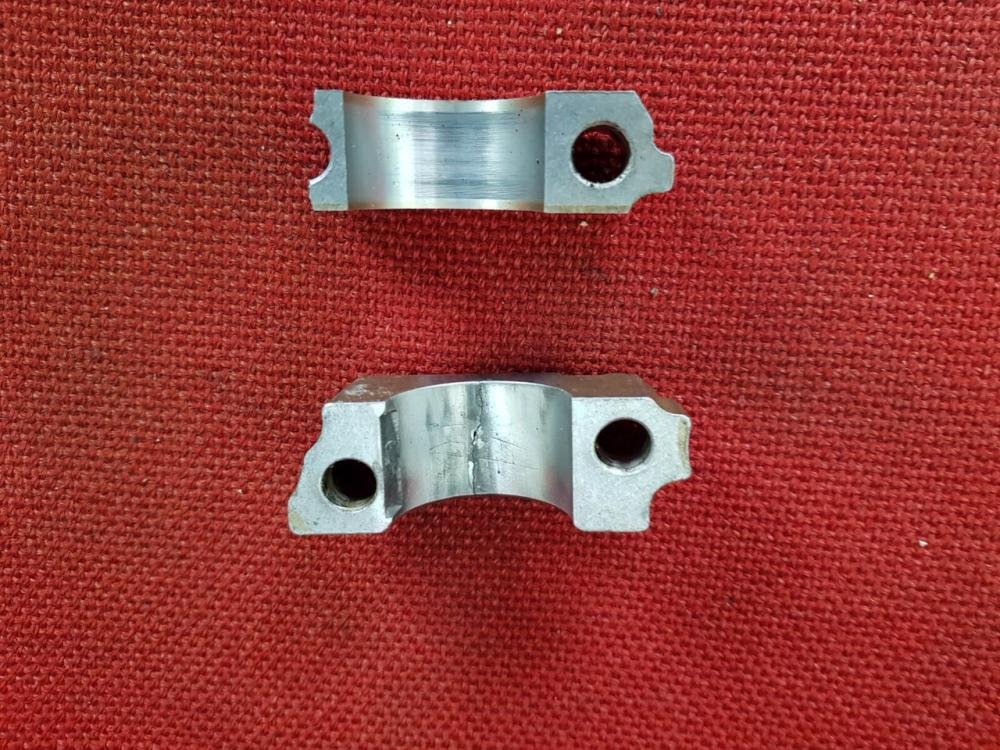
1 pointSorry Dan - not sure how I missed this. Thanks very much for offering to look this up. My engine is the 1993 2300cc 5-cylinder version. Grateful for any guidance here. Also, do you know whether it is possible to purchase camshaft holders? I've attached a picture of what I presume is the camshaft as well as the aluminium holders - 4 in total, two of which have snapped. My mechanic can't find them anywhere. Maybe this first image tells you whether the bolts for the cylinder head can be accessed without first removing the cam? Thanks, Andrew
 1 point
 -
1 pointHi Chris Try this on goooooogle 4BO601165J Looks like they could be the right ones1 point
-
1 pointWelcome to the forum Glenn, you'll find the members on here are a friendly and helpful bunch :) A disk lock will fit the steering wheel and aren't too expensive. I'd also recommend a Faraday pouch to help prevent a potential thief getting hold of the car key signal (I'm assuming your Audi is keyless). Very cheap on eBay. I've also hidden your other thread as it's a duplicate. Cheers :) Steve1 point

