


Leaderboard
-
Magnet
Moderators1Points9,529Posts -

Steve Q
Moderators1Points15,238Posts -

audia4b5kev
Club Supporter1Points895Posts -
Mk17
Members1Points3Posts





Popular Content
Showing content with the highest reputation on 04/10/2023 in Posts
-
1 pointno that iveco is a pain in my neck lol the audi engine is v6 2.7 diesel and your rad pack will be ok to1 point
-
I'm with ahead and my insurance came down when I renewed in January1 point
-
Hello Stephen, I was in a similar situation with our non-Audi less than a couple of months ago, where not only had the premium hiked, but without bringing it to my attention, their had also increased the compulsory excess - so beware and check! As with yourself, my circumstances hadn’t changed. They (a certain two-letter company) did reduce it a bit via. phone query, but it was still not competitive enough. I eventually took out a policy with Darwin - a subsidiary of Churchill at a more competitive rate, but quite a bit more than I had paid last year. I too had found that comparison site rates had certainly gone up since last year. Having said all that the premium on the Audi had only increased slightly, and indeed very little in the end - following a phone call. Of course, you have Adrian Flux on here who appear to have discounts for forum members. In my experience, ‘Discounts’ are only meaningful where the ‘original’ price is itself competitive, but could be worth a try. Kind regards, Gareth.1 point
-
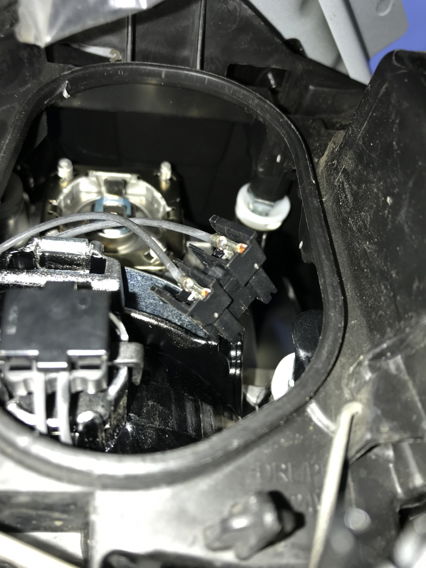
Thanks folk. Sorted for Q2 wheel arch access, then remove oval clipped cover. Feel to remove bulb connector, the use long nose pliers in confined space to remove bulb key way at top. Halogen bulb so use gloves.

 1 point

