




Skip to content
View in the app

A better way to browse. Learn more.

Audi Owners Club (UK)

A full-screen app on your home screen with push notifications, badges and more.

To install this app on iOS and iPadOS
  1. Tap the Share icon in Safari
  2. Scroll the menu and tap Add to Home Screen.
  3. Tap Add in the top-right corner.
To install this app on Android
  1. Tap the 3-dot menu (⋮) in the top-right corner of the browser.
  2. Tap Add to Home screen or Install app.
  3. Confirm by tapping Install.


Welcome to the Audi Owners' Club - An Independent community!

Membership is completely free, and our community is built by enthusiasts, for enthusiasts. We’re a proudly independentnon-official club, so all the help and opinions you’ll find here come directly from members with real experience of Audi ownership.

Join the club now!
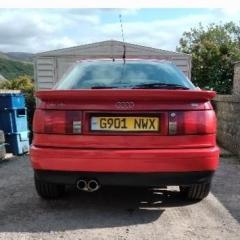
 

Interior temp sender unit location on 1990 Audi coupe 2.3e B4

Featured Replies

Hi i was looking for some help on how to get to the interior temperature sender unit on my 1990 Audi coupe 2.3e B3? Ive been having a bit of a problem with the heater not being very warm lately and would like to get it sorted before winter. Ive flushed the cooling system and heater core, changed the thermostat and fixed a hose before replacing the coolant and bleeding the system. although slightly better than it was the heater isnt warm as it should be. Ive just ordered a interior temperature sender unit off ebay for around £15 but havent got a clue where its located or how to get to it. I cant see anything under the bonnet so my gut feeling is its under the dash. Does anyone know where its located and if i need to remove anything to get to it? Any tips or advice would be helpful and much appreciated. Thanks Ian!!!

Create an account or sign in to comment


Background Picker
Customize Layout

Account

Navigation

Search

Search

Configure browser push notifications

Chrome (Android)
  1. Tap the lock icon next to the address bar.
  2. Tap Permissions → Notifications.
  3. Adjust your preference.
Chrome (Desktop)
  1. Click the padlock icon in the address bar.
  2. Select Site settings.
  3. Find Notifications and adjust your preference.