




Skip to content
View in the app

A better way to browse. Learn more.

Audi Owners Club (UK)

A full-screen app on your home screen with push notifications, badges and more.

To install this app on iOS and iPadOS
  1. Tap the Share icon in Safari
  2. Scroll the menu and tap Add to Home Screen.
  3. Tap Add in the top-right corner.
To install this app on Android
  1. Tap the 3-dot menu (⋮) in the top-right corner of the browser.
  2. Tap Add to Home screen or Install app.
  3. Confirm by tapping Install.


Welcome to the Audi Owners' Club - An Independent community!

Membership is completely free, and our community is built by enthusiasts, for enthusiasts. We’re a proudly independentnon-official club, so all the help and opinions you’ll find here come directly from members with real experience of Audi ownership.

Join the club now!
 

New Member

Featured Replies

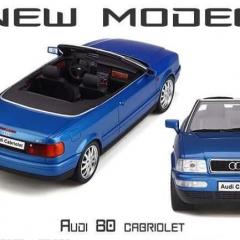
Hello, I am new to your Forum (and Forums in general). I own several old but capable Audis. A red 1992 B4 80 Coupe 2.0e, a blue 1994 B4 80 Cabriolet 2.6, a black 2003 C5 A6 Allroad 2.7t and a black 2008 B7 A4 Avant 2.0tdi black edition. All are in regular use with the allroad and the avant both well over 200,000 miles and still going strong. 

I do all my own maintenance and although the allroad is great winter transport I am currently making it better. It's now wearing Q5 alloys with 235/65/17 Dunlop Winter tyres. I raised it 10mm using Vag Com and fitted 25mm spacers to clear the bigger tyres and have now got a 30mm lift kit which I will fit as soon as I get the chance.

I have scanned through the Forum so far and it appears to be an informative and friendly club catering for a variety of vehicles and owners, cheers, John


  • 3 weeks later...

Create an account or sign in to comment


Background Picker
Customize Layout

Account

Navigation

Search

Search

Configure browser push notifications

Chrome (Android)
  1. Tap the lock icon next to the address bar.
  2. Tap Permissions → Notifications.
  3. Adjust your preference.
Chrome (Desktop)
  1. Click the padlock icon in the address bar.
  2. Select Site settings.
  3. Find Notifications and adjust your preference.