




Skip to content
View in the app

A better way to browse. Learn more.

Audi Owners Club (UK)

A full-screen app on your home screen with push notifications, badges and more.

To install this app on iOS and iPadOS
  1. Tap the Share icon in Safari
  2. Scroll the menu and tap Add to Home Screen.
  3. Tap Add in the top-right corner.
To install this app on Android
  1. Tap the 3-dot menu (⋮) in the top-right corner of the browser.
  2. Tap Add to Home screen or Install app.
  3. Confirm by tapping Install.

Welcome to the Audi Owners' Club - An Independent community!

Membership is completely free, and our community is built by enthusiasts, for enthusiasts. We’re a proudly independentnon-official club, so all the help and opinions you’ll find here come directly from members with real experience of Audi ownership.

Join the club now!
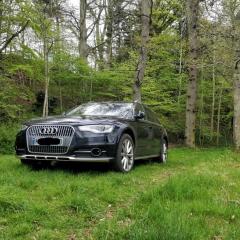
 

Real help needed to avoid a dealer trip

Featured Replies

Well, fed up with the constant air-suspension yellow light coming on after 30 miles, and the rest. I decided to replace the level sensor myself.

All done, and all good.

Had the car in RAISE, so working with one wheel off was ok. All on, and drive off - the car says the height is to high and is adapting... nice.

Get back to the drive, and decide to calibrate. I look at history, and the garage has obviously never tried! So !Removed! off already. Then take measurements of each wehell and begin calibration. Funny little code 24 errors, so try a different tack...whilst doing this I foolishly (and I do blame post-COVID fog) pressed clear all adaptations. Now there is no ability to adjust and the yellow lights for everything to do with the adaptive tech are on!!

I ended up venting the front air to level the car to 410 all around - but...looking at this online, it may mean a trip to the dealers.

BUT - my q is - if you have to renew the 4G0907553F suspension control unit during a job on a car - how do you recode that - or is it precoded? In which case I may just buy one!!

HELP though... 😞 

  • Author

Quick update _ have managed to sort it going straight to yellow lights!

However, the C101C800 - Function deactivation active fault is still showing after a scan...

Maybe I need to drive it - will do in the morning and see.

Then I may sell it if anyone is interested? 🙂

Create an account or sign in to comment


Background Picker
Customize Layout

Account

Navigation

Search

Search

Configure browser push notifications

Chrome (Android)
  1. Tap the lock icon next to the address bar.
  2. Tap Permissions → Notifications.
  3. Adjust your preference.
Chrome (Desktop)
  1. Click the padlock icon in the address bar.
  2. Select Site settings.
  3. Find Notifications and adjust your preference.