




Skip to content
View in the app

A better way to browse. Learn more.

Audi Owners Club (UK)

A full-screen app on your home screen with push notifications, badges and more.

To install this app on iOS and iPadOS
  1. Tap the Share icon in Safari
  2. Scroll the menu and tap Add to Home Screen.
  3. Tap Add in the top-right corner.
To install this app on Android
  1. Tap the 3-dot menu (⋮) in the top-right corner of the browser.
  2. Tap Add to Home screen or Install app.
  3. Confirm by tapping Install.


Welcome to the Audi Owners' Club - An Independent community!

Membership is completely free, and our community is built by enthusiasts, for enthusiasts. We’re a proudly independentnon-official club, so all the help and opinions you’ll find here come directly from members with real experience of Audi ownership.

Join the club now!
 

Cigarette lighter keeps blowing a fuse

Featured Replies

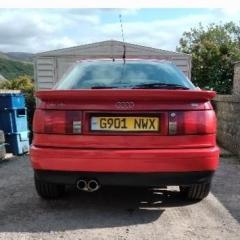
Hi does anyone know why my cigarette lighter keeps blowing a fuse? My cars a 1990 Audi coupe e. Ever since ive owned the car the cigarette lighter has never worked. I removed my centre console around the handbrake and the gearstick and discovered that the cigareete lighter to disconnect the auxilary gauges to change a bulb and discovered the connectors wernt plugged in. I thought maybe theyd come out and when i put them back the cigareete lighter would work. When i plugged them in ensuring the wires were all in tact the same fuse kept blowing. Do you think this is a problem with the wiring or maybe the actual cigareet lighter? Any help would be appreciated. Thanks from Ian!

My instinct tells me to test 1, the cigarette lighter itself for a short and 2, the unit the cigarette lighter goes into. Sounds as though there’s a short in one or the other.

  • Author

Thanks for replying. Il try and borrow a different cigarette lighter and the unit from my girlfriends Audi which is exactly the same car but hers works and see what happens. Thats reslly helpful thanks. 👍

Create an account or sign in to comment


Background Picker
Customize Layout

Account

Navigation

Search

Search

Configure browser push notifications

Chrome (Android)
  1. Tap the lock icon next to the address bar.
  2. Tap Permissions → Notifications.
  3. Adjust your preference.
Chrome (Desktop)
  1. Click the padlock icon in the address bar.
  2. Select Site settings.
  3. Find Notifications and adjust your preference.