




Skip to content
View in the app

A better way to browse. Learn more.

Audi Owners Club (UK)

A full-screen app on your home screen with push notifications, badges and more.

To install this app on iOS and iPadOS
  1. Tap the Share icon in Safari
  2. Scroll the menu and tap Add to Home Screen.
  3. Tap Add in the top-right corner.
To install this app on Android
  1. Tap the 3-dot menu (⋮) in the top-right corner of the browser.
  2. Tap Add to Home screen or Install app.
  3. Confirm by tapping Install.


Welcome to the Audi Owners' Club - An Independent community!

Membership is completely free, and our community is built by enthusiasts, for enthusiasts. We’re a proudly independentnon-official club, so all the help and opinions you’ll find here come directly from members with real experience of Audi ownership.

Join the club now!
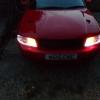
 

newbie with A4 B5 estate

Featured Replies

Hello all I've just purchased a A4 B5 estate on a n reg its fitted with a 1.8 20V could do with abit of TLC especially due to its being bright red/pink lol not bad for £215 with tax and mot covered 170k will upload a couple pics later

My name is Sam and I'm 23 and from Nottingham

post-1649-0-43541400-1371029524_thumb.jp

post-1649-0-53598600-1371029565_thumb.jp

post-1649-0-95716100-1371029611_thumb.jp

post-1649-0-19466500-1371029650_thumb.jp

post-1649-0-30430400-1371029678_thumb.jp

Hello Sam and welcome to the site!


Nice car, especially with the black roof rails and sills that really set off the red paintwork.


You're right about the TLC - the sunlight does reveal a few swirls in the paint, but I can't see any pink areas on it like you get on Vauxhalls.


Nothing a few hours of polishing and good wax won't fix - here's hoping for a clear weekend!

Create an account or sign in to comment


Background Picker
Customize Layout

Account

Navigation

Search

Search

Configure browser push notifications

Chrome (Android)
  1. Tap the lock icon next to the address bar.
  2. Tap Permissions → Notifications.
  3. Adjust your preference.
Chrome (Desktop)
  1. Click the padlock icon in the address bar.
  2. Select Site settings.
  3. Find Notifications and adjust your preference.