




Skip to content
View in the app

A better way to browse. Learn more.

Audi Owners Club (UK)

A full-screen app on your home screen with push notifications, badges and more.

To install this app on iOS and iPadOS
  1. Tap the Share icon in Safari
  2. Scroll the menu and tap Add to Home Screen.
  3. Tap Add in the top-right corner.
To install this app on Android
  1. Tap the 3-dot menu (⋮) in the top-right corner of the browser.
  2. Tap Add to Home screen or Install app.
  3. Confirm by tapping Install.

Welcome to the Audi Owners' Club - An Independent community!

Membership is completely free, and our community is built by enthusiasts, for enthusiasts. We’re a proudly independentnon-official club, so all the help and opinions you’ll find here come directly from members with real experience of Audi ownership.

Join the club now!
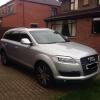
 

AUDI Q7 AIR. SUSPENSION PROBLEM

Featured Replies

I bought a Audi q7 a few months ago bought a 3.0 Quattro with air suspension model with black leathers and Nav ect

Any way I thought one day to replace my upper suspension arms the ball joints were no good

Put my car in jack mode lifted it up took the wheels off , loosened the air suspension pipe carefully let the air slowly release from the bags , then removed the suspension and steering components got the bag free in the process the (culprit in my case) electronic level sensor was removed .

This clever little gadget has a bracket which sits on the upper arms one on each side close to the rear side

in my case been incorrectly fitted on the replacement end

The bracket located on a lug

Rectified that and the air suspension came back down to normal hight

Then got the snap on Solus pro out and calibrated the all four air suspension, measuring the approx hight from centre of wheel to the arch

Starting at the n/strong wheel and working my way around front first the rear in my case oh got the front at 470mm and rears at 450

Then changed the measurement using the scanner to front 449mm

And rear to 465 mm with the car running on idle on a flat surface on my four poster in my case and then let the calibration complete and jobs done

Hope this thread help

Create an account or sign in to comment


Background Picker
Customize Layout

Account

Navigation

Search

Search

Configure browser push notifications

Chrome (Android)
  1. Tap the lock icon next to the address bar.
  2. Tap Permissions → Notifications.
  3. Adjust your preference.
Chrome (Desktop)
  1. Click the padlock icon in the address bar.
  2. Select Site settings.
  3. Find Notifications and adjust your preference.