




Skip to content
View in the app

A better way to browse. Learn more.

Audi Owners Club (UK)

A full-screen app on your home screen with push notifications, badges and more.

To install this app on iOS and iPadOS
  1. Tap the Share icon in Safari
  2. Scroll the menu and tap Add to Home Screen.
  3. Tap Add in the top-right corner.
To install this app on Android
  1. Tap the 3-dot menu (⋮) in the top-right corner of the browser.
  2. Tap Add to Home screen or Install app.
  3. Confirm by tapping Install.


Welcome to the Audi Owners' Club - An Independent community!

Membership is completely free, and our community is built by enthusiasts, for enthusiasts. We’re a proudly independentnon-official club, so all the help and opinions you’ll find here come directly from members with real experience of Audi ownership.

Join the club now!
 

How to change boot light?

Featured Replies

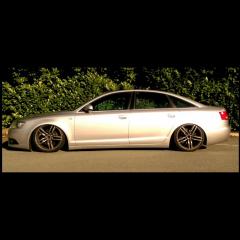
When I open the boot on my 2006 Audi A6, there is no boot light.

As the boot is so big, it makes seeing what is at the back near impossible (and this is in broad daylight, never mind when it's pitch black)!

I can see a light fitting and have managed to get it free but cannot work out how to replace this.

As with the majority of the topics I seem to start, I am sure this is an easy fix - any help would be appreciated.

I have never replaced one before but imagine it is a case of fingernail behind the lens.

Attached is a replacement LED version which would improve things all round

http://www.ebay.co.uk/itm/like/291892969225?clk_rvr_id=1111115566012&vectorid=229508&lgeo=1&item=291892969225&rmvSB=true

  • Author
6 hours ago, Trevor said:

I have never replaced one before but imagine it is a case of fingernail behind the lens.

Attached is a replacement LED version which would improve things all round

http://www.ebay.co.uk/itm/like/291892969225?clk_rvr_id=1111115566012&vectorid=229508&lgeo=1&item=291892969225&rmvSB=true

Superb, thank you.

I had managed to jimmy it out but couldn't quite fathom how to take it apart.

Ordered the upgrade as you have said along with some new led bulbs for above my number plate instead of the yellow halogen ones that are in at present.

Thanks for the advice!

  • Author

Thanks again Trevor - the boot light is now up and running! Let there be light!

Small victories eh!?

Create an account or sign in to comment


Background Picker
Customize Layout

Account

Navigation

Search

Search

Configure browser push notifications

Chrome (Android)
  1. Tap the lock icon next to the address bar.
  2. Tap Permissions → Notifications.
  3. Adjust your preference.
Chrome (Desktop)
  1. Click the padlock icon in the address bar.
  2. Select Site settings.
  3. Find Notifications and adjust your preference.