




Skip to content
View in the app

A better way to browse. Learn more.

Audi Owners Club (UK)

A full-screen app on your home screen with push notifications, badges and more.

To install this app on iOS and iPadOS
  1. Tap the Share icon in Safari
  2. Scroll the menu and tap Add to Home Screen.
  3. Tap Add in the top-right corner.
To install this app on Android
  1. Tap the 3-dot menu (⋮) in the top-right corner of the browser.
  2. Tap Add to Home screen or Install app.
  3. Confirm by tapping Install.


Welcome to the Audi Owners' Club - An Independent community!

Membership is completely free, and our community is built by enthusiasts, for enthusiasts. We’re a proudly independentnon-official club, so all the help and opinions you’ll find here come directly from members with real experience of Audi ownership.

Join the club now!
 

GPS Problems

Featured Replies

Hi, 

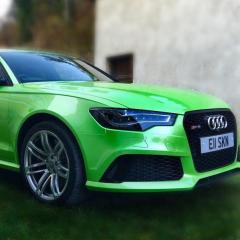
Hoping someone might be able to help I have an RS6 2014 with MMI 3G (not with sim) and a few months ago I was driving through France and my GPS system started messing up and telling me I was back in London, for the rest of my journey it was acting erratically, since then its been on and off sometimes showing my correct location other times say I'm in Leeds when I'm in London and so on, I've tried few things like reseting the MMI by holding the three buttons at the same time, driving round in an open space in circles and resetting the Sat Nav system settings all with no joy, I've also noticed recently that other devices in ym car can't pick up a proper GPS signal from a Dashcam to a radar speed camera detector.. it all seems a bit odd to me really even my phone doesn't always work correctly, I've tried removing everything that uses GPS to see if for whatever reason it could have been one of those blocking the signal, anyone have any ideas or help how to reset the GPS on the MMI?


Thanks


Eric 

Hi Eric....welcome to the Forum

My first thoughts are the Dash Cam interfering with the onboard systems.

The NextBase Dash Cam is supplied with an interference filter (choke) to avoid any interference.

Not sure, but maybe worth rewiring it or fitting some suppression?

Let us know what you find

Cheers  Trevor

Create an account or sign in to comment


Background Picker
Customize Layout

Account

Navigation

Search

Search

Configure browser push notifications

Chrome (Android)
  1. Tap the lock icon next to the address bar.
  2. Tap Permissions → Notifications.
  3. Adjust your preference.
Chrome (Desktop)
  1. Click the padlock icon in the address bar.
  2. Select Site settings.
  3. Find Notifications and adjust your preference.