


Leaderboard



Popular Content
Showing content with the highest reputation on 02/15/2020 in all areas
-
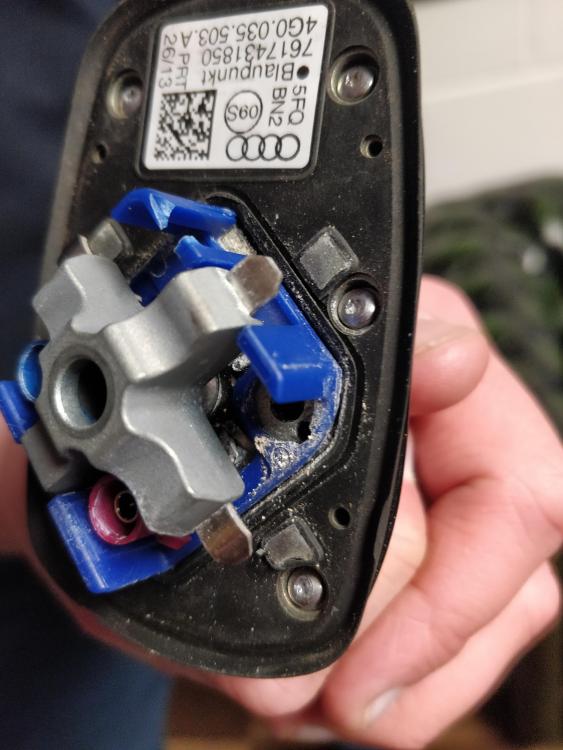
Gareth, All done - it WAS the GPS fin. Local garage fitted a new one, the old one was corroded inside. Why Audi didn't check that when it came up on the scan!!? N A completely clear scan now...nothing at all. Amazing how water ingress into the fin caused a bevvy of issues.
 1 point
 -
1 pointThanks guys I did take it in there’s no way I’d leave anything like that for too long, it was the wheel bearing.1 point
-
1 pointThanks for coming back on this Jamie. I notice you might intend to change the battery anyway - personally, I wouldn’t - I would go through the charging and testing procedure first, and only change it if it proves to be at fault. Come back to the forum when you’ve done that, and then we can address your hot starting issue. Meanwhile, does the car appear to be heavier on fuel than it has been? Kind regards, Gareth.1 point
